
About
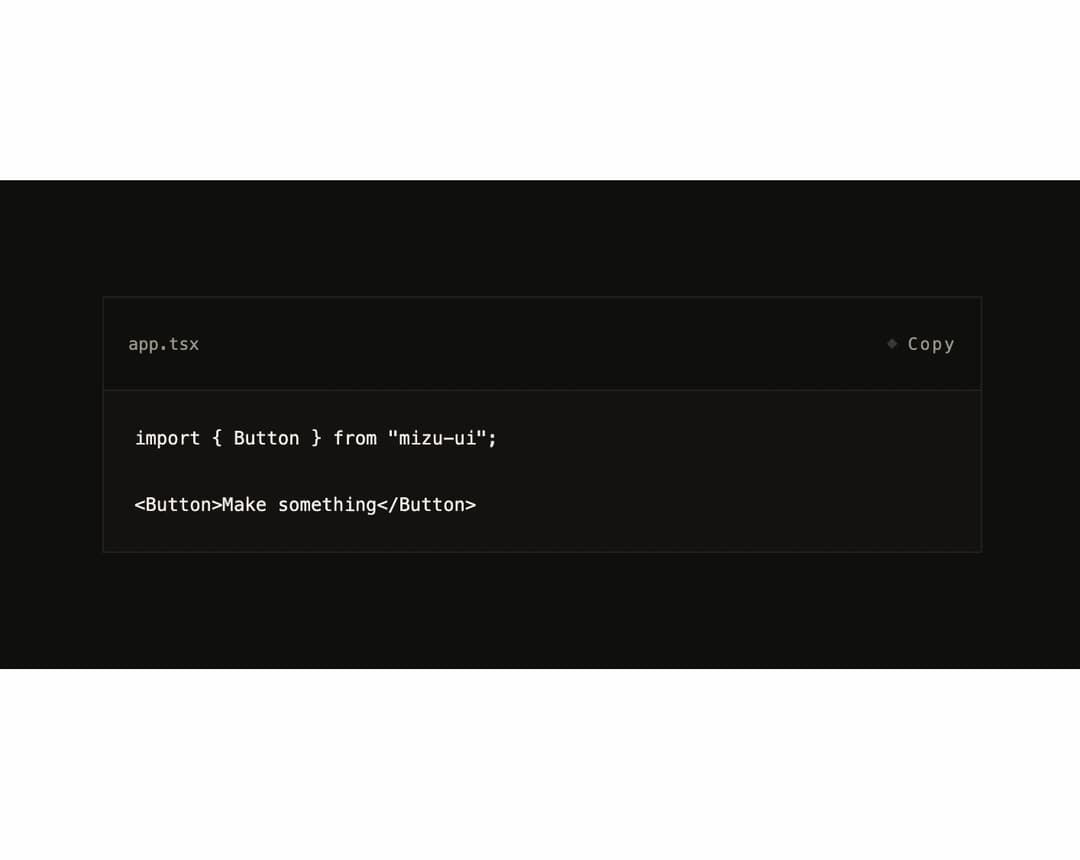
A figure that displays source code with a filename/language caption and a one-click copy-to-clipboard button, for showing selectable snippets with long lines.
Built with React and Tailwind. Copy the prompt and paste it into Claude Code, Cursor or Lovable: your agent adds Code Block to your project and fits it to your theme.
Code
How Code Block is used: the demo's code. The component's own source comes with a free account.
Usage.tsx
import CodeBlock from "@/components/ui/code-block";

export default function CodeBlockDemo() {
  return (
    <div className="mizu-root flex min-h-[320px] w-full items-center justify-center p-10">
      <div className="w-full max-w-xl">
        <CodeBlock
          filename="app.tsx"
          language="tsx"
          code={
            'import { Button } from "mizu-ui";\n\n<Button>Make something</Button>'
          }
        />
      </div>
    </div>
  );
}
More by 0xuser64bit
View all
Image Compare
10
Signal Waveform
4