
About
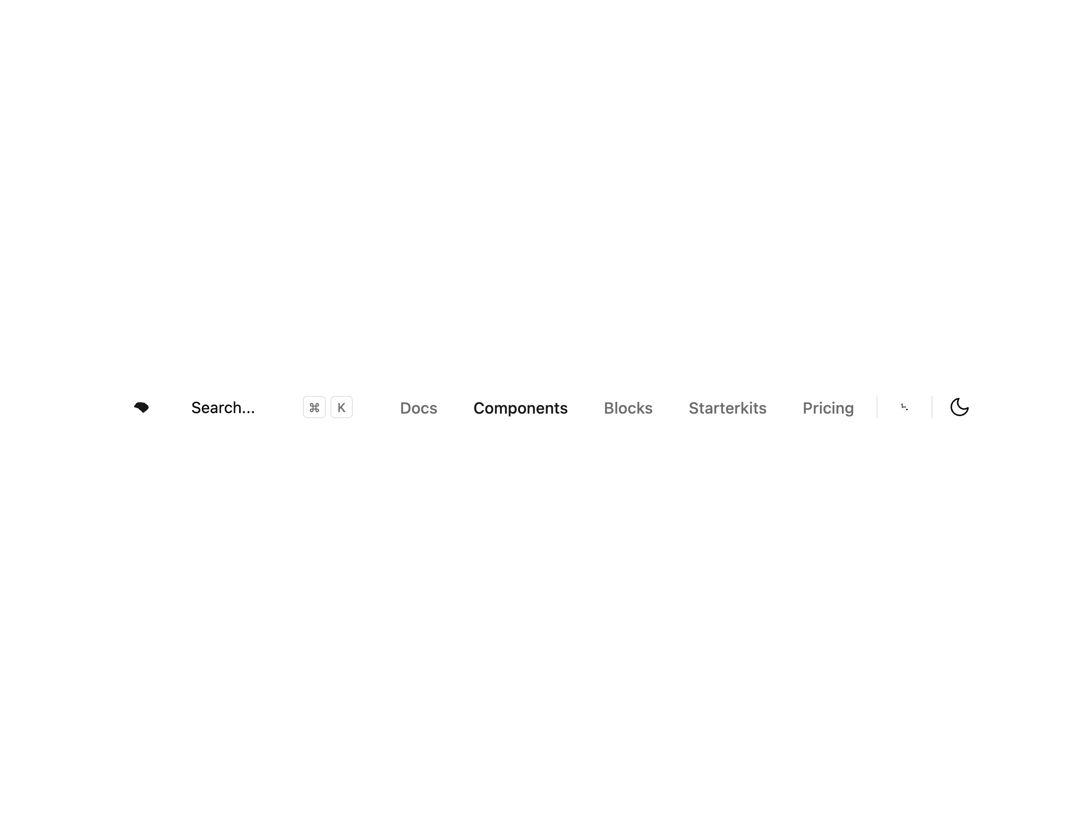
Here is Navbar Component
Built with React and Tailwind. Copy the prompt and paste it into Claude Code, Cursor or Lovable: your agent adds Navbar to your project and fits it to your theme.
Code
How Navbar is used: the demo's code. The component's own source comes with a free account.
Usage.tsx
'use client'

import * as React from 'react'
import { cn } from '@/lib/utils'
import { buttonVariants, Button } from '@/components/ui/button'
import {
  NavigationMenu,
  NavigationMenuItem,
  NavigationMenuLink,
  NavigationMenuList,
} from '@/components/ui/navigation-menu'
import { Separator } from '@/components/ui/separator'
import { MobileNav } from '@/components/ui/navbar'

import { useTheme } from 'next-themes'

/* ------------------ Sample nav (replace with real links) ------------------ */
const navigationLinks = [
  {
    name: 'Menu',
    items: [
      { href: '#', label: 'Docs' },
      { href: '#', label: 'Components', active: true },
      { href: '#', label: 'Blocks' },
      { href: '#', label: 'Starterkits' },
      { href: '#', label: 'Pricing' },
    ],
  },
]

/* -------------------------------- Search --------------------------------- */
export function Search({ className }: React.ComponentProps<'button'>) {
  // Detect mac platform safely (works client-side)
  const isMac =
    typeof window !== 'undefined' &&
    typeof navigator !== 'undefined' &&
    navigator.platform?.toUpperCase().includes('MAC')

  return (
    <Button
      variant="secondary"
      className={cn(
        'bg-surface text-surface-foreground/60 dark:bg-card relative h-8 w-full justify-start pl-2.5 font-normal shadow-none sm:pr-12 md:w-40 lg:w-56 xl:w-64',
        className
      )}
    >
      <span className="hidden lg:inline-flex">Search...</span>
      <span className="inline-flex lg:hidden">Search...</span>

      <div className="absolute top-1.5 right-1.5 hidden gap-1 sm:flex">
        <CommandMenuKbd>{isMac ? '⌘' : 'Ctrl'}</CommandMenuKbd>
        <CommandMenuKbd className="h-5 w-5">K</CommandMenuKbd>
      </div>
    </Button>
  )
}

function CommandMenuKbd({ className, ...props }: React.ComponentProps<'kbd'>) {
  return (
    <kbd
      className={cn(
        'bg-background text-muted-foreground pointer-events-none flex h-5 items-center justify-center gap-1 rounded border px-1 font-sans text-[0.7rem] font-medium select-none',
        className
      )}
      {...props}
    />
  )
}

/* ----------------------------- ModeSwitcher ------------------------------ */
export function ModeSwitcher() {
  const { setTheme, resolvedTheme } = useTheme()

  const toggleTheme = React.useCallback(() => {
    setTheme(resolvedTheme === 'dark' ? 'light' : 'dark')
  }, [resolvedTheme, setTheme])

  return (
    <Button
      variant="ghost"
      size="icon"
      className="h-8 w-8 flex items-center justify-center cursor-pointer"
      onClick={toggleTheme}
      title="Toggle theme"
      aria-label="Toggle theme"
    >
      {/* simple sun/moon-ish icon (kept generic) */}
      <svg
        xmlns="http://www.w3.org/2000/svg"
        viewBox="0 0 24 24"
        fill="none"
        stroke="currentColor"
        strokeWidth="1.6"
        strokeLinecap="round"
        strokeLinejoin="round"
        className="h-5 w-5"
        aria-hidden
      >
        <path d="M21 12.79A9 9 0 1111.21 3 7 7 0 0021 12.79z" />
      </svg>
      <span className="sr-only">Toggle theme</span>
    </Button>
  )
}

/* -------------------------------- Navbar --------------------------------- */
export default function Navbar() {
  // Replace this with `import Link from 'next/link'` when using Next.js
  const Link: any = 'a'

  return (
    <header className="container mx-auto flex h-14 items-center justify-between gap-4 px-4">
      <div className="flex items-center justify-start gap-2 md:flex-1 md:gap-4">
        <MobileNav nav={navigationLinks} />

        {/* Logo button */}
        <Link
          href="#"
          className={cn(
            buttonVariants({ variant: 'ghost', size: 'icon' }),
            'dark:hover:bg-accent text-accent-foreground h-8 w-8 flex items-center justify-center'
          )}
          aria-label="Home"
        >
          <svg viewBox="0 0 40 40" fill="currentColor" className="h-6 w-6" aria-hidden>
            <path d="M11.77 21.83 7.42 20.49c-2.42-.49-2.42-.49-1.79-2.62l3.15-3.88c.63-.77 1.57-1.23 2.56-1.23h6.93" />
            <path d="M12.5 23l-1.5-2.5c0-.4 5-7.5 9-7.5 2.17 1.83 6.12 3.47 7 7 .5 2-5 6.17-8 8.5L12.5 23z" />
          </svg>
        </Link>

        <Search className="mr-2 hidden md:flex" />
      </div>

      <div className="flex items-center justify-end gap-2">
        <NavigationMenu className="max-md:hidden">
          <NavigationMenuList className="flex items-center gap-1">
            {navigationLinks[0].items.map((link, index) => (
              <NavigationMenuItem key={index}>
                <NavigationMenuLink asChild>
                  <Link
                    href={link.href}
                    data-active={link.active ? 'true' : undefined}
                    className={cn(
                      'rounded-md px-3 py-1.5 text-sm font-medium transition-colors',
                      link.active ? 'text-accent-foreground' : 'text-foreground/60 hover:text-foreground'
                    )}
                  >
                    {link.label}
                  </Link>
                </NavigationMenuLink>
              </NavigationMenuItem>
            ))}
          </NavigationMenuList>
        </NavigationMenu>

        <Separator orientation="vertical" className="hidden md:flex data-[orientation=vertical]:h-5" />

        {/* Action button (phone/contacts icon placeholder) */}
        <Link
          href="#"
          className={cn(buttonVariants({ variant: 'ghost', size: 'sm' }), 'h-8 w-8 flex items-center justify-center')}
          aria-label="Contact"
        >
          <svg viewBox="0 0 24 24" fill="currentColor" className="h-5 w-5" aria-hidden>
            <path d="M21 16.5v2a2 2 0 0 1-2 2h-2.5a.5.5 0 0 1-.5-.5V18a1 1 0 0 1 1-1h3a1 1 0 0 1 1 1z" />
            <path d="M3 7a4 4 0 0 1 4-4h1v2H7a2 2 0 0 0-2 2v8h2V7z" />
            <path d="M8 11h8v2H8z" />
          </svg>
        </Link>

        <Separator orientation="vertical" className="hidden md:flex data-[orientation=vertical]:h-5" />

        <ModeSwitcher />
      </div>
    </header>
  )
}
More in Navigation
View all

Sidebar
234

Tabs
60
Newsletter Signup Footer
16
Progress Bar Stepper
36

Footer 2
201
Navbar with Theme Toggle
43

Navbar
71

Pagination
86
