
About
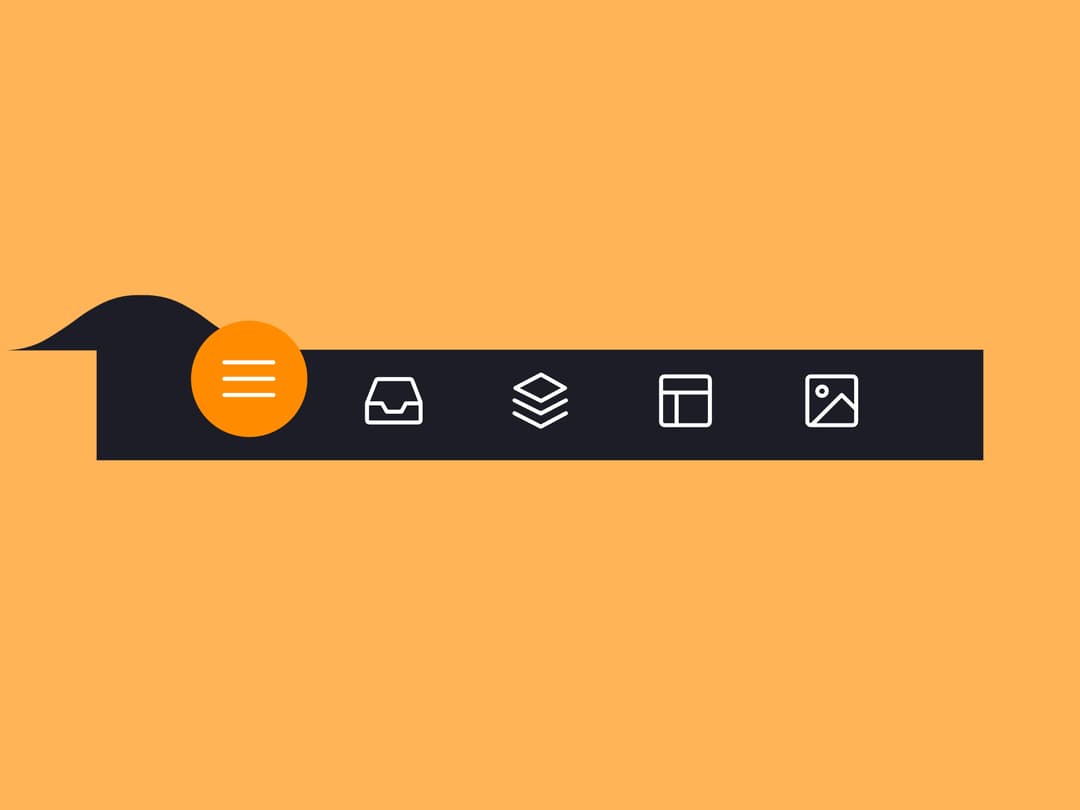
Here is Animated Tab Bar component
Built with React and Tailwind. Copy the prompt and paste it into Claude Code, Cursor or Lovable: your agent adds Animated Tab Bar to your project and fits it to your theme.
Code
How Animated Tab Bar is used: the demo's code. The component's own source comes with a free account.
Usage.tsx
// src/demos/default.tsx
"use client";

import * as React from "react";
import { useState } from "react";
import { AnimatedTabBar } from "@/components/ui/animated-tab-bar";
import type { TabItem } from "@/components/ui/animated-tab-bar";

// This array defines the colors for the page background, corresponding to each tab.
const bgColorsBody = ["#ffb457", "#ff96bd", "#9999fb", "#ffe797", "#cffff1"];

// This array defines the properties for each tab item.
const tabItems: TabItem[] = [
  {
    color: "#ff8c00",
    icon: (
      <svg className="icon" viewBox="0 0 24 24">
        <path d="M3.8,6.6h16.4" />
        <path d="M20.2,12.1H3.8" />
        <path d="M3.8,17.5h16.4" />
      </svg>
    ),
  },
  {
    color: "#f54888",
    icon: (
      <svg className="icon" viewBox="0 0 24 24">
        <path d="M6.7,4.8h10.7c0.3,0,0.6,0.2,0.7,0.5l2.8,7.3c0,0.1,0,0.2,0,0.3v5.6c0,0.4-0.4,0.8-0.8,0.8H3.8 C3.4,19.3,3,19,3,18.5v-5.6c0-0.1,0-0.2,0.1-0.3L6,5.3C6.1,5,6.4,4.8,6.7,4.8z" />
        <path d="M3.4,12.9H8l1.6,2.8h4.9l1.5-2.8h4.6" />
      </svg>
    ),
  },
  {
    color: "#4343f5",
    icon: (
      <svg className="icon" viewBox="0 0 24 24">
        <path d="M3.4,11.9l8.8,4.4l8.4-4.4" />
        <path d="M3.4,16.2l8.8,4.5l8.4-4.5" />
        <path d="M3.7,7.8l8.6-4.5l8,4.5l-8,4.3L3.7,7.8z" />
      </svg>
    ),
  },
  {
    color: "#e0b115",
    icon: (
      <svg className="icon" viewBox="0 0 24 24">
        <path d="M5.1,3.9h13.9c0.6,0,1.2,0.5,1.2,1.2v13.9c0,0.6-0.5,1.2-1.2,1.2H5.1c-0.6,0-1.2-0.5-1.2-1.2V5.1 C3.9,4.4,4.4,3.9,5.1,3.9z" />
        <path d="M4.2,9.3h15.6" />
        <path d="M9.1,9.5v10.3" />
      </svg>
    ),
  },
  {
    color: "#65ddb7",
    icon: (
      <svg className="icon" viewBox="0 0 24 24">
        <path d="M5.1,3.9h13.9c0.6,0,1.2,0.5,1.2,1.2v13.9c0,0.6-0.5,1.2-1.2,1.2H5.1c-0.6,0-1.2-0.5-1.2-1.2V5.1 C3.9,4.4,4.4,3.9,5.1,3.9z" />
        <path d="M5.5,20l9.9-9.9l4.7,4.7" />
        <path d="M10.4,8.8c0,0.9-0.7,1.6-1.6,1.6c-0.9,0-1.6-0.7-1.6-1.6C7.3,8,8,7.3,8.9,7.3C9.7,7.3,10.4,8,10.4,8.8z" />
      </svg>
    ),
  },
];

export default function AnimatedTabBarDemo() {
  const [bgColor, setBgColor] = useState(bgColorsBody[0]);

  const handleTabChange = (index: number) => {
    setBgColor(bgColorsBody[index]);
  };

  return (
    <div className="demo-container" style={{ backgroundColor: bgColor }}>
      <style>{`
        .demo-container {
          -webkit-tap-highlight-color: transparent;
          width: 100%;
          min-height: 100vh;
          transition: background-color 0.7s;
          justify-content: center;
          align-items: center;
          margin: 0;
          display: flex;
          overflow: hidden;
        }
      `}</style>
      <AnimatedTabBar items={tabItems} onTabChange={handleTabChange} />
    </div>
  );
}
More in Navigation
View all

Sidebar
235
Navbar with Theme Toggle
43

Tabs
60

Sidebar
340
Numberless Pagination with Text
11
Oversized 404 Numeral
50
Footer
446
Pagination
43


