
About
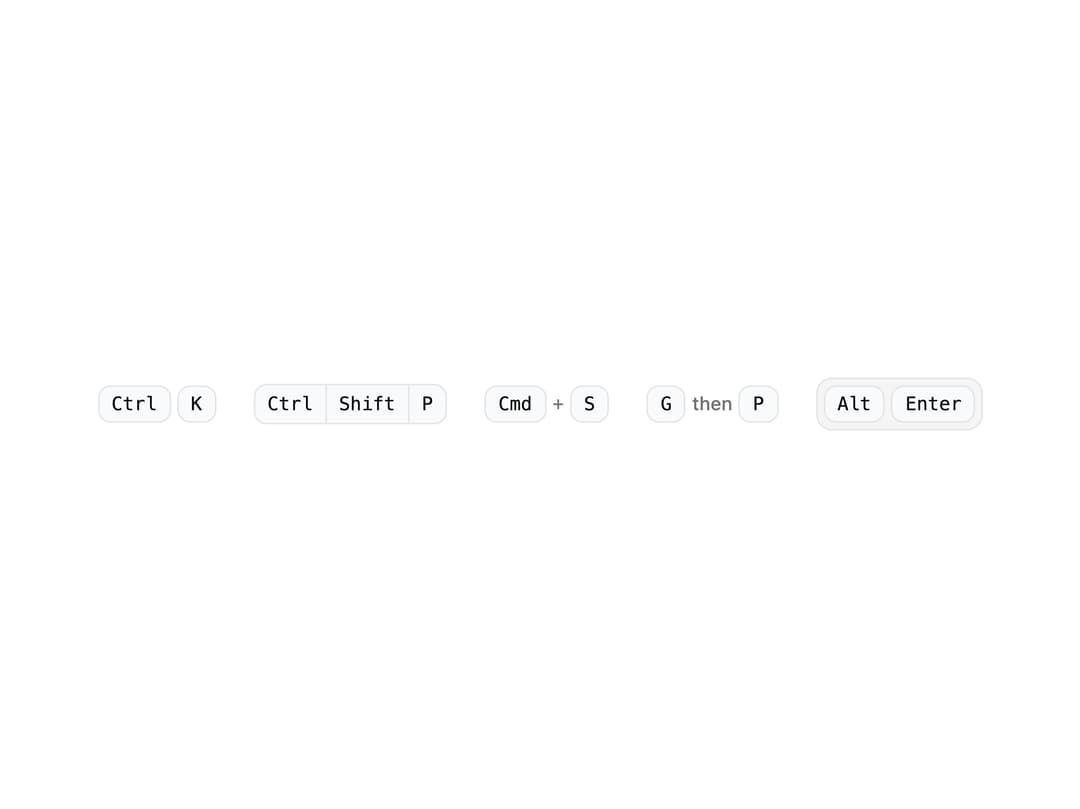
A styled keyboard-shortcut badge set for showing key combinations like Ctrl+K, chained shortcuts, or sequential steps like "G then P" in docs and command menus.
Built with React and Tailwind. Copy the prompt and paste it into Claude Code, Cursor or Lovable: your agent adds Combo Kbd to your project and fits it to your theme.
Code
How Combo Kbd is used: the demo's code. The component's own source comes with a free account.
Usage.tsx
import {
  ComboKbd,
  ChainKbd,
  PlusKbd,
  SequenceKbd,
  GroupKbd,
} from "@/components/ui/kbd-combo";

export default function KbdComboDemo() {
  return (
    <div className="flex flex-wrap items-center justify-center gap-6 p-10">
      <ComboKbd keys={["Ctrl", "K"]} />
      <ChainKbd keys={["Ctrl", "Shift", "P"]} />
      <PlusKbd keys={["Cmd", "S"]} />
      <SequenceKbd keys={["G", "P"]} />
      <GroupKbd keys={["Alt", "Enter"]} />
    </div>
  );
}
More by ai 2
View all
Ripple Buttons
31
Styled Toggle Switches
14
Styled Progress Bars
14
Styled Badges
10
OTP Pin Input
8
Particle Toggles
7
Input Group Glass
6
File Input
6