
About
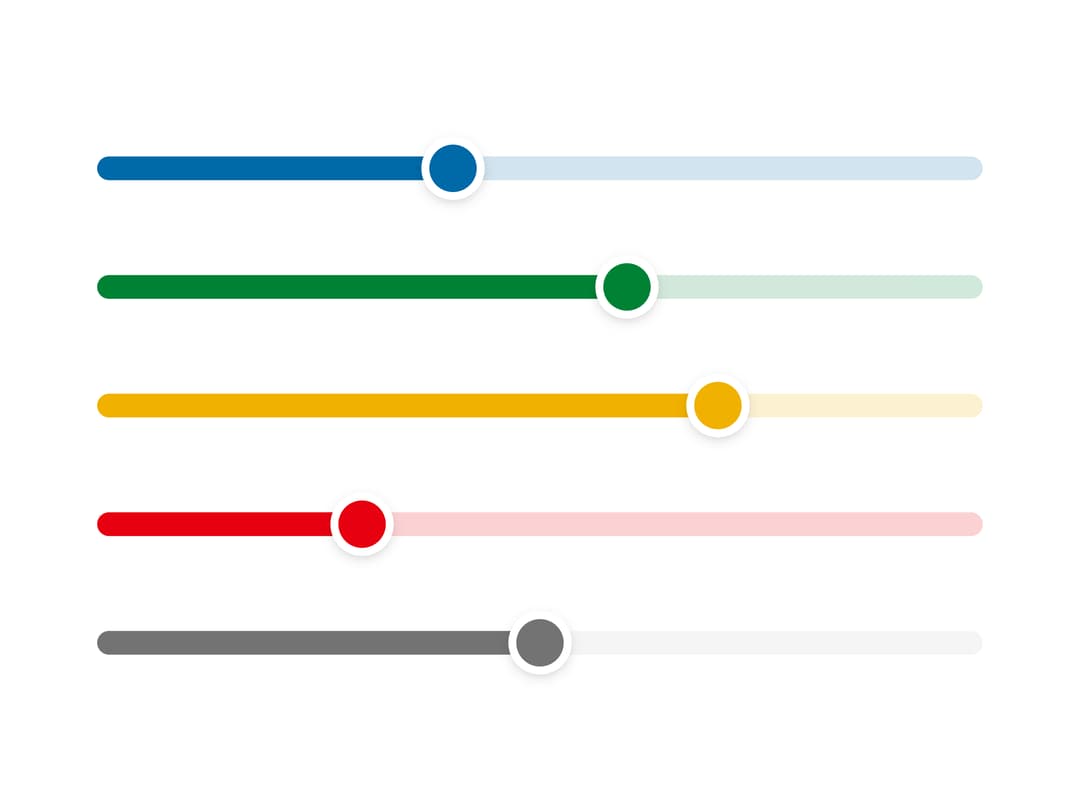
A decorative range slider that comes in five semantic tone colors (info, success, warning, danger, muted) with pointer and keyboard support.
Built with React and Tailwind. Copy the prompt and paste it into Claude Code, Cursor or Lovable: your agent adds Tone Slider to your project and fits it to your theme.
Code
How Tone Slider is used: the demo's code. The component's own source comes with a free account.
Usage.tsx
"use client";

import {
  InfoSlider,
  SuccessSlider,
  WarningSlider,
  DangerSlider,
  MutedSlider,
} from "@/components/ui/slider-tone";

export default function SliderToneDemo() {
  return (
    <div className="flex w-full max-w-xs flex-col gap-6 p-6">
      <InfoSlider defaultValue={40} />
      <SuccessSlider defaultValue={60} />
      <WarningSlider defaultValue={70} />
      <DangerSlider defaultValue={30} />
      <MutedSlider defaultValue={50} />
    </div>
  );
}
Dependencies
More by ai 2
View all
Ripple Buttons
31
Styled Toggle Switches
14
Styled Progress Bars
14
Styled Badges
10
OTP Pin Input
8
Particle Toggles
7
Input Group Glass
6
File Input
6
More in Forms
View all

Premium Auth
500

Login 1
52
Authentication Card
47

Book A Demo 3
83
Book A Demo 1
69

Contact Card
1K

Login Card
32

Login 2
7
