About
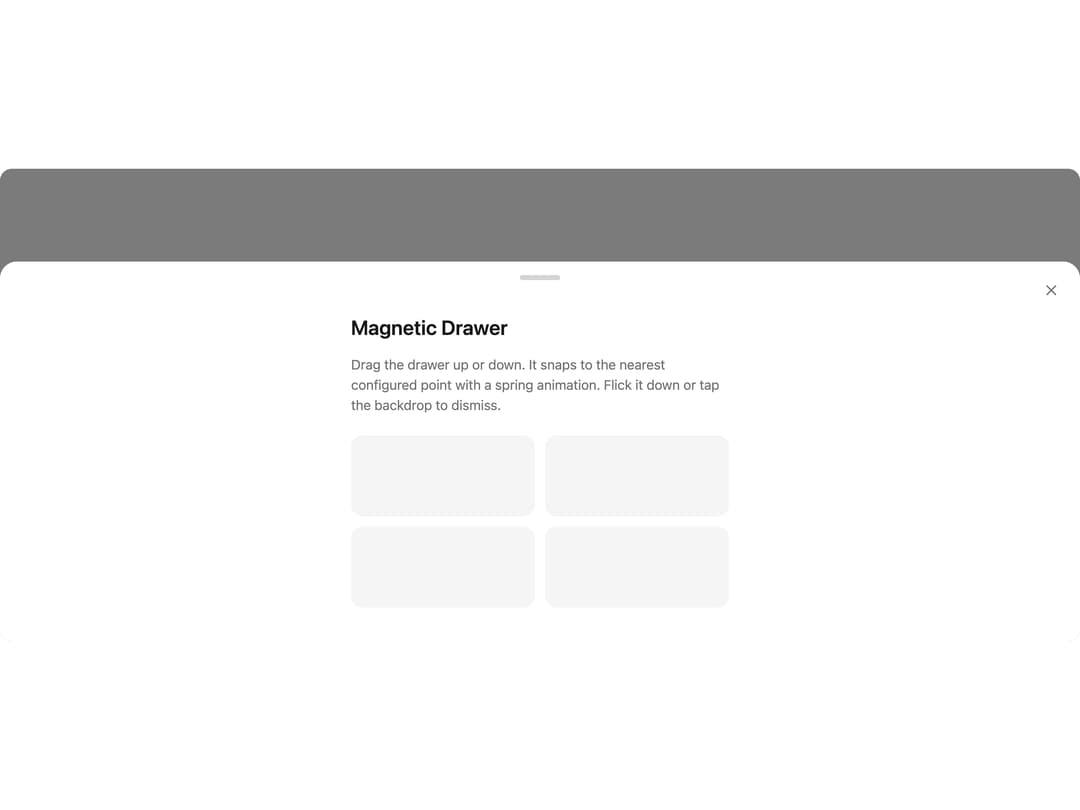
A physics-based bottom drawer that can be dragged and snaps to configurable magnetic snap points with spring animation.
Built with React and Tailwind. Copy the prompt and paste it into Claude Code, Cursor or Lovable: your agent adds Magnetic Drawer to your project and fits it to your theme.
Code
How Magnetic Drawer is used: the demo's code. The component's own source comes with a free account.
Usage.tsx
"use client";

import { MagneticDrawer } from "@/components/ui/specials-magnetic-drawer";
import * as React from "react";

export default function Default() {
  const [open, setOpen] = React.useState(false);

  return (
    <div className="flex min-h-[400px] w-full items-center justify-center">
      <button
        onClick={() => setOpen(true)}
        className="rounded-full bg-neutral-900 px-6 py-2.5 text-sm font-medium text-white transition-colors hover:bg-neutral-700 dark:bg-white dark:text-neutral-900 dark:hover:bg-neutral-200"
      >
        Open Drawer
      </button>

      <MagneticDrawer open={open} onOpenChange={setOpen} snapPoints={[0.5, 0.9]}>
        <div className="mx-auto max-w-md space-y-4 pt-6">
          <h2 className="text-2xl font-semibold text-neutral-900 dark:text-white">
            Magnetic Drawer
          </h2>
          <p className="text-neutral-500 dark:text-neutral-400">
            Drag the drawer up or down. It snaps to the nearest configured point
            with a spring animation. Flick it down or tap the backdrop to dismiss.
          </p>
          <div className="grid grid-cols-2 gap-3 pt-2">
            {Array.from({ length: 4 }).map((_, i) => (
              <div
                key={i}
                className="h-24 rounded-xl bg-neutral-100 dark:bg-neutral-800"
              />
            ))}
          </div>
        </div>
      </MagneticDrawer>
    </div>
  );
}
Dependencies
More by animbits
View all
Dia Text
149
Gooey Blobs Loader
143
Linear Carousel
133
Skeleton Loader
106
Word Carousel Text
97
Image Text
73
Text Highlight
68
Morphing Loader
53