

About
A premium magnetic cursor button with attraction effect that pulls toward the pointer, featuring spotlight glow, smooth motion, and full light/dark mode support. Designed to increase CTA engagement and create high-quality interactive UI.
Built with React and Tailwind. Copy the prompt and paste it into Claude Code, Cursor or Lovable: your agent adds Magnetic Cursor Button (Attraction Effect) to your project and fits it to your theme.
Code
How Magnetic Cursor Button (Attraction Effect) is used: the demo's code. The component's own source comes with a free account.
Usage.tsx
import { Component } from "@/components/ui/magnetic-cursor-button-attraction-effect";

function MagnetIcon() {
  return (
    <svg
      width="18"
      height="18"
      viewBox="0 0 24 24"
      fill="none"
      className="shrink-0"
      aria-hidden="true"
    >
      <path
        d="M8 4v6a4 4 0 1 0 8 0V4"
        stroke="currentColor"
        strokeWidth="1.9"
        strokeLinecap="round"
        strokeLinejoin="round"
      />
      <path
        d="M8 4H5"
        stroke="currentColor"
        strokeWidth="1.9"
        strokeLinecap="round"
      />
      <path
        d="M19 4h-3"
        stroke="currentColor"
        strokeWidth="1.9"
        strokeLinecap="round"
      />
      <path
        d="M8 8H5"
        stroke="currentColor"
        strokeWidth="1.9"
        strokeLinecap="round"
      />
      <path
        d="M19 8h-3"
        stroke="currentColor"
        strokeWidth="1.9"
        strokeLinecap="round"
      />
    </svg>
  );
}

export default function Demo() {
  return (
    <div className="min-h-screen bg-white px-6 py-24 text-black dark:bg-black dark:text-white">
      <div className="mx-auto flex max-w-5xl flex-col items-center justify-center">
        <div className="mb-10 text-center">
          <p className="text-xs font-medium uppercase tracking-[0.28em] text-black/45 dark:text-white/45">
            Magnetic cursor
          </p>
          <h1 className="mt-4 text-4xl font-semibold tracking-tight sm:text-5xl">
            Cursor attraction button
          </h1>
          <p className="mx-auto mt-4 max-w-2xl text-base leading-7 text-black/60 dark:text-white/60">
            The button subtly moves toward the pointer while a magnetic field
            pulls visual attention inward, making the CTA feel more inviting in
            both light and dark mode.
          </p>
        </div>

        <div className="rounded-[40px] border border-black/8 bg-black/[0.02] px-16 py-20 dark:border-white/10 dark:bg-white/[0.03]">
          <Component strength={0.50} radius={640}>
            <button
              className="
                group relative inline-flex items-center gap-3 overflow-hidden rounded-[28px]
                border border-black/10 bg-white px-7 py-4 text-[15px] font-medium text-black
                ring-1 ring-black/5 transition-colors duration-300
                dark:border-white/12 dark:bg-neutral-950 dark:text-white dark:ring-white/10
              "
            >
              <div
                className="
                  absolute inset-0 opacity-0 transition-opacity duration-300
                  group-hover:opacity-100
                  bg-[radial-gradient(circle_at_30%_30%,rgba(255,255,255,0.9),rgba(255,255,255,0.2)_35%,transparent_65%)]
                  dark:bg-[radial-gradient(circle_at_30%_30%,rgba(255,255,255,0.14),rgba(255,255,255,0.04)_35%,transparent_65%)]
                "
              />

              <div

              >

              </div>

              <span className="relative">Get pulled in</span>

              <span
                className="
                  relative translate-x-0 transition-transform duration-300
                  group-hover:translate-x-0.5
                "
              >
                →
              </span>
            </button>
          </Component>
        </div>
      </div>
    </div>
  );
}More by Ashwarya Subhluxmi
View all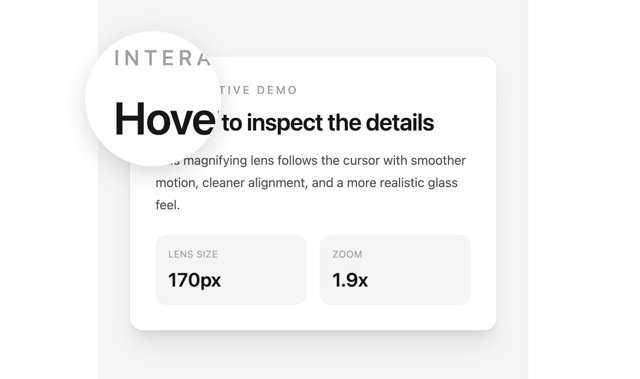

Magnifying glass Text Lens
More in Buttons
View all
Button Save
46

Button
20

Eclipse Button
5

Button
6

Button
14

Button Group
37

Button
32
Split Button
32

