
About
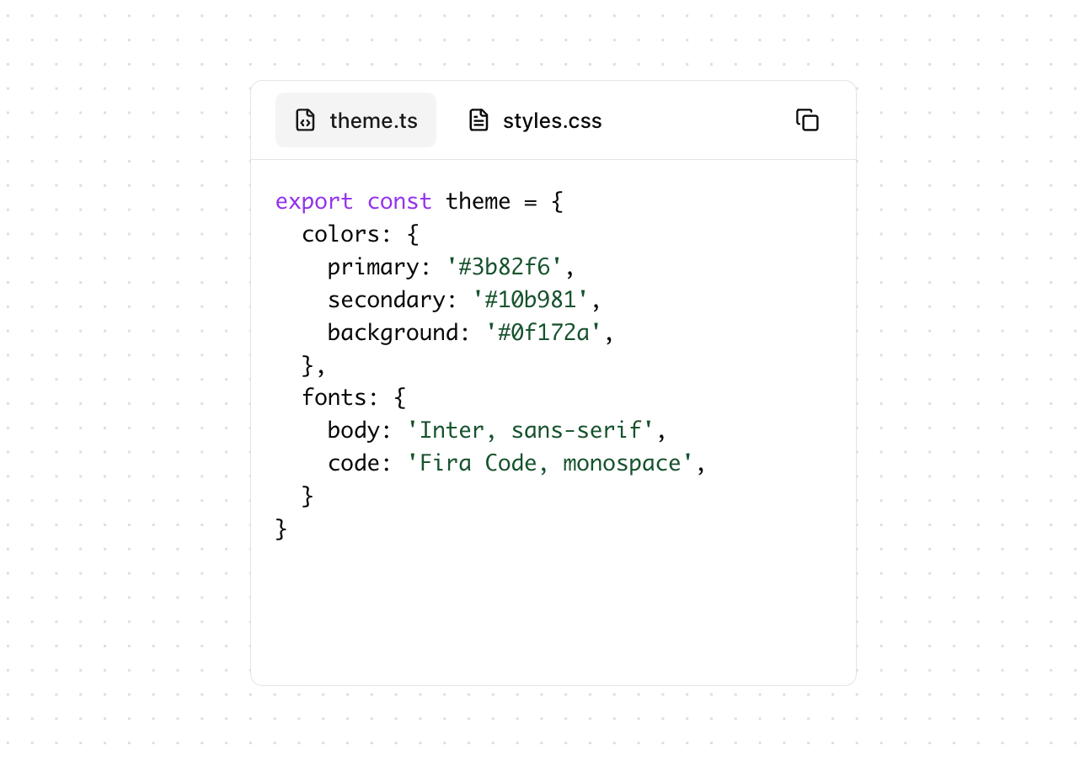
CodeBlock component for switching between multiple code files, with syntax highlighting, file icons, and copy code functionality.
Built with React and Tailwind. Copy the prompt and paste it into Claude Code, Cursor or Lovable: your agent adds Code block to your project and fits it to your theme.
Code
How Code block is used: the demo's code. The component's own source comes with a free account.
Usage.tsx
import { CodeBlock } from "@/components/ui/code-block";

const files = [
  {
    title: "theme.ts",
    code: `export const theme = {
  colors: {
    primary: '#3b82f6',
    secondary: '#10b981',
    background: '#0f172a',
  },
  fonts: {
    body: 'Inter, sans-serif',
    code: 'Fira Code, monospace',
  }
}`,
    language: "typescript",
  },
  {
    title: "styles.css",
    code: `.container {
  max-width: 1200px;
  margin: 0 auto;
  padding: 2rem;
}

.button {
  background: var(--primary);
  color: white;
  padding: 0.5rem 1rem;
  border-radius: 0.5rem;
}`,
    language: "css",
  },
];

export function CodeBlockDemo() {
  return (
    <div className="p-4 size-[400px]">
      <CodeBlock
        files={files}
        defaultTitle="theme.ts"
        className="size-[400px]"
      />
    </div>
  );
}
Dependencies
More by Ayushmaan Singh
View all

Tubelight Navbar
3.6K
Theme Toggle
2.5K
Feature Section
1.7K
Vintage Keyboard
570
Thumbnail Carousel
409
Typewriter Testimonial
318
Image Fan Carousel
283
Testimonials
245