
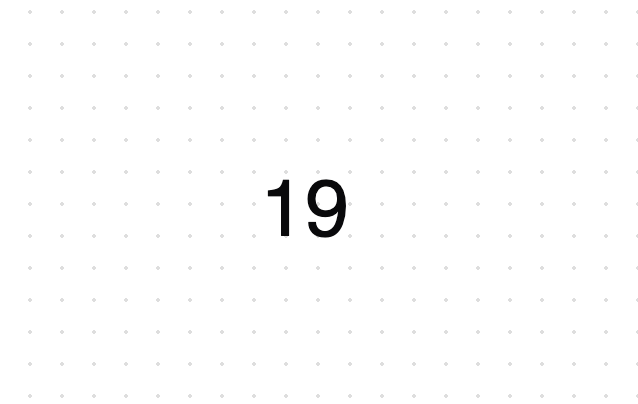
trend: boolean 'increasing' 'decreasing' Default: true Controls the direction of the digits. true: The digits go up if the number increases, and down if the number decreases. false: Ignores the trend of the number; each digit goes up if it increases and down if it decreases. This can be useful if you want to animate number changes without conveying an overall increase or decrease (example). "increasing": The digits always go up. "decreasing": The digits always go down.
Built with React and Tailwind. Copy the prompt and paste it into Claude Code, Cursor or Lovable: your agent adds Number Flow Trends to your project and fits it to your theme.
Code
How Number Flow Trends is used: the demo's code. The component's own source comes with a free account.
Usage.tsx
'use client';

import { useState } from 'react';
import NumberFlow, { type Value } from "@number-flow/react";

const values: Value[] = [19, 20];

function TrueDemo() {
  const [currentIndex, setCurrentIndex] = useState(0);

  const handleClick = () => {
    setCurrentIndex((prev) => (prev + 1) % values.length);
  };

  return (
    <div
      onClick={handleClick}
      className="min-h-screen w-full min-w-[100vw] flex flex-col items-center justify-center cursor-pointer text-[40px]"
    >
      <div className="pointer-events-none">
        <NumberFlow value={values[currentIndex]} trend={true} />
      </div>
      <p className="absolute bottom-6 text-sm text-gray-500 pointer-events-none">
        Click anywhere to change values
      </p>
    </div>
  );
}

function FalseDemo() {
  const [currentIndex, setCurrentIndex] = useState(0);

  const handleClick = () => {
    setCurrentIndex((prev) => (prev + 1) % values.length);
  };

  return (
    <div
      onClick={handleClick}
      className="min-h-screen w-full min-w-[100vw] flex flex-col items-center justify-center cursor-pointer text-[40px]"
    >
      <div className="pointer-events-none">
        <NumberFlow value={values[currentIndex]} trend={false} />
      </div>
      <p className="absolute bottom-6 text-sm text-gray-500 pointer-events-none">
        Click anywhere to change values
      </p>
    </div>
  );
}

function IncreasingDemo() {
  const [currentIndex, setCurrentIndex] = useState(0);

  const handleClick = () => {
    setCurrentIndex((prev) => (prev + 1) % values.length);
  };

  return (
    <div
      onClick={handleClick}
      className="min-h-screen w-full min-w-[100vw] flex flex-col items-center justify-center cursor-pointer text-[40px]"
    >
      <div className="pointer-events-none">
        <NumberFlow value={values[currentIndex]} trend="increasing" />
      </div>
      <p className="absolute bottom-6 text-sm text-gray-500 pointer-events-none">
        Click anywhere to change values
      </p>
    </div>
  );
}

function DecreasingDemo() {
  const [currentIndex, setCurrentIndex] = useState(0);

  const handleClick = () => {
    setCurrentIndex((prev) => (prev + 1) % values.length);
  };

  return (
    <div
      onClick={handleClick}
      className="min-h-screen w-full min-w-[100vw] flex flex-col items-center justify-center cursor-pointer text-[40px]"
    >
      <div className="pointer-events-none">
        <NumberFlow value={values[currentIndex]} trend="decreasing" />
      </div>
      <p className="absolute bottom-6 text-sm text-gray-500 pointer-events-none">
        Click anywhere to change values
      </p>
    </div>
  );
}

export { TrueDemo, FalseDemo, IncreasingDemo, DecreasingDemo };
Dependencies
More by Maxwell Barvian
View all
Number Flow
529
Slider Number Flow
502
Activity with Number Flow
124
Number Input
98
More in Text
View all

Vertical Cut Reveal Characters
103
Motion Blur Text
36

NeonRGBTextEffect
144
Text Reveal
27
Random Letter Swap
46

Rainbow Text Effect
47
Text Color
545

Blur Reveal
300