About
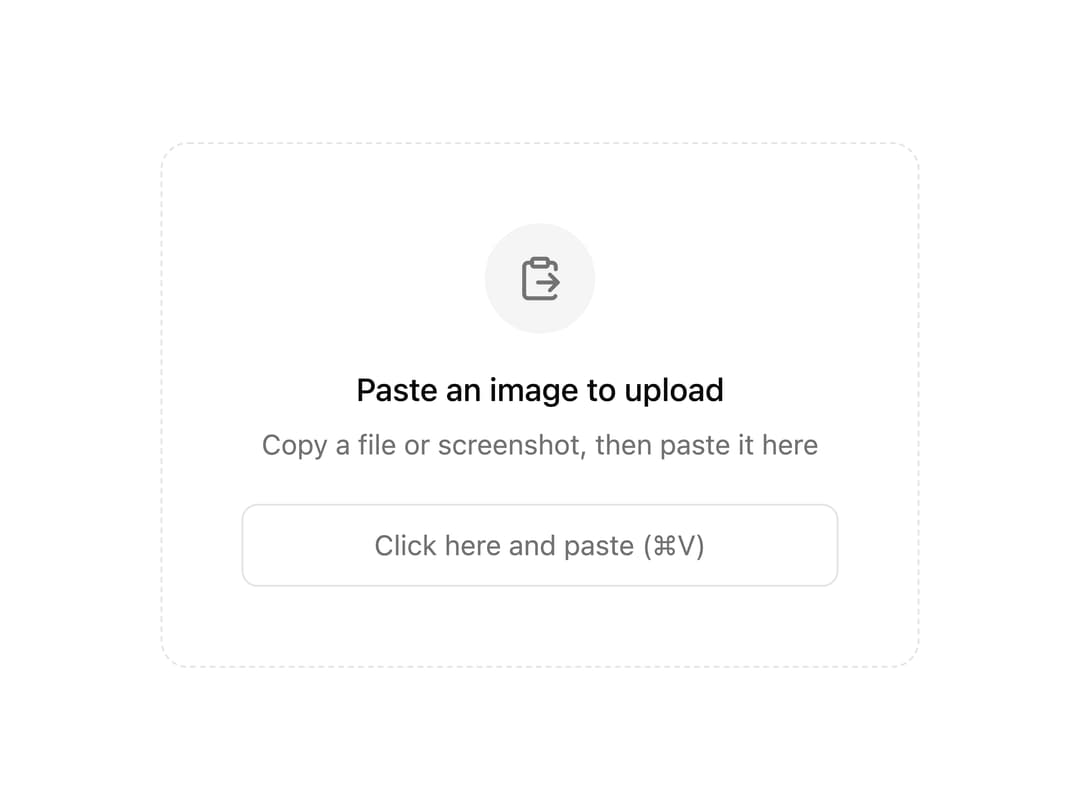
A wrapper component that lets users upload files by pasting them from the clipboard into any child element.
Built with React and Tailwind. Copy the prompt and paste it into Claude Code, Cursor or Lovable: your agent adds Paste Upload Area to your project and fits it to your theme.
Code
How Paste Upload Area is used: the demo's code. The component's own source comes with a free account.
Usage.tsx
"use client";

import { PasteUploadArea } from "@/components/ui/paste-upload-area";
import { ClipboardPaste } from "lucide-react";
import { useUploadFiles } from "@better-upload/client";

export default function Default() {
  const { control, isPending } = useUploadFiles({
    route: "images",
  });

  return (
    <div className="inline-flex items-center justify-center p-8">
      <PasteUploadArea control={control}>
        <label className="flex w-96 max-w-full cursor-text flex-col items-center gap-4 rounded-xl border border-dashed border-input bg-background p-10 text-center transition-colors focus-within:border-ring focus-within:ring-2 focus-within:ring-ring/40">
          <div className="flex size-14 items-center justify-center rounded-full bg-muted text-muted-foreground">
            <ClipboardPaste className="size-6" />
          </div>
          <div className="space-y-1.5">
            <p className="text-base font-medium text-foreground">
              {isPending ? "Uploading…" : "Paste an image to upload"}
            </p>
            <p className="text-sm text-muted-foreground">
              Copy a file or screenshot, then paste it here
            </p>
          </div>
          <input
            type="text"
            placeholder="Click here and paste (⌘V)"
            disabled={isPending}
            className="mt-1 w-full rounded-md border border-input bg-transparent px-3 py-2.5 text-center text-sm outline-none placeholder:text-muted-foreground focus-visible:border-ring"
          />
        </label>
      </PasteUploadArea>
    </div>
  );
}