
About
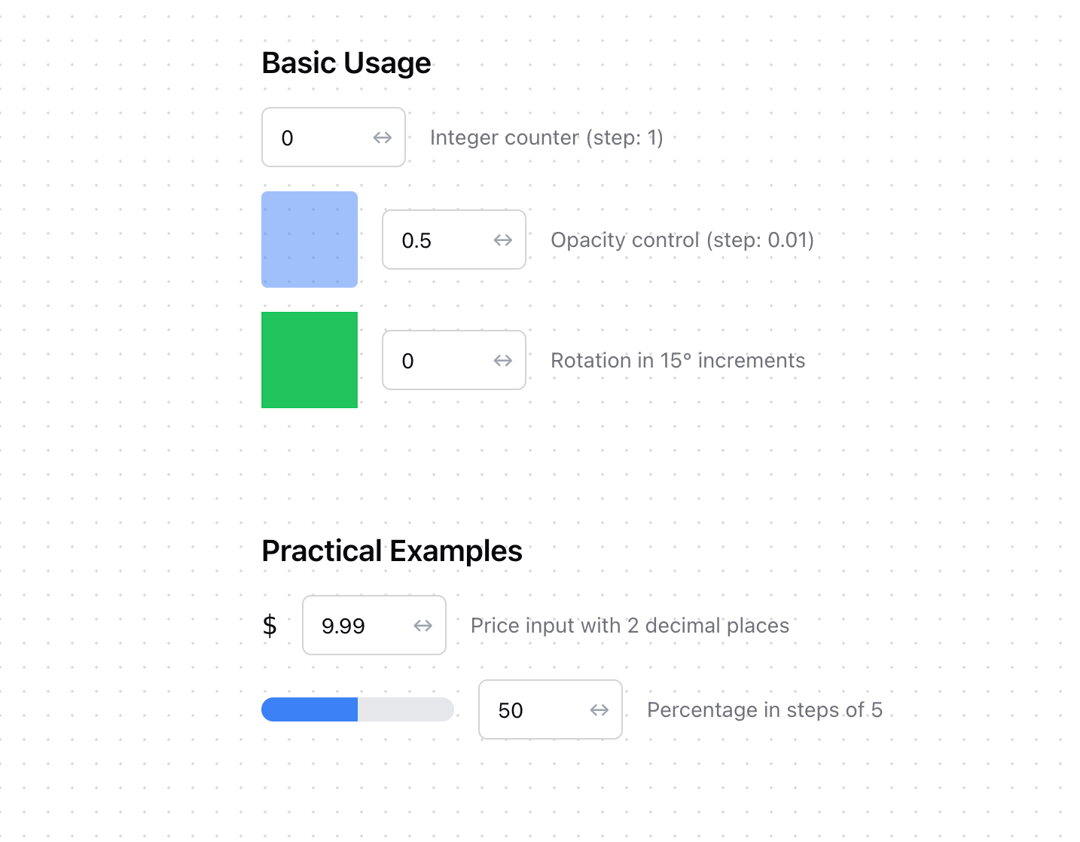
A draggable numeric input component for React, built with shadcn/ui, inspired by desktop video editing software like Resolve. Features: • Click and drag horizontally to adjust values • Configurable sensitivity for fine or coarse control • Supports minimum and maximum bounds • Customizable step sizes • Fully typed with TypeScript • Follows shadcn/ui styling conventions
Built with React and Tailwind. Copy the prompt and paste it into Claude Code, Cursor or Lovable: your agent adds Numeric Scrubber to your project and fits it to your theme.
Code
How Numeric Scrubber is used: the demo's code. The component's own source comes with a free account.
Usage.tsx
import * as React from "react"

import { useState } from "react";
import { NumericScrubber } from "@/components/ui/numeric-scrubber"


const Demos = () => {
  const [opacity, setOpacity] = useState(0.5);
  const [rotation, setRotation] = useState(0);
  const [count, setCount] = useState(0);
  const [price, setPrice] = useState(9.99);
  const [percentage, setPercentage] = useState(50);

  return (
    <div className="max-w-2xl mx-auto p-6 space-y-8">
      <h1 className="text-3xl font-bold mb-6">NumericScrubber Examples</h1>

      <div className="p-6 space-y-4">
        <h2 className="text-xl font-semibold">Basic Usage</h2>
        <div className="space-y-4">
          <div className="flex items-center gap-4">
            <NumericScrubber
              value={count}
              onChange={setCount}
              className="w-24"
              step={1}
              min={0}
              max={10}
            />
            <span className="text-sm text-muted-foreground">
              Integer counter (step: 1)
            </span>
          </div>

          <div className="flex items-center gap-4">
            <div
              className="w-16 h-16 bg-blue-500 rounded"
              style={{ opacity }}
            />
            <NumericScrubber
              value={opacity}
              onChange={setOpacity}
              className="w-24"
              step={0.01}
              min={0}
              max={1}
            />
            <span className="text-sm text-muted-foreground">
              Opacity control (step: 0.01)
            </span>
          </div>

          <div className="flex items-center gap-4">
            <div
              className="w-16 h-16 bg-green-500"
              style={{ transform: `rotate(${rotation}deg)` }}
            />
            <NumericScrubber
              value={rotation}
              onChange={setRotation}
              className="w-24"
              step={15}
              min={0}
              max={360}
            />
            <span className="text-sm text-muted-foreground">
              Rotation in 15° increments
            </span>
          </div>
        </div>
      </div>

      <div className="p-6 space-y-4">
        <h2 className="text-xl font-semibold">Practical Examples</h2>
        <div className="space-y-4">
          <div className="flex items-center gap-4">
            <span className="text-lg font-mono">$</span>
            <NumericScrubber
              value={price}
              onChange={setPrice}
              className="w-24"
              step={0.01}
              min={0}
              max={1000}
            />
            <span className="text-sm text-muted-foreground">
              Price input with 2 decimal places
            </span>
          </div>

          <div className="flex items-center gap-4">
            <div className="w-32 h-4 bg-gray-200 rounded-full overflow-hidden">
              <div
                className="h-full bg-blue-500 transition-all"
                style={{ width: `${percentage}%` }}
              />
            </div>
            <NumericScrubber
              value={percentage}
              onChange={setPercentage}
              className="w-24"
              step={5}
              min={0}
              max={100}
            />
            <span className="text-sm text-muted-foreground">
              Percentage in steps of 5
            </span>
          </div>
        </div>
      </div>
    </div>
  );
};

export { Demos };More in Forms
View all

Premium Auth
500

Login 1
52

Book A Demo 3
83
Authentication Card
47
Book A Demo 1
69

Contact Card
1K

Login Card
32

Login 2
7
