About
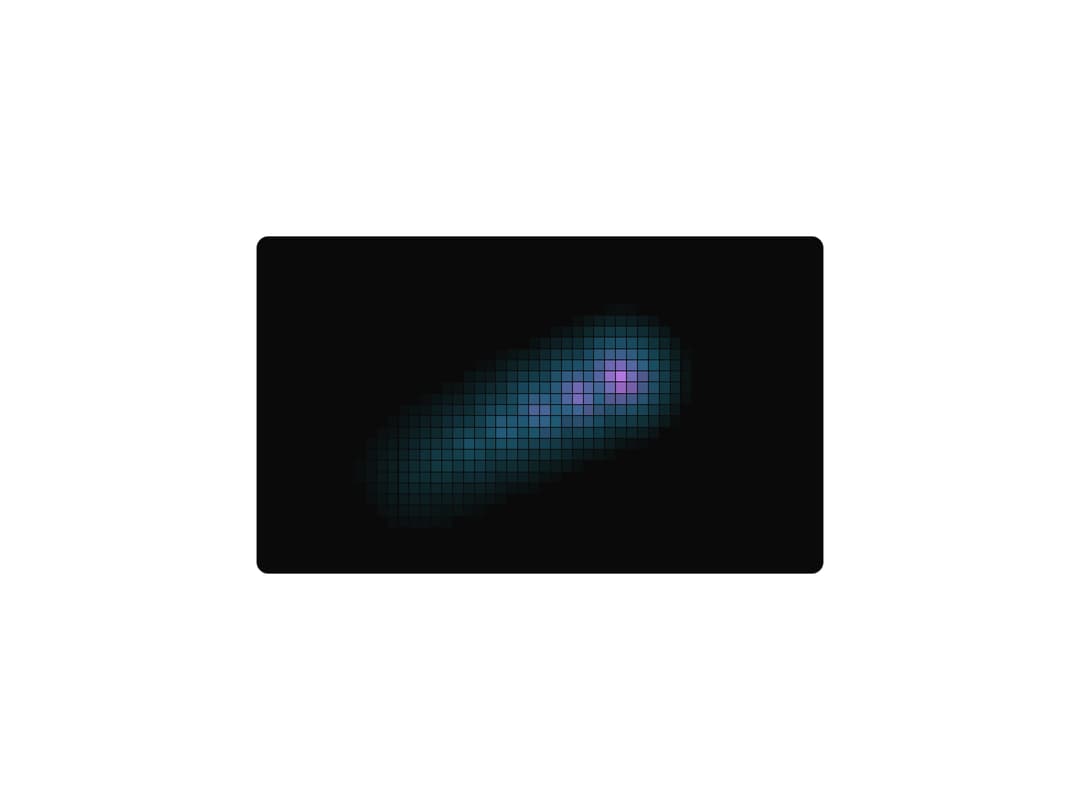
An interactive pixel grid on a canvas that lights up around the cursor and leaves a smooth, color-shifting trail that decays over time.
Built with React and Tailwind. Copy the prompt and paste it into Claude Code, Cursor or Lovable: your agent adds Pixel Canvas to your project and fits it to your theme.
Code
How Pixel Canvas is used: the demo's code. The component's own source comes with a free account.
Usage.tsx
import { PixelCanvas } from "@/components/ui/pixel-canvas";

export default function PixelCanvasDemo() {
  return (
    <div className="flex min-h-[440px] w-full items-center justify-center p-6">
      <div className="relative h-[400px] w-full max-w-2xl overflow-hidden rounded-xl border border-neutral-800 bg-neutral-950 text-neutral-50">
        <PixelCanvas
          colors={["#e879f9", "#a78bfa", "#38bdf8", "#22d3ee"]}
          speed={0.02}
        />
        <div className="pointer-events-none absolute inset-0 flex items-center justify-center">
          <p className="text-sm text-neutral-500">Move your cursor</p>
        </div>
      </div>
    </div>
  );
}
More by componentry
View all
Scroll Choreography
1K
Collection Surfer
797
Liquid Glass Carousel
412
Wheel Carousel
372
Animated Gradient
371
Circuit Board
156
Infinite Image Field
108
Magnetic Dock
101