
About
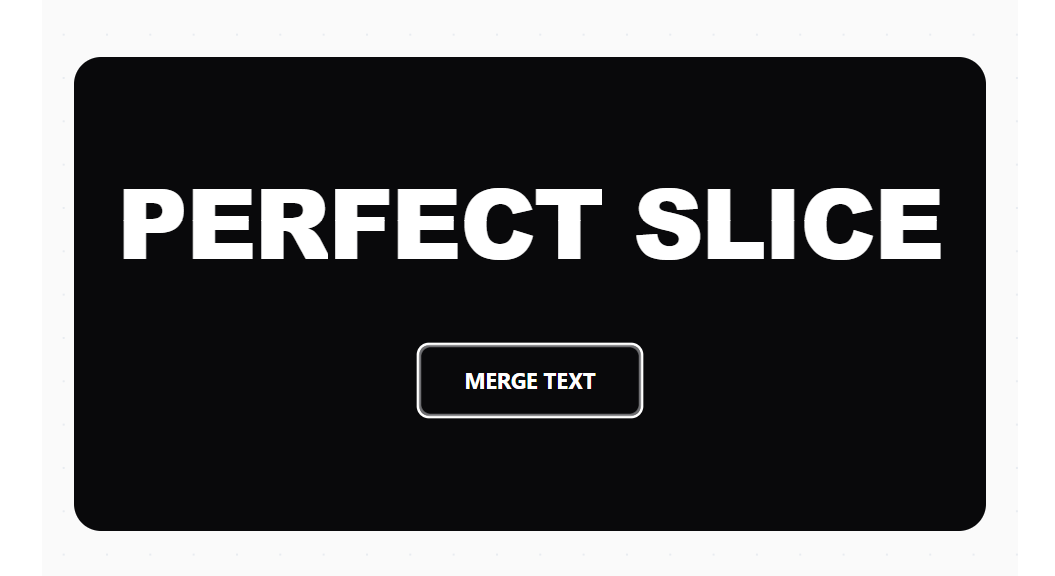
A movie-trailer style effect where text halves slide in from opposite directions and magnetically merge.
Built with React and Tailwind. Copy the prompt and paste it into Claude Code, Cursor or Lovable: your agent adds Slice Text to your project and fits it to your theme.
Code
How Slice Text is used: the demo's code. The component's own source comes with a free account.
Usage.tsx
import { useState } from 'react';
import SliceText from "@/components/ui/slice-text";

export default function DemoOne() {
  // Manual theme state for the demo toggle
  const [isDark, setIsDark] = useState(false);

  // Toggle function to switch class on the wrapper
  const toggleTheme = () => setIsDark(!isDark);

  return (
    <div className={isDark ? 'dark' : ''}>
      <main className="relative min-h-screen w-full flex flex-col items-center justify-center p-6 transition-colors duration-500 ease-in-out bg-zinc-50 dark:bg-black overflow-hidden">

        {/* --- Background Pattern (Subtle Dots) --- */}
        <div className="absolute inset-0 z-0 pointer-events-none opacity-40 dark:opacity-20">
           <div className="absolute inset-0"
                style={{
                  backgroundImage: `radial-gradient(${isDark ? '#333' : '#cbd5e1'} 1px, transparent 1px)`,
                  backgroundSize: '32px 32px'
                }}
           />
        </div>

        {/* --- The Component Stage --- */}
        <div className="relative z-10 w-full max-w-5xl">
          <div className="transform transition-all duration-500 hover:scale-[1.01]">
             {/* The animation component */}
             <SliceText word="PERFECT SLICE" />
          </div>
        </div>

        {/* --- Floating Theme Toggle Button --- */}
        <button
          onClick={toggleTheme}
          className="fixed bottom-8 right-8 z-50 px-6 py-3 rounded-full font-medium text-sm shadow-xl transition-all duration-300
                     bg-white text-black border border-zinc-200 hover:shadow-2xl hover:-translate-y-1
                     dark:bg-zinc-900 dark:text-white dark:border-zinc-800"
        >
          {isDark ? 'Switch to Light Mode' : 'Switch to Dark Mode'}
        </button>

      </main>
    </div>
  );
}
More by Daiwiik Harihar
View all

Spatial Product Showcase
2.2K
Constellation Grid
1.1K
Focus Rail
1.1K
Rolling List
923
Elastic Gallery
908
Hero Shutter Text
898
Text Block Animation
834
Kinetic Team Hybrid
773
More in Text
View all
Motion Blur Text
36

Vertical Cut Reveal Characters
103

NeonRGBTextEffect
144
Text Reveal
27
Random Letter Swap
46

Rainbow Text Effect
47
Text Color
545

Blur Reveal
300