About
A draggable 3D cube built with pure CSS transforms that lets you place custom content on each of its six faces and control its rotation via a ref.
Built with React and Tailwind. Copy the prompt and paste it into Claude Code, Cursor or Lovable: your agent adds 3D CSS Box to your project and fits it to your theme.
Code
How 3D CSS Box is used: the demo's code. The component's own source comes with a free account.
Usage.tsx
import { useEffect, useRef, useState } from "react";
import { useScroll, useTransform } from "motion/react";

import { cn } from "@/lib/utils";
import CSSBox, { CSSBoxRef } from "@/components/ui/css-box";

// Minimal inline screen-size helper (avoids an extra external hook dependency)
type ScreenSize = "xs" | "sm" | "md" | "lg" | "xl" | "2xl";
const sizeOrder: Record<ScreenSize, number> = {
  xs: 0,
  sm: 1,
  md: 2,
  lg: 3,
  xl: 4,
  "2xl": 5,
};
const useScreenSize = () => {
  const [screenSize, setScreenSize] = useState<ScreenSize>("xs");

  useEffect(() => {
    const handleResize = () => {
      const width = window.innerWidth;
      if (width >= 1536) setScreenSize("2xl");
      else if (width >= 1280) setScreenSize("xl");
      else if (width >= 1024) setScreenSize("lg");
      else if (width >= 768) setScreenSize("md");
      else if (width >= 640) setScreenSize("sm");
      else setScreenSize("xs");
    };
    handleResize();
    window.addEventListener("resize", handleResize);
    return () => window.removeEventListener("resize", handleResize);
  }, []);

  return {
    lessThan: (other: ScreenSize) => sizeOrder[screenSize] < sizeOrder[other],
  };
};

const BoxFace = ({
  imageUrl,
  className,
}: {
  imageUrl: string;
  className?: string;
}) => (
  <div className={cn("w-full h-full relative", className)}>
    <img src={imageUrl} alt="" className="w-full h-full object-cover" />
    <div
      className="absolute inset-0"
      style={{
        maskImage: "linear-gradient(to top, white 20%, transparent 100%)",
        WebkitMaskImage: "linear-gradient(to top, white 20%, transparent 100%)",
        backgroundColor: "rgba(255,255,255,0.4)",
        backdropFilter: "blur(8px)",
      }}
    >
      <div className="absolute bottom-0 w-full flex flex-col items-start justify-end pb-3">
        <div className="flex w-full justify-between px-2 items-end">
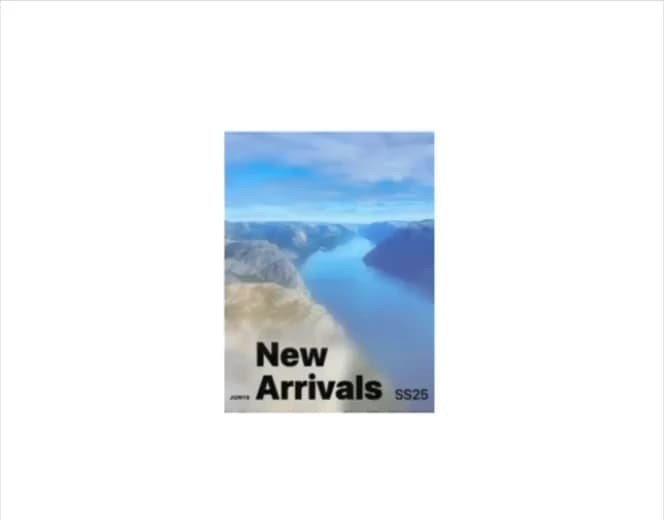
          <div className="text-[8px] font-black pb-1">JUN14</div>
          <div className="text-3xl md:text-5xl font-black px-2">
            New Arrivals
          </div>
          <div className="text-lg md:text-xl font-medium">SS25</div>
        </div>
      </div>
    </div>
  </div>
);

export default function CSSBoxScrollDemo() {
  const boxRef = useRef<CSSBoxRef>(null);
  const containerRef = useRef<HTMLDivElement>(null);
  const screenSize = useScreenSize();

  const { scrollYProgress } = useScroll({
    container: containerRef,
  });

  // Transform scroll progress (0-1) to rotation (0-360)
  const rotation = useTransform(scrollYProgress, [0, 1], [0, 360]);

  // Update box rotation when scroll transform changes
  rotation.on("change", (latest) => {
    boxRef.current?.rotateTo(0, latest);
  });

  const imageUrl = "https://cdn.21st.dev/assets/stock/photo/1015.jpg";

  const boxWidth = screenSize.lessThan("md") ? 220 : 300;
  const boxHeight = screenSize.lessThan("md") ? 300 : 400;
  const boxDepth = screenSize.lessThan("md") ? 220 : 300;

  return (
    <div
      ref={containerRef}
      className="relative w-dvw h-dvh overflow-y-auto bg-background flex"
    >
      <div className="h-[400%] flex w-full items-start justify-center absolute">
        <div className="sticky py-28 md:py-16 top-0 left-0 px-6 md:px-12">
          <CSSBox
            ref={boxRef}
            width={boxWidth}
            height={boxHeight}
            depth={boxDepth}
            perspective={2000}
            draggable={false}
            faces={{
              front: <BoxFace imageUrl={imageUrl} />,
              back: <BoxFace imageUrl={imageUrl} />,
              left: <BoxFace imageUrl={imageUrl} />,
              right: <BoxFace imageUrl={imageUrl} />,
            }}
          />
        </div>
      </div>
    </div>
  );
}
Dependencies
More by Daniel Petho
View all
Parallax Floating
2.2K
Text Rotate
2.1K
Typewriter
1.9K
Marquee Along SVG Path
1.4K
Image Trail
1.4K
Animated Gradient With SVG
884
Text Cursor Proximity
781
Pixel Trail
645