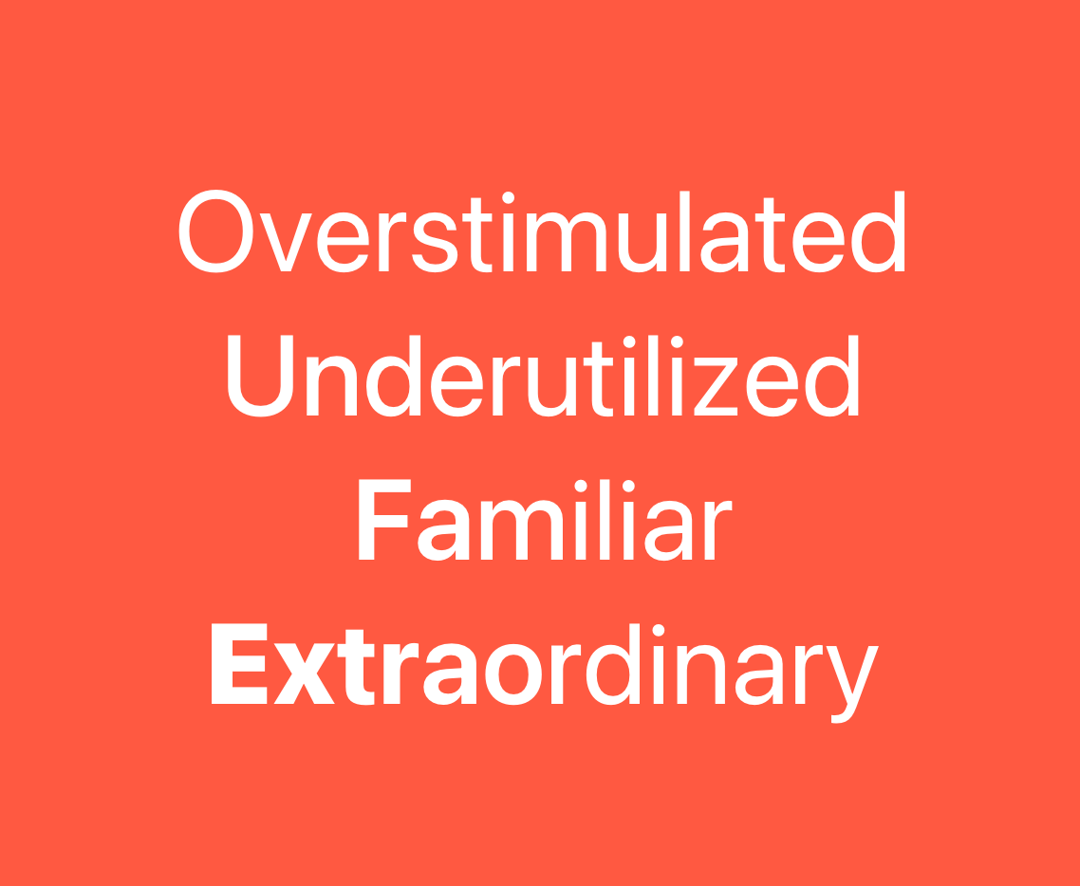
A text component that animates the font variation settings of letters based on the cursor proximity. Works only with variable fonts. The VariableFontCursorProximity splits its text into letters, that respond to cursor movement by adjusting their font variation settings, based on the distance between the letter and cursor distance. This component works only with variable fonts. 1. Splitting text into individual letters 2. Tracking cursor position relative to each letter 3. Smoothly transitioning font variations based on proximity 4. Supporting multiple falloff patterns for the effect This component requires the use of variable fonts to function properly. Otherwise it will not work.
Built with React and Tailwind. Copy the prompt and paste it into Claude Code, Cursor or Lovable: your agent adds Variable Font Cursor Proximity to your project and fits it to your theme.
Code
How Variable Font Cursor Proximity is used: the demo's code. The component's own source comes with a free account.
Usage.tsx
import { useRef } from "react";

import { cn } from "@/lib/utils";
import { VariableFontProximity } from "@/components/ui/variable-font-cursor-proximity";

const texts = ["Overstimulated", "Underutilized", "Familiar", "Extraordinary"];

function Preview() {
  const containerRef = useRef<HTMLDivElement>(null);

  return (
    <div
      className="w-full h-full flex min-h-[500px] items-center rounded-lg items-center justify-center font-overusedGrotesk bg-[#ff5941] cursor-pointer relative overflow-hidden"
      ref={containerRef}
    >
      <div className="w-full h-full flex flex-col items-center justify-center gap-4 text-white">
        {texts.map((text, i) => (
          <VariableFontProximity
            key={i}
            label={text}
            className={cn("text-4xl md:text-6xl lg:text-8xl leading-none")}
            fromFontVariationSettings="'wght' 400, 'slnt' 0"
            toFontVariationSettings="'wght' 900, 'slnt' -10"
            radius={200}
            containerRef={containerRef}
          />
        ))}
      </div>
    </div>
  );
}

export { Preview };
Dependencies
More by Daniel Petho
View all
Parallax Floating
2.2K
Text Rotate
2.1K
Typewriter
1.9K
Marquee Along SVG Path
1.4K
Image Trail
1.4K
Animated Gradient With SVG
884
Text Cursor Proximity
781
Pixel Trail
645
More in Text
View all

Vertical Cut Reveal Characters
103
Motion Blur Text
36

NeonRGBTextEffect
144
Text Reveal
27
Random Letter Swap
46

Rainbow Text Effect
47

Blur Reveal
300
Text Color
545