
About
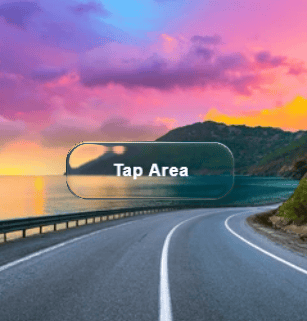
A physics-based liquid glass button with refractive bezel effects, specular highlights, and smooth interaction animations.
Built with React and Tailwind. Copy the prompt and paste it into Claude Code, Cursor or Lovable: your agent adds LiquidButton to your project and fits it to your theme.
Code
How LiquidButton is used: the demo's code. The component's own source comes with a free account.
Usage.tsx
"use client";

import { LiquidButton } from "@/components/ui/liquid-button";
import type { ReactNode } from "react";

// ─── Animated gradient backdrop ────────────────────────────────────────────
// All demos use this so the refraction is always visible against rich colour.

function GlassStage({
    children,
    tall = false,
}: {
    children: ReactNode;
    tall?: boolean;
}) {
    return (
        <div
            className={`relative flex flex-wrap items-center justify-center gap-6 w-full overflow-hidden rounded-xl border ${tall ? "min-h-[200px]" : "min-h-[140px]"} p-10`}
        >
            {/* animated blobs */}
            <span className="pointer-events-none absolute inset-0 -z-0">
                <span
                    className="absolute -top-10 -left-10 h-56 w-56 rounded-full opacity-70 blur-3xl"
                    style={{
                        background: "radial-gradient(circle, #a855f7, #6366f1)",
                        animation:
                            "lb-drift1 8s ease-in-out infinite alternate",
                    }}
                />
                <span
                    className="absolute top-4 right-0 h-44 w-44 rounded-full opacity-60 blur-3xl"
                    style={{
                        background: "radial-gradient(circle, #ec4899, #f97316)",
                        animation:
                            "lb-drift2 7s ease-in-out infinite alternate",
                    }}
                />
                <span
                    className="absolute -bottom-8 left-1/3 h-48 w-48 rounded-full opacity-60 blur-3xl"
                    style={{
                        background: "radial-gradient(circle, #06b6d4, #10b981)",
                        animation:
                            "lb-drift3 9s ease-in-out infinite alternate",
                    }}
                />
            </span>

            {/* keyframes injected once */}
            <style>{`
        @keyframes lb-drift1 {
          from { transform: translate(0px,  0px) scale(1);   }
          to   { transform: translate(30px, 20px) scale(1.15); }
        }
        @keyframes lb-drift2 {
          from { transform: translate(0px,  0px) scale(1);   }
          to   { transform: translate(-25px, 15px) scale(1.1); }
        }
        @keyframes lb-drift3 {
          from { transform: translate(0px,  0px) scale(1);   }
          to   { transform: translate(20px, -20px) scale(1.2); }
        }
      `}</style>

            {/* buttons sit above the blobs */}
            <div className="relative z-10 flex flex-wrap items-center justify-center gap-6">
                {children}
            </div>
        </div>
    );
}

// ─── Hero demo ─────────────────────────────────────────────────────────────

export default function LiquidButtonDemo() {
    return (
        <GlassStage tall>
            <LiquidButton
                label="Click me"
                className="px-8 py-3 text-base font-medium"
            />
        </GlassStage>
    );
}
Dependencies
More in Buttons
View all
Button Save
46

Button
20

Eclipse Button
5

Button
6

Button
14

Button Group
37

Button
32
Split Button
32

