
About
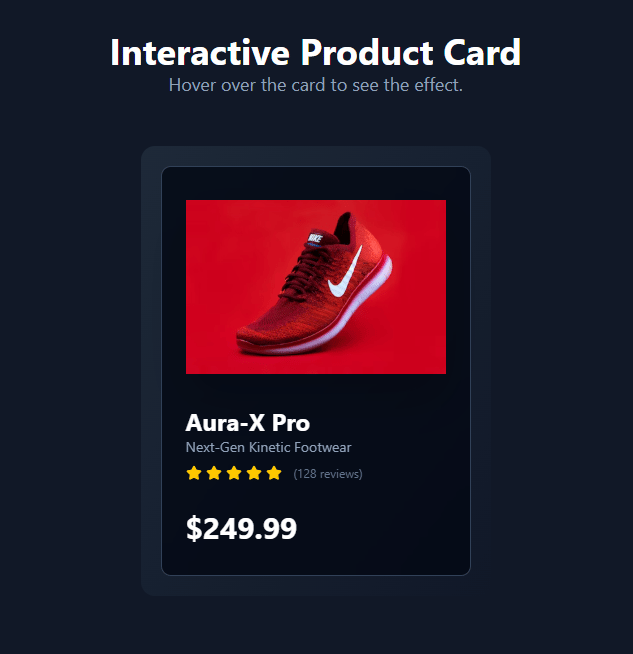
creative "Interactive Product Card" component. It's designed with a clean, modern aesthetic. When you hover over the card, the product image tilts with a 3D effect, a glowing spotlight follows your cursor, and the "Add to Cart" button animates into view.
Built with React and Tailwind. Copy the prompt and paste it into Claude Code, Cursor or Lovable: your agent adds Interactive Product Card to your project and fits it to your theme.
Code
How Interactive Product Card is used: the demo's code. The component's own source comes with a free account.
Usage.tsx
import InteractiveProductCard from "@/components/ui/interactive-product-card";

export default function DemoOne() {
const productData = {
    imageUrl: "https://cdn.21st.dev/assets/mirror/6b/6bcf425ac3529c451412eb004de8af40147b72433cc2504df3e35a0fd33b15f7.jpg",
    altText: "A futuristic red and black sneaker",
    title: "Aura-X Pro",
    category: "Next-Gen Kinetic Footwear",
    rating: 5,
    reviewCount: 128,
    price: 249.99,
  };

  return (
    <main className="bg-[#111827] w-full min-h-screen flex flex-col items-center justify-center p-4 sm:p-8">
        <div className="text-center text-white mb-12">
            <h1 className="text-4xl font-bold">Interactive Product Card</h1>
            <p className="text-lg text-slate-400">Hover over the card to see the effect.</p>
        </div>
        <InteractiveProductCard product={productData} />
    </main>
  );
}
Dependencies
More by Dhileep Kumar GM
View all

Aether Flow Hero
1.9K
Woven Light Hero
1.5K
AnomalousMatterHero
1.5K
PulseFit hero
922
Mountain Scene
859
HolographicCard
820
3D Animation
765
Cybernetic Bento Grid
556