About
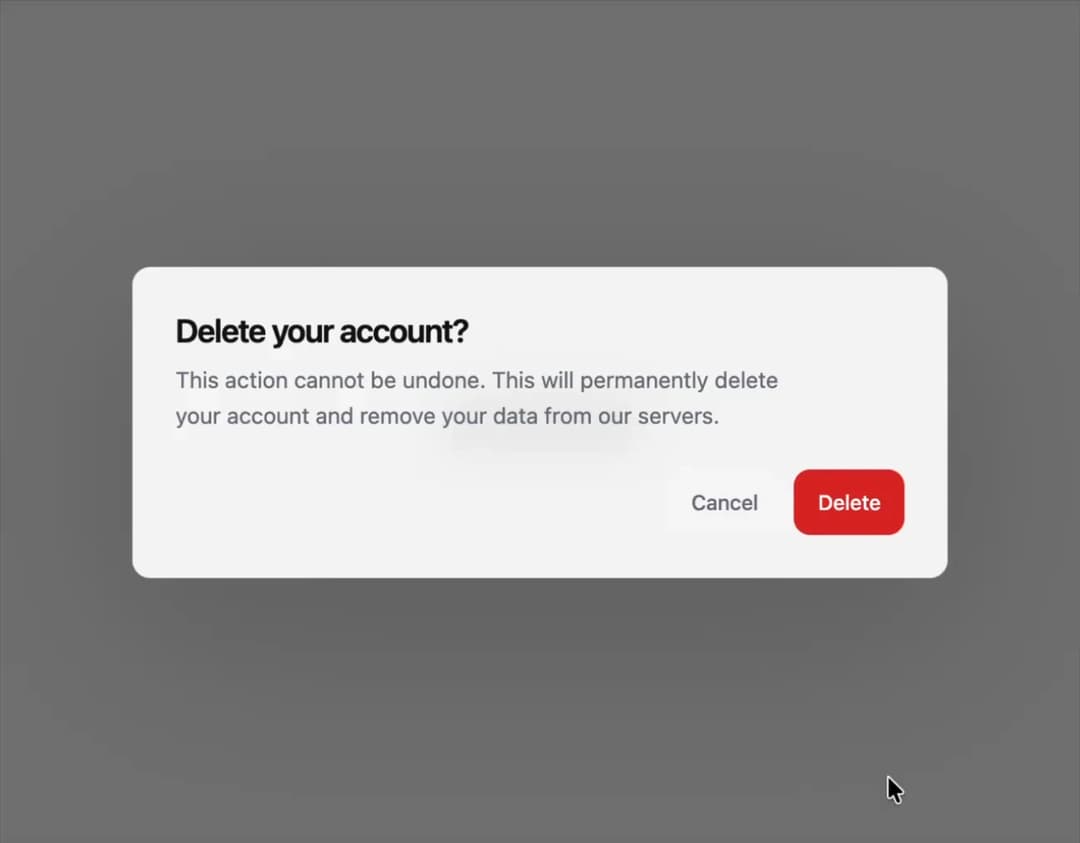
A modal confirmation dialog built on Base UI primitives with asChild triggers, default and destructive action variants, an optional media slot, and reduced-motion aware blur/scale transitions.
Built with React and Tailwind. Copy the prompt and paste it into Claude Code, Cursor or Lovable: your agent adds Alert Dialog to your project and fits it to your theme.
Code
How Alert Dialog is used: the demo's code. The component's own source comes with a free account.
Usage.tsx
"use client";

import {
  AlertDialog,
  AlertDialogAction,
  AlertDialogCancel,
  AlertDialogContent,
  AlertDialogDescription,
  AlertDialogFooter,
  AlertDialogHeader,
  AlertDialogTitle,
  AlertDialogTrigger,
} from "@/components/ui/b-alert-dialog";

export default function AlertDialogDemo() {
  return (
    <div className="flex min-h-[320px] items-center justify-center p-6">
      <AlertDialog>
        <AlertDialogTrigger>Delete account</AlertDialogTrigger>
        <AlertDialogContent>
          <AlertDialogHeader>
            <AlertDialogTitle>Delete your account?</AlertDialogTitle>
            <AlertDialogDescription>
              This action cannot be undone. This will permanently delete your
              account and remove your data from our servers.
            </AlertDialogDescription>
          </AlertDialogHeader>
          <AlertDialogFooter>
            <AlertDialogCancel>Cancel</AlertDialogCancel>
            <AlertDialogAction>Delete</AlertDialogAction>
          </AlertDialogFooter>
        </AlertDialogContent>
      </AlertDialog>
    </div>
  );
}
Dependencies
More by Edwin Vakayil
View all
Origin Button
770
Infinite Ribbon
524
Shimmer Text
402
Dia Text
345
Icon Bar
244
FAQ Pro
224
Verified Badge
212
New Card
183