About
There are charts component
Built with React and Tailwind. Copy the prompt and paste it into Claude Code, Cursor or Lovable: your agent adds Charts to your project and fits it to your theme.
Code
How Charts is used: the demo's code. The component's own source comes with a free account.
Usage.tsx
"use client";

import { ChevronLeft, ChevronRight } from "lucide-react";
import { AnimatePresence, motion, useReducedMotion } from "motion/react";
import { useState } from "react";
import {
  BarChart,
  CartesianGrid,
  Line,
  LineChart,
  XAxis,
  YAxis,
} from "recharts";
import {
  ChartBar,
  ChartContainer,
  ChartTooltip,
  ChartTooltipContent,
  type ChartConfig,
} from "@/components/ui/chart";
import { cn } from "@/lib/utils";

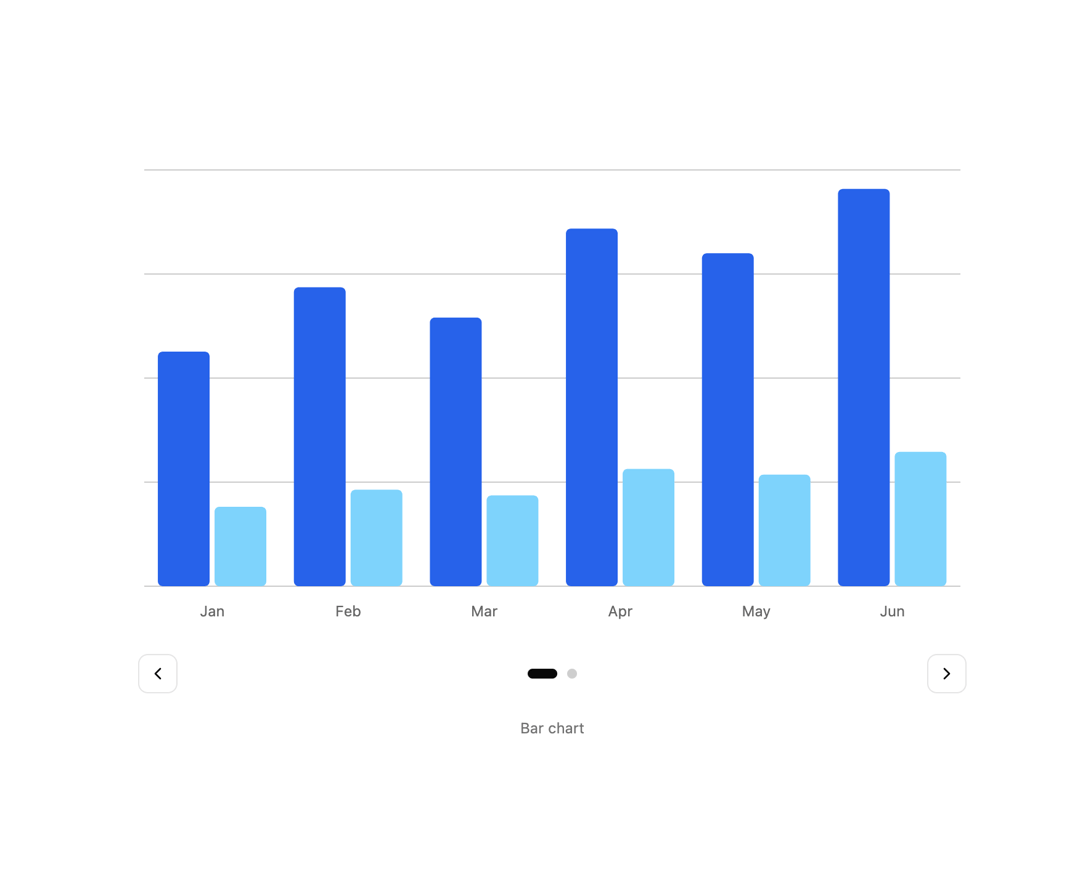
const barChartData = [
  { month: "Jan", sessions: 1240, conversions: 420 },
  { month: "Feb", sessions: 1580, conversions: 510 },
  { month: "Mar", sessions: 1420, conversions: 480 },
  { month: "Apr", sessions: 1890, conversions: 620 },
  { month: "May", sessions: 1760, conversions: 590 },
  { month: "Jun", sessions: 2100, conversions: 710 },
];

const lineChartData = [
  { month: "Jan", sessions: 520, conversions: 480 },
  { month: "Feb", sessions: 470, conversions: 540 },
  { month: "Mar", sessions: 560, conversions: 505 },
  { month: "Apr", sessions: 495, conversions: 565 },
  { month: "May", sessions: 545, conversions: 490 },
  { month: "Jun", sessions: 485, conversions: 530 },
];

const lineChartDomain = [400, 600];

const chartConfig = {
  sessions: {
    label: "Sessions",
    color: "#2563eb",
  },
  conversions: {
    label: "Conversions",
    color: "#7dd3fc",
  },
} satisfies ChartConfig;

const chartSlides = [
  { id: "bar", label: "Bar chart" },
  { id: "line", label: "Line chart" },
] as const;

const chartPreviewClassName = "mx-auto w-full max-w-lg";

export function ChartsPreview() {
  const [slideIndex, setSlideIndex] = useState(0);
  const reduceMotion = useReducedMotion() ?? false;
  const activeSlide = chartSlides[slideIndex];

  const goToSlide = (nextIndex: number) => {
    setSlideIndex((nextIndex + chartSlides.length) % chartSlides.length);
  };

  return (
    <div className="mx-auto flex w-full max-w-2xl flex-col items-center gap-5">
      <div className="relative w-full overflow-hidden">
        <AnimatePresence initial={false} mode="wait">
          <motion.div
            key={activeSlide.id}
            initial={{ opacity: 0 }}
            animate={{ opacity: 1 }}
            exit={{ opacity: 0 }}
            transition={{ duration: 0.22, ease: [0.22, 1, 0.36, 1] }}
            className="w-full"
          >
            {activeSlide.id === "bar" ? (
              <ChartContainer className="w-full" config={chartConfig}>
                <BarChart accessibilityLayer data={barChartData}>
                  <CartesianGrid vertical={false} />
                  <XAxis
                    axisLine={false}
                    dataKey="month"
                    tickFormatter={(value) => value.slice(0, 3)}
                    tickLine={false}
                    tickMargin={10}
                  />
                  <ChartTooltip
                    content={<ChartTooltipContent indicator="dashed" />}
                    cursor={false}
                  />
                  <ChartBar dataKey="sessions" fill="var(--color-sessions)" radius={4} seriesIndex={0} />
                  <ChartBar dataKey="conversions" fill="var(--color-conversions)" radius={4} seriesIndex={1} />
                </BarChart>
              </ChartContainer>
            ) : (
              <ChartContainer className={chartPreviewClassName} config={chartConfig}>
                <LineChart accessibilityLayer data={lineChartData}>
                  <CartesianGrid vertical={false} />
                  <XAxis
                    axisLine={false}
                    dataKey="month"
                    tickFormatter={(value) => value.slice(0, 3)}
                    tickLine={false}
                    tickMargin={10}
                  />
                  <YAxis domain={lineChartDomain} hide />
                  <ChartTooltip
                    content={<ChartTooltipContent indicator="dot" />}
                    cursor={false}
                  />
                  <Line dataKey="sessions" type="monotone" stroke="var(--color-sessions)" strokeWidth={2} dot={false} />
                  <Line dataKey="conversions" type="monotone" stroke="var(--color-conversions)" strokeWidth={2} dot={false} />
                </LineChart>
              </ChartContainer>
            )}
          </motion.div>
        </AnimatePresence>
      </div>

      <div className="flex w-full items-center justify-between gap-3">
        <button
          type="button"
          aria-label="Previous chart"
          className="inline-flex size-8 items-center justify-center rounded-md border border-border"
          onClick={() => goToSlide(slideIndex - 1)}
        >
          <ChevronLeft className="size-4" />
        </button>
        <div className="flex items-center gap-2" role="tablist" aria-label="Chart examples">
          {chartSlides.map((slide, index) => (
            <button
              key={slide.id}
              type="button"
              role="tab"
              aria-label={slide.label}
              aria-selected={index === slideIndex}
              className={cn(
                "rounded-full transition-[width,background-color] duration-300",
                index === slideIndex ? "h-2 w-6 bg-foreground" : "size-2 bg-muted-foreground/35"
              )}
              onClick={() => goToSlide(index)}
            />
          ))}
        </div>
        <button
          type="button"
          aria-label="Next chart"
          className="inline-flex size-8 items-center justify-center rounded-md border border-border"
          onClick={() => goToSlide(slideIndex + 1)}
        >
          <ChevronRight className="size-4" />
        </button>
      </div>
      <p className="text-center text-xs text-muted-foreground">{activeSlide.label}</p>
    </div>
  );
}

export default ChartsPreview
Dependencies
More by Edwin Vakayil
View all
Origin Button
769
Infinite Ribbon
524
Shimmer Text
402
Dia Text
345
Icon Bar
244
FAQ Pro
224
Verified Badge
212
New Card
183