About
Built with React and Tailwind. Copy the prompt and paste it into Claude Code, Cursor or Lovable: your agent adds One Accordion to your project and fits it to your theme.
Code
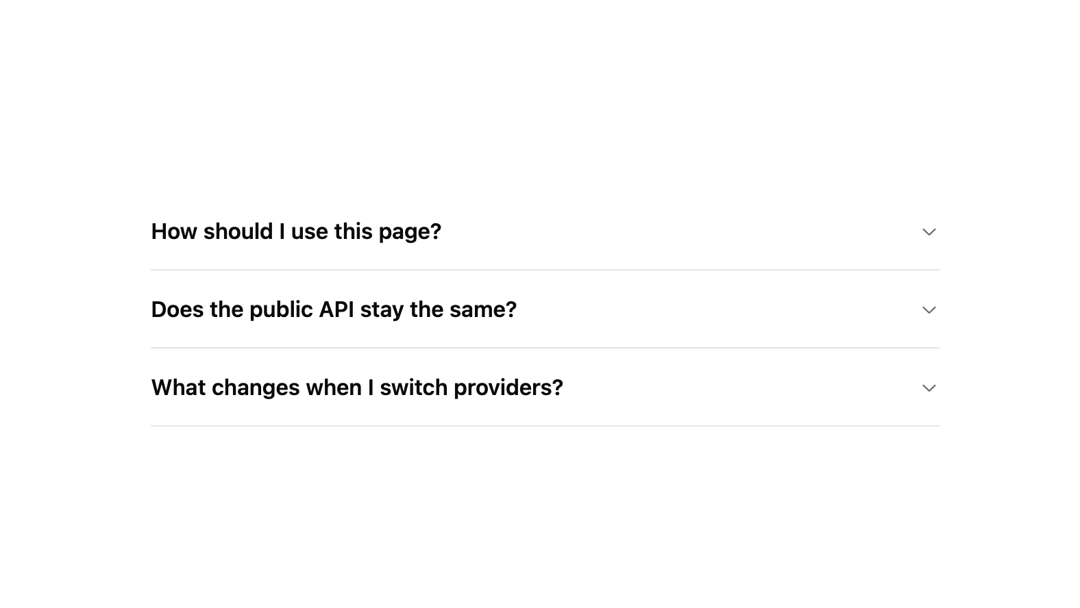
How One Accordion is used: the demo's code. The component's own source comes with a free account.
Usage.tsx
import { Accordion, AccordionContent, AccordionItem, AccordionTrigger } from "@/components/ui/accordion";

const items = [
  { id: "workflow", title: "How should I use this page?", content: "Switch between Base UI and Radix UI above. The preview, install command, and generated registry files update together so you can compare the same surface on top of two different headless foundations." },
  { id: "api", title: "Does the public API stay the same?", content: "Yes. Both registry entries export Accordion and AccordionItem, accept the same items array, support default and quiet variants, and let you opt into multiple open rows with a single prop." },
  { id: "install", title: "What changes when I switch providers?", content: "Only the underlying implementation and runtime dependency list. The Radix version installs the Radix accordion primitive and keeps the same product-facing shape." },
];

export function AccordionPreview() {
  return (
    <Accordion type="single" collapsible className="w-full max-w-xl">
      {items.map((item) => (
        <AccordionItem key={item.id} value={item.id}>
          <AccordionTrigger>{item.title}</AccordionTrigger>
          <AccordionContent>{item.content}</AccordionContent>
        </AccordionItem>
      ))}
    </Accordion>
  );
}

export default AccordionPreview;
Dependencies
More by Edwin Vakayil
View all
Origin Button
761
Infinite Ribbon
520
Shimmer Text
396
Dia Text
342
Icon Bar
244
FAQ Pro
221
Verified Badge
211
New Card
180