About
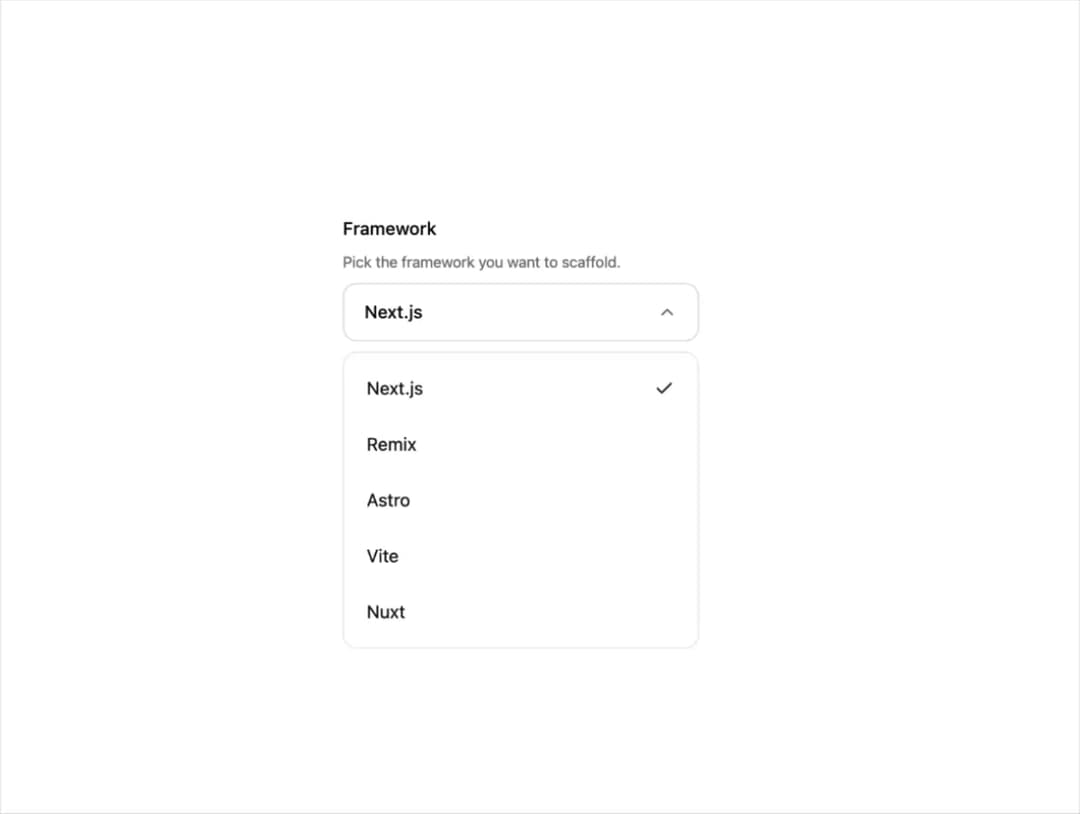
An animated compound select dropdown built on Radix UI primitives with trigger press feedback, chevron rotation, grouped rows, labels, scroll buttons, and smooth panel motion.
Built with React and Tailwind. Copy the prompt and paste it into Claude Code, Cursor or Lovable: your agent adds Select (Radix UI) to your project and fits it to your theme.
Code
How Select (Radix UI) is used: the demo's code. The component's own source comes with a free account.
Usage.tsx
import {
  Select,
  SelectContent,
  SelectItem,
  SelectTrigger,
  SelectValue,
} from "@/components/ui/r-select";

const FRAMEWORKS = [
  { value: "next", label: "Next.js" },
  { value: "remix", label: "Remix" },
  { value: "astro", label: "Astro" },
  { value: "vite", label: "Vite" },
  { value: "nuxt", label: "Nuxt" },
];

export default function SelectDemo() {
  return (
    <div className="flex w-full items-center justify-center p-10">
      <div className="w-full max-w-[280px]">
        <Select defaultValue="next">
          <SelectTrigger
            label="Framework"
            description="Pick the framework you want to scaffold."
          >
            <SelectValue placeholder="Select a framework">
              {(value) =>
                FRAMEWORKS.find((f) => f.value === value)?.label ??
                "Select a framework"
              }
            </SelectValue>
          </SelectTrigger>
          <SelectContent>
            {FRAMEWORKS.map((f) => (
              <SelectItem key={f.value} value={f.value}>
                {f.label}
              </SelectItem>
            ))}
          </SelectContent>
        </Select>
      </div>
    </div>
  );
}
Dependencies
More by Edwin Vakayil
View all
Origin Button
767
Infinite Ribbon
523
Shimmer Text
402
Dia Text
345
Icon Bar
244
FAQ Pro
224
Verified Badge
212
New Card
182
More in Forms
View all

Premium Auth
498

Login 2
7

Login 1
52
Authentication Card
45

Contact Card
1K
Login Form
6

Form
16

Form
136
