
About
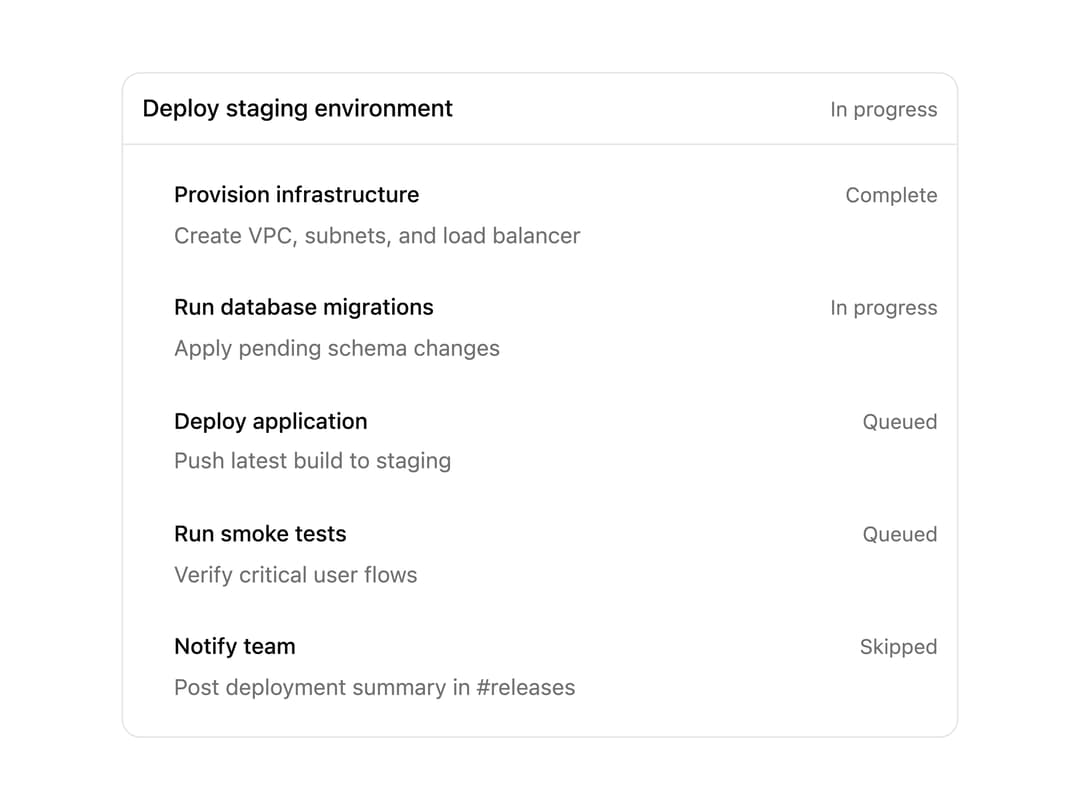
A card that shows a multi-step plan with an overall status badge and a per-step status list, used for agent/task progress displays.
Built with React and Tailwind. Copy the prompt and paste it into Claude Code, Cursor or Lovable: your agent adds Plan to your project and fits it to your theme.
Code
How Plan is used: the demo's code. The component's own source comes with a free account.
Usage.tsx
import Plan from "@/components/ui/plan";

export default function PlanDemo() {
  return (
    <div className="flex w-full max-w-xl items-center justify-center p-6">
      <Plan
        id="deploy-staging"
        title="Deploy staging environment"
        status="active"
        steps={[
          {
            id: "step-1",
            title: "Provision infrastructure",
            detail: "Create VPC, subnets, and load balancer",
            status: "complete",
          },
          {
            id: "step-2",
            title: "Run database migrations",
            detail: "Apply pending schema changes",
            status: "active",
          },
          {
            id: "step-3",
            title: "Deploy application",
            detail: "Push latest build to staging",
            status: "queued",
          },
          {
            id: "step-4",
            title: "Run smoke tests",
            detail: "Verify critical user flows",
            status: "queued",
          },
          {
            id: "step-5",
            title: "Notify team",
            detail: "Post deployment summary in #releases",
            status: "skipped",
          },
        ]}
      />
    </div>
  );
}
More by ethandaya
View all
Outcome
Status Loader