
About
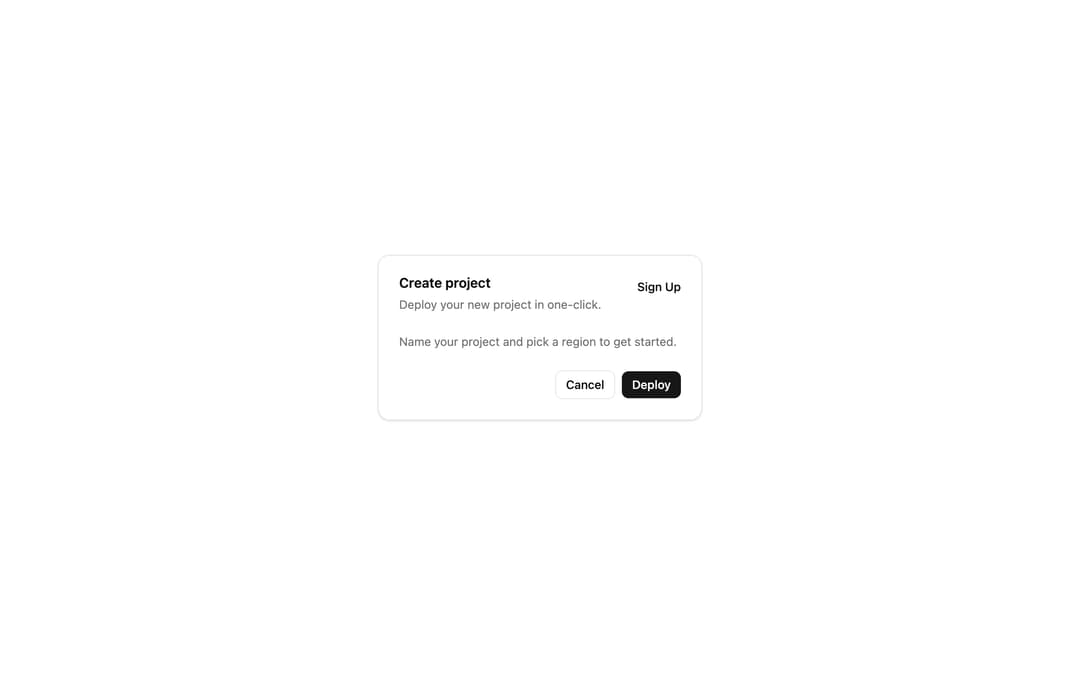
Displays a card with header, content, and footer. Groups related content and actions into a bordered surface, with polymorphic sub-parts (header, title, description, action, panel, footer).
Built with React and Tailwind. Copy the prompt and paste it into Claude Code, Cursor or Lovable: your agent adds Card to your project and fits it to your theme.
Code
How Card is used: the demo's code. The component's own source comes with a free account.
Usage.tsx
import {
  Card,
  CardAction,
  CardContent,
  CardDescription,
  CardFooter,
  CardHeader,
  CardTitle,
} from "@/components/ui/card"

export default function CardDemo() {
  return (
    <div className="flex min-h-screen w-full items-center justify-center p-8">
      <Card className="w-full max-w-sm">
        <CardHeader>
          <CardTitle>Create project</CardTitle>
          <CardDescription>Deploy your new project in one-click.</CardDescription>
          <CardAction>
            <button className="text-sm font-medium underline-offset-4 hover:underline">
              Sign Up
            </button>
          </CardAction>
        </CardHeader>
        <CardContent>
          <p className="text-sm text-muted-foreground">
            Name your project and pick a region to get started.
          </p>
        </CardContent>
        <CardFooter className="flex justify-end gap-2">
          <button className="rounded-md border px-3 py-1.5 text-sm font-medium">
            Cancel
          </button>
          <button className="rounded-md bg-primary px-3 py-1.5 text-sm font-medium text-primary-foreground">
            Deploy
          </button>
        </CardFooter>
      </Card>
    </div>
  )
}
Dependencies
More by extend-hq
View all
PDF Viewer
441
Excel Viewer
325
File Upload
268
File System (Finder)
152
CSV / TSV Viewer
80
File Upload
62
Scroll Area
13
Select
10
More in Buttons
View all
Button Save
46

Button
20

Eclipse Button
5

Button
32

Button
6

Button
14

Button Group
37
Split Button
32

