About
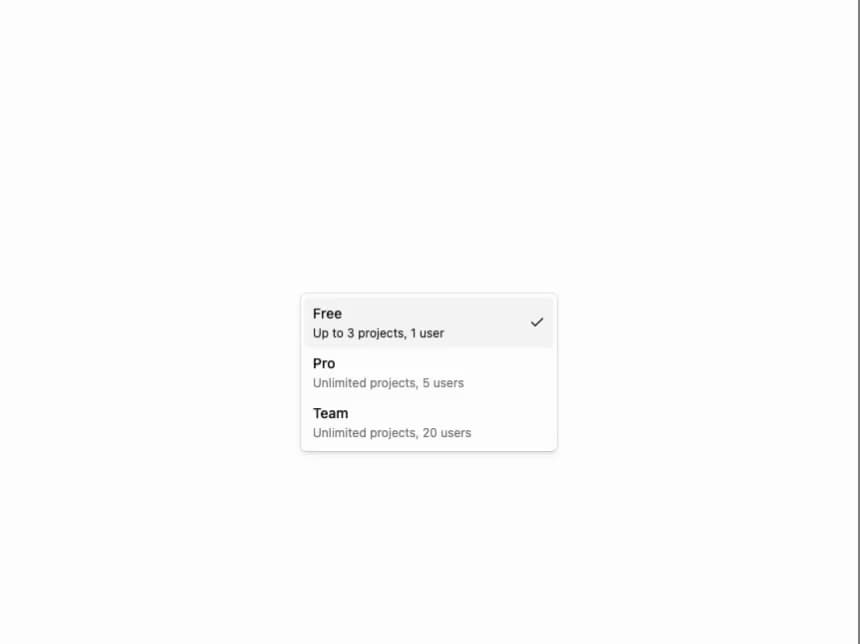
A Select dropdown from the Flexnative UI registry with 10 variants: basic, grouped options, disabled, leading icons, object values, description items, disabled items, avatar user-picker, labelled field, and an icon-in-trigger. Built on Radix Select.
Built with React and Tailwind. Copy the prompt and paste it into Claude Code, Cursor or Lovable: your agent adds Flexnative Select to your project and fits it to your theme.
Code
How Flexnative Select is used: the demo's code. The component's own source comes with a free account.
Usage.tsx
'use client'

import {
  Select,
  SelectContent,
  SelectGroup,
  SelectItem,
  SelectTrigger,
  SelectValue,
} from '@/components/ui/flexnative-select'
import { useState } from 'react'

export function Select06() {
  const [value, setValue] = useState('free')

  const items = [
    {
      value: 'free',
      label: 'Free',
      description: 'Up to 3 projects, 1 user',
    },
    {
      value: 'pro',
      label: 'Pro',
      description: 'Unlimited projects, 5 users',
    },
    {
      value: 'team',
      label: 'Team',
      description: 'Unlimited projects, 20 users',
    },
  ]

  return (
    <Select value={value} onValueChange={setValue}>
      <SelectTrigger className="w-full max-w-64">
        <SelectValue placeholder="Select a plan">
          {value && items.find((item) => item.value === value)?.label}
        </SelectValue>
      </SelectTrigger>
      <SelectContent>
        <SelectGroup>
          {items.map((item) => (
            <SelectItem key={item.value} value={item.value}>
              <span className="flex flex-col gap-0.5">
                <span className="text-sm font-medium">{item.label}</span>
                <span className="text-muted-foreground text-xs font-normal">
                  {item.description}
                </span>
              </span>
            </SelectItem>
          ))}
        </SelectGroup>
      </SelectContent>
    </Select>
  )
}

export default function Default() {
  return (
    <div className="flex min-h-screen w-full items-center justify-center bg-background p-10">
      <Select06 />
    </div>
  )
}
Dependencies
More by felipemenezes098
View all
Centered Hero with Image Fan
930
Editorial Collage Hero
430
Split Hero With Image Cards
402
Editorial Image Hero
388
Scroll 01
341
Real Estate Search Hero
190
Editorial Hero
173
Hero with Dashboard Mockup
123
More in Forms
View all

Premium Auth
500

Login 2
7
Authentication Card
47

Login 1
52

Contact Card
1K
Login Form
6

Form
16

Book A Demo 3
83
