About
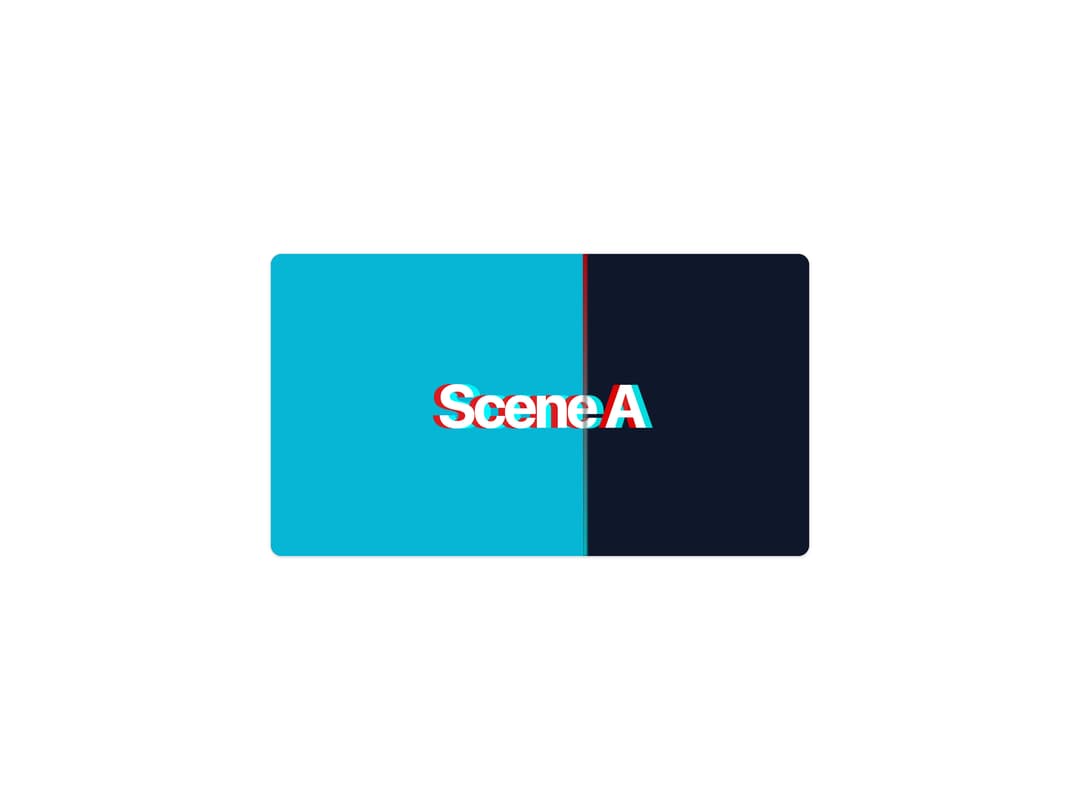
An ultra-fast directional slide transition between two scenes with an RGB chromatic-aberration glitch on the peak frames.
Built with React and Tailwind. Copy the prompt and paste it into Claude Code, Cursor or Lovable: your agent adds Chromatic Aberration Wipe to your project and fits it to your theme.
Code
How Chromatic Aberration Wipe is used: the demo's code. The component's own source comes with a free account.
Usage.tsx
export default function Default() {
  const label = {
    fontFamily:
      "var(--font-geist-sans), -apple-system, BlinkMacSystemFont, sans-serif",
    fontSize: 72,
    fontWeight: 700,
    letterSpacing: "-0.05em",
    color: "white",
    // RGB chromatic aberration split — the component's signature peak-frame look
    textShadow: "-8px 0 0 rgba(255,0,0,0.85), 8px 0 0 rgba(0,255,255,0.85)",
  } as const;

  return (
    <div className="flex min-h-[420px] w-full items-center justify-center bg-background p-6">
      <div
        className="relative overflow-hidden rounded-xl border border-border shadow-sm"
        style={{ width: 640, height: 360, background: "black" }}
      >
        {/* Scene A — outgoing scene, revealed on the right */}
        <div
          style={{
            position: "absolute",
            inset: 0,
            display: "flex",
            alignItems: "center",
            justifyContent: "center",
            background: "#0f172a",
          }}
        >
          <span style={label}>Scene A</span>
        </div>

        {/* Scene B — incoming scene wiping across from the left */}
        <div
          style={{
            position: "absolute",
            inset: 0,
            clipPath: "inset(0 42% 0 0)",
            display: "flex",
            alignItems: "center",
            justifyContent: "center",
            background: "#06b6d4",
          }}
        >
          <span style={label}>Scene B</span>
        </div>

        {/* Wipe seam with RGB glow */}
        <div
          style={{
            position: "absolute",
            top: 0,
            bottom: 0,
            left: "58%",
            width: 5,
            background:
              "linear-gradient(180deg, rgba(255,0,0,0.7), rgba(0,255,255,0.7))",
            filter: "blur(1px)",
          }}
        />
      </div>
    </div>
  );
}
Dependencies
More by framecn
View all
Blur Out Up
33
Shader Dithering
29
Zoom Through Transition
19
Top Down Letters
19
Strikethrough Replace
17
Format Morph
14
Mesh Gradient Background
11
Terminal to Browser Deploy
9