
About
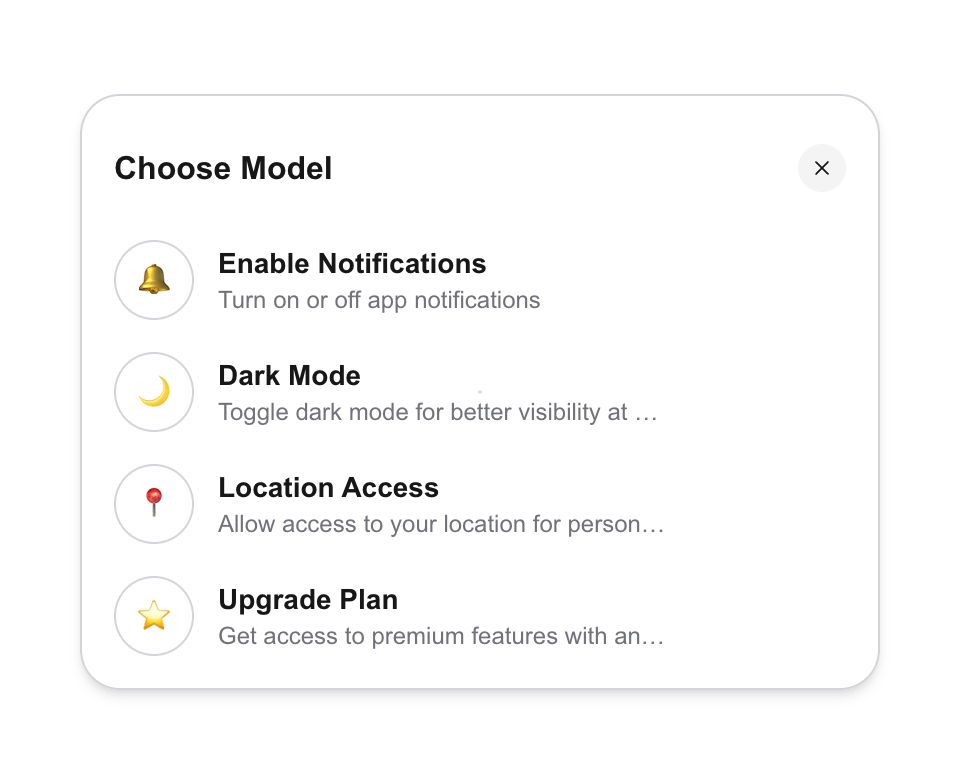
Reusable select option component built with framer motion and tailwindcss
Built with React and Tailwind. Copy the prompt and paste it into Claude Code, Cursor or Lovable: your agent adds Select to your project and fits it to your theme.
Code
How Select is used: the demo's code. The component's own source comes with a free account.
Usage.tsx
import Select from "@/components/ui/select"

const data = [
  {
    id: '1', // Unique identifier
    label: 'Enable Notifications',
    value: 'enable_notifications',
    description: 'Turn on or off app notifications',
    icon: '🔔',
    custom: (
      <label>
        <input type='radio' name={'radio'} id='enable-notifications-checkbox' />
      </label>
    ),
  },
  {
    id: '2', // Unique identifier
    label: 'Dark Mode',
    value: 'dark_mode',
    description: 'Toggle dark mode for better visibility at night',
    icon: '🌙',
    custom: (
      <label>
        <input type='radio' name={'radio'} id='dark-mode-checkbox' />
      </label>
    ),
  },
  {
    id: '3', // Unique identifier
    label: 'Location Access',
    value: 'location_access',
    description: 'Allow access to your location for personalized suggestions',
    icon: '📍',
    custom: (
      <label>
        <input type='radio' name={'radio'} id='location-access-checkbox' />
      </label>
    ),
  },
  {
    id: '4', // Unique identifier
    label: 'Upgrade Plan',
    value: 'upgrade_plan',
    description: 'Get access to premium features with an upgrade',
    icon: '⭐',
    custom: (
      <button
        id='upgrade-plan-button'
        className={'text-sm'}
        style={{
          padding: '5px 10px',
          backgroundColor: '#000',
          color: '#fff',
          border: 'none',
          borderRadius: '5px',
        }}
      >
        Upgrade
      </button>
    ),
  },
];

export function DropdownDemo() {
    return <div className='flex h-screen w-screen items-center justify-center'>
      <Select data={data} defaultValue={'dark_mode'} />
    </div>
}
Dependencies
More by Geekles
View all
Multiple select
510
Navbar
303