
About
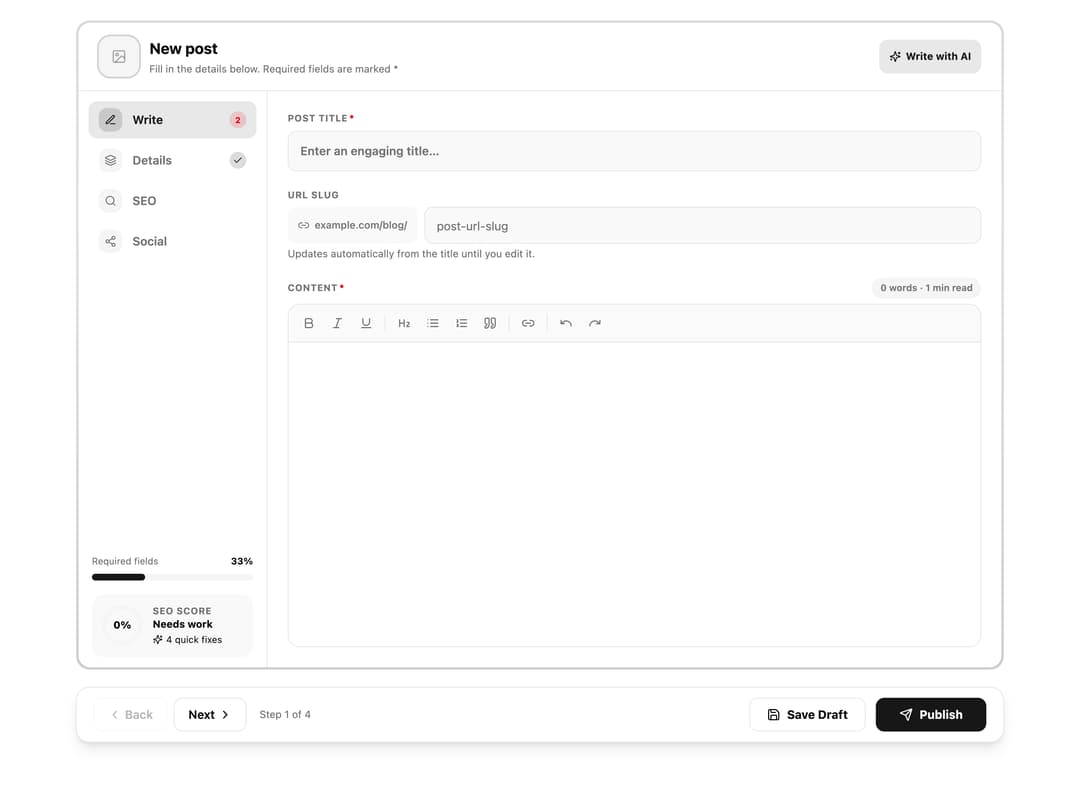
Multi-step blog post editor with rich text, SEO checklist, search and social previews. Content, sites, images and AI hooks come in through props.
Built with React and Tailwind. Copy the prompt and paste it into Claude Code, Cursor or Lovable: your agent adds Blog Post Editor to your project and fits it to your theme.
Code
How Blog Post Editor is used: the demo's code. The component's own source comes with a free account.
Usage.tsx
import { Globe, Newspaper } from "lucide-react"
import BlogPostEditor, { type PostDraft, type PostImage, type PostSite, type SuggestField } from "@/components/ui/blog-post-editor"

// Inline SVG gradients so the demo needs no network or assets.
const gradient = (a: string, b: string) =>
  `data:image/svg+xml;utf8,${encodeURIComponent(
    `<svg xmlns="http://www.w3.org/2000/svg" width="640" height="360"><defs><linearGradient id="g" x1="0" y1="0" x2="1" y2="1"><stop offset="0" stop-color="${a}"/><stop offset="1" stop-color="${b}"/></linearGradient></defs><rect width="640" height="360" fill="url(#g)"/></svg>`,
  )}`

const sites: PostSite[] = [
  { key: "blog", label: "Company blog", description: "blog.example.com", icon: <Newspaper /> },
  { key: "docs", label: "Help centre", description: "help.example.com", icon: <Globe /> },
]

const images: PostImage[] = [
  { key: "ocean", label: "Ocean", src: gradient("#5ea1c5", "#134573") },
  { key: "sunset", label: "Sunset", src: gradient("#f59e0b", "#e11d48") },
  { key: "forest", label: "Forest", src: gradient("#34d399", "#0f766e") },
]

const generatedDraft: Partial<PostDraft> = {
  title: "How to Plan a Content Calendar That You Keep",
  slug: "how-to-plan-a-content-calendar-that-you-keep",
  excerpt: "A simple, repeatable way to plan a month of posts without burning out or running out of ideas.",
  metaTitle: "How to Plan a Content Calendar | Step-by-Step Guide",
  metaDescription:
    "Learn how to plan a content calendar you will actually stick to: pick a rhythm, batch your ideas and review results every month.",
  metaKeywords: "content calendar, editorial plan, blog planning",
  ogTitle: "Plan a content calendar you will actually keep",
  ogDescription: "Pick a rhythm, batch your ideas and review every month.",
  content:
    "<h2>Start with a rhythm you can keep</h2><p>Decide how many posts you can really write each week. Two good posts beat five rushed ones, and a steady rhythm is easier for readers to follow.</p><h2>Batch your ideas</h2><p>Set aside one hour to collect topics from customer questions, search suggestions and past comments.</p><ul><li>Group ideas by theme</li><li>Give each one a working title</li><li>Assign a publish date</li></ul><h2>Review every month</h2><p>Look at which posts were read and shared, then plan the next month around what worked.</p>",
}

const wait = (ms: number) => new Promise((r) => setTimeout(r, ms))

// Stand-ins for a real AI service.
const onGenerate = async () => {
  await wait(1000)
  return generatedDraft
}
const onSuggest = async (field: SuggestField, post: PostDraft) => {
  await wait(500)
  const topic = post.title || "your post"
  const suggestions: Record<SuggestField, string> = {
    metaTitle: topic.slice(0, 58),
    metaDescription: `${topic}: a practical walkthrough with clear steps, examples and answers to the questions readers ask most.`.slice(0, 158),
    excerpt: `A practical walkthrough of ${topic.toLowerCase()}, with clear steps and examples.`,
    metaKeywords: topic.toLowerCase().split(/\s+/).filter((w) => w.length > 3).slice(0, 4).join(", "),
  }
  return suggestions[field]
}

export default function Demo() {
  return (
    <div className="min-h-screen w-full bg-background">
      <BlogPostEditor
        heading="New post"
        baseUrl="example.com/blog/"
        sites={sites}
        images={images}
        initial={{ sites: ["blog"] }}
        onGenerate={onGenerate}
        onSuggest={onSuggest}
        onSave={(status, post) => console.log(status, post)}
      />
    </div>
  )
}
Dependencies
More by hamza ali
View all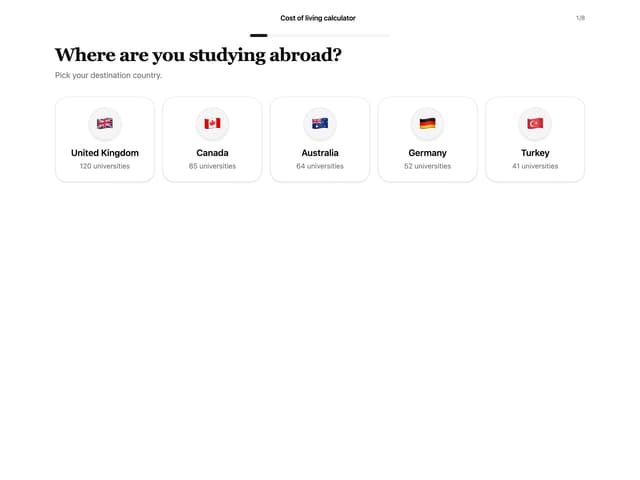
Cost Of Living Wizard