
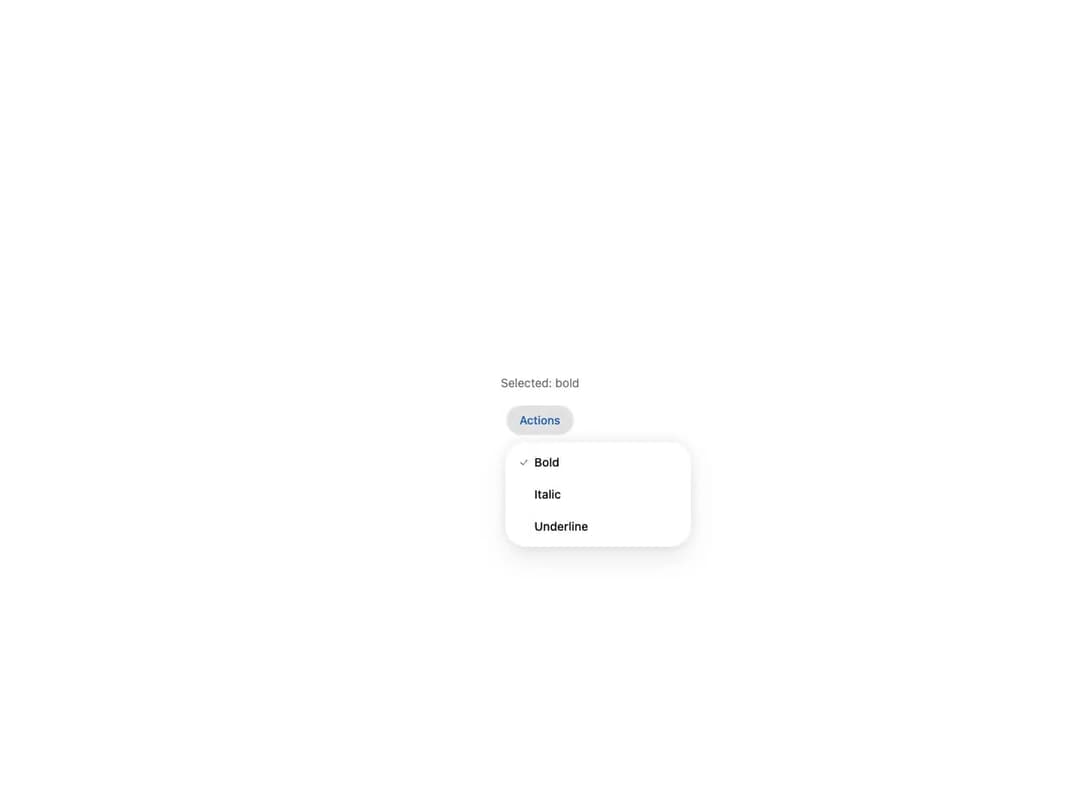
Accessible dropdown menu built on React Aria, from HeroUI v3. A trigger-anchored popover menu supporting plain actions, leading icons, descriptions, keyboard shortcuts (Kbd), grouped sections with headers and separators, disabled items, single and multiple selection with check indicators, a controlled selected state, a danger/destructive variant, and a custom avatar trigger. Full keyboard navigation, typeahead, and focus management. Compound API: Dropdown / Dropdown.Trigger / Dropdown.Popover / Dropdown.Menu / Dropdown.Item / Dropdown.Section / Dropdown.ItemIndicator + Label / Header / Description / Separator / Kbd / Avatar.
Built with React and Tailwind. Copy the prompt and paste it into Claude Code, Cursor or Lovable: your agent adds HeroUI Dropdown to your project and fits it to your theme.
Code
How HeroUI Dropdown is used: the demo's code. The component's own source comes with a free account.
Usage.tsx
"use client"

import { useState } from "react"

import {
  Button,
  Dropdown,
  Label,
  type Selection,
} from "@/components/ui/heroui-dropdown"

export default function Demo() {
  const [selected, setSelected] = useState<Selection>(new Set(["bold"]))

  const selectedItems = Array.from(selected)

  return (
    <div className="flex min-h-[360px] min-w-sm flex-col items-center justify-center gap-4 p-6">
      <p className="text-sm text-muted">
        Selected: {selectedItems.length > 0 ? selectedItems.join(", ") : "None"}
      </p>
      <Dropdown>
        <Button aria-label="Menu" variant="secondary">
          Actions
        </Button>
        <Dropdown.Popover>
          <Dropdown.Menu
            selectedKeys={selected}
            selectionMode="multiple"
            onSelectionChange={setSelected}
          >
            <Dropdown.Item id="bold" textValue="Bold">
              <Label>Bold</Label>
              <Dropdown.ItemIndicator />
            </Dropdown.Item>
            <Dropdown.Item id="italic" textValue="Italic">
              <Label>Italic</Label>
              <Dropdown.ItemIndicator />
            </Dropdown.Item>
            <Dropdown.Item id="underline" textValue="Underline">
              <Label>Underline</Label>
              <Dropdown.ItemIndicator />
            </Dropdown.Item>
          </Dropdown.Menu>
        </Dropdown.Popover>
      </Dropdown>
    </div>
  )
}
Dependencies
More by Hero Ui
View all

DatePicker
465
Chip
440
The Pagination
361
HeroUI Color Picker
105
Skeleton
104
HeroUI Table
99
HeroUI Disclosure Group
94
HeroUI AlertDialog
80