
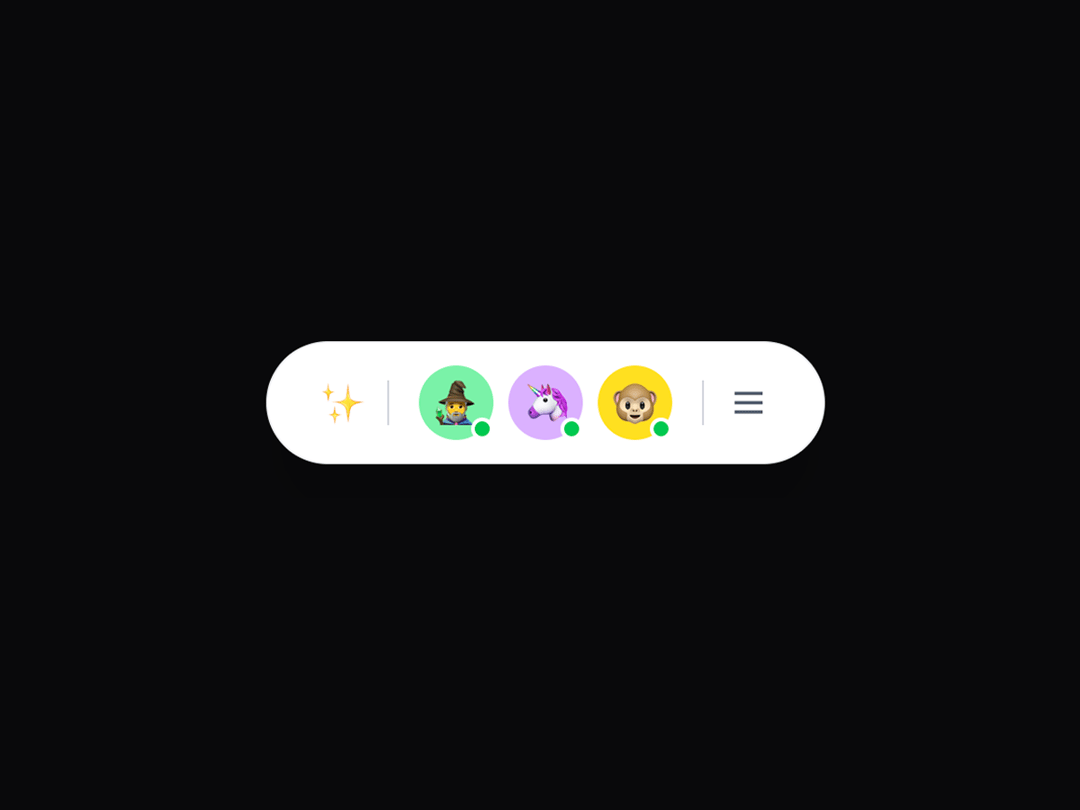
This is an animated, expandable message dock component that allows users to select a character and send contextual messages through a sleek, reactive UI. It supports emoji-based avatars, online indicators, gradient themes, and smooth transitions using framer-motion, with auto-collapse, outside-click handling, and full customization options via props. Perfect for AI assistant selectors, chat applications, work dashboards, character chatbots, onboarding helpers, or interactive UI mascots in apps or games.
Built with React and Tailwind. Copy the prompt and paste it into Claude Code, Cursor or Lovable: your agent adds Message Dock to your project and fits it to your theme.
Code
How Message Dock is used: the demo's code. The component's own source comes with a free account.
Usage.tsx
"use client";
import { MessageDock, Character } from "@/components/ui/message-dock";
const customCharacters: Character[] = [
{ emoji: "✨", name: "Sparkle", online: false },
{
emoji: "🧙♂️",
name: "Wizard",
online: true,
backgroundColor: "bg-green-300",
gradientColors: "#86efac, #dcfce7",
},
{
emoji: "🦄",
name: "Unicorn",
online: true,
backgroundColor: "bg-purple-300",
gradientColors: "#c084fc, #f3e8ff",
},
{
emoji: "🐵",
name: "Monkey",
online: true,
backgroundColor: "bg-yellow-300",
gradientColors: "#fde047, #fefce8",
},
{
emoji: "🤖",
name: "Robot",
online: false,
backgroundColor: "bg-red-300",
gradientColors: "#fca5a5, #fef2f2",
},
];
export default function Demo() {
const handleMessageSend = (message: string, character: Character, index: number) => {
console.log("Message sent:", { message, character: character.name, index });
// Here you would typically send the message to your backend/API
};
const handleCharacterSelect = (character: Character) => {
console.log("Character selected:", character.name);
};
const handleDockToggle = (isExpanded: boolean) => {
console.log("Dock expanded:", isExpanded);
};
return (
<div className="min-h-screen flex items-center justify-center bg-background">
<MessageDock
characters={customCharacters}
onMessageSend={handleMessageSend}
onCharacterSelect={handleCharacterSelect}
onDockToggle={handleDockToggle}
expandedWidth={500}
placeholder={(name) => `Send a message to ${name}...`}
theme="light"
enableAnimations={true}
closeOnSend={true}
autoFocus={true}
/>
</div>
);
}
Dependencies
More by Isaiah
View all
Agent Plan
2.2K
Video Scroll Hero
1.4K
Voice Powered Orb
1.3K
Reveal Text
1.1K
Leads Data Table
934
Portfolio Gallery
921
Ruler Carousel
617
Coach Scheduling Card
526