
About
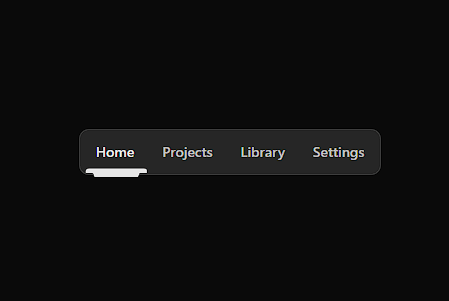
A center-aligned, fit‑content navigation bar with a softly rounded, smoothly animated notch indicator and full keyboard accessibility that stands out without visual noise.
Built with React and Tailwind. Copy the prompt and paste it into Claude Code, Cursor or Lovable: your agent adds NotchNav to your project and fits it to your theme.
Code
How NotchNav is used: the demo's code. The component's own source comes with a free account.
Usage.tsx
import { NotchNav } from "@/components/ui/notch-nav"

export default function Page() {
  const items = [
    { value: "home", label: "Home" },
    { value: "projects", label: "Projects" },
    { value: "library", label: "Library" },
    { value: "settings", label: "Settings" },
  ]

  return (
    <main className="min-h-screen grid place-items-center p-6">
      <NotchNav items={items} defaultValue="projects" ariaLabel="Site" />
    </main>
  )
}
More by Jatin Yadav
View all
Radial Orbital Timeline
7.4K
Expand Map
2.8K
Sign In Card
2.6K
Project Showcase
2.2K
Etheral Shadow
2.1K
Vapour Text Effect
2K
Animated AI Chat
1.6K
Vertical Image Stack
1.6K
More in Navigation
View all

Sidebar
235
Navbar with Theme Toggle
43

Sidebar
339

Tabs
60
Numberless Pagination with Text
11
Oversized 404 Numeral
50
Footer
446
Pagination
43


