
![Toggle Button [react-aria-components] preview](https://cdn.21st.dev/cdn-cgi/image/fit=scale-down,width=1080,quality=75,format=webp/https://cdn.21st.dev/user_jolbol1/toggle/838/preview.png)
About
A toggle button allows a user to toggle a selection on or off, for example switching between two states or modes. Toggle buttons are similar to action buttons, but support an additional selection state that is toggled when a user presses the button. There is no built-in HTML element that represents a toggle button, so React Aria implements it using ARIA attributes.
Built with React and Tailwind. Copy the prompt and paste it into Claude Code, Cursor or Lovable: your agent adds Toggle Button [react-aria-components] to your project and fits it to your theme.
Code
How Toggle Button [react-aria-components] is used: the demo's code. The component's own source comes with a free account.
Usage.tsx
import { Bold } from "lucide-react"

import { Toggle } from "@/components/ui/toggle"

export function ToggleDemo() {
  return (
    <Toggle aria-label="Toggle italic">
      <Bold className="size-4" />
    </Toggle>
  )
}
Dependencies
More by James Shopland
View all![Tag Group [react-aria-components]](https://cdn.21st.dev/cdn-cgi/image/fit=scale-down,width=640,quality=75,format=webp/https://cdn.21st.dev/user_jolbol1/tag-group/891/preview.png)
Tag Group [react-aria-components]
91![Date Range Picker [react-aria-components]](https://cdn.21st.dev/cdn-cgi/image/fit=scale-down,width=640,quality=75,format=webp/https://cdn.21st.dev/user_jolbol1/date-range-picker/default/preview.png)
Date Range Picker [react-aria-components]
85![Grid List [react-aria-components]](https://cdn.21st.dev/cdn-cgi/image/fit=scale-down,width=640,quality=75,format=webp/https://cdn.21st.dev/user_jolbol1/grid-list/default/preview.png)
Grid List [react-aria-components]
70![Switch [react-aria-components]](https://cdn.21st.dev/cdn-cgi/image/fit=scale-down,width=640,quality=75,format=webp/https://cdn.21st.dev/user_jolbol1/switch/1023/preview.png)
Switch [react-aria-components]
68![Select [react-aria-components]](https://cdn.21st.dev/cdn-cgi/image/fit=scale-down,width=640,quality=75,format=webp/https://cdn.21st.dev/user_jolbol1/select/864/preview.png)
Select [react-aria-components]
46![Range Calendar [react-aria-components]](https://cdn.21st.dev/cdn-cgi/image/fit=scale-down,width=640,quality=75,format=webp/https://cdn.21st.dev/user_jolbol1/range-calendar/default/preview.png)
Range Calendar [react-aria-components]
38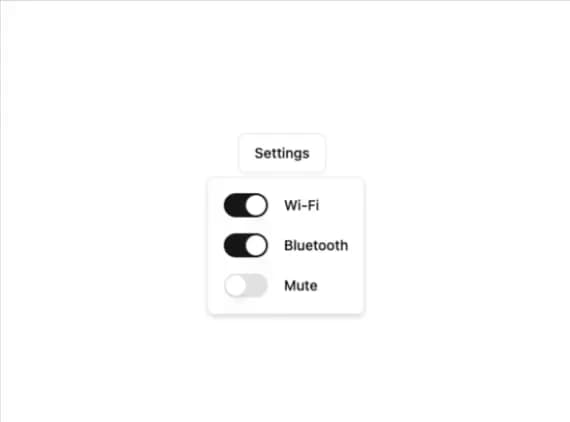
Popover
35![Slider [react-aria-components]](https://cdn.21st.dev/cdn-cgi/image/fit=scale-down,width=640,quality=75,format=webp/https://cdn.21st.dev/user_jolbol1/slider/827/preview.png)
Slider [react-aria-components]
34
More in Buttons
View all
Button Save
46

Button
20

Eclipse Button
5

Button
32

Button
6

Button
14

Button Group
37
Split Button
32

