
About
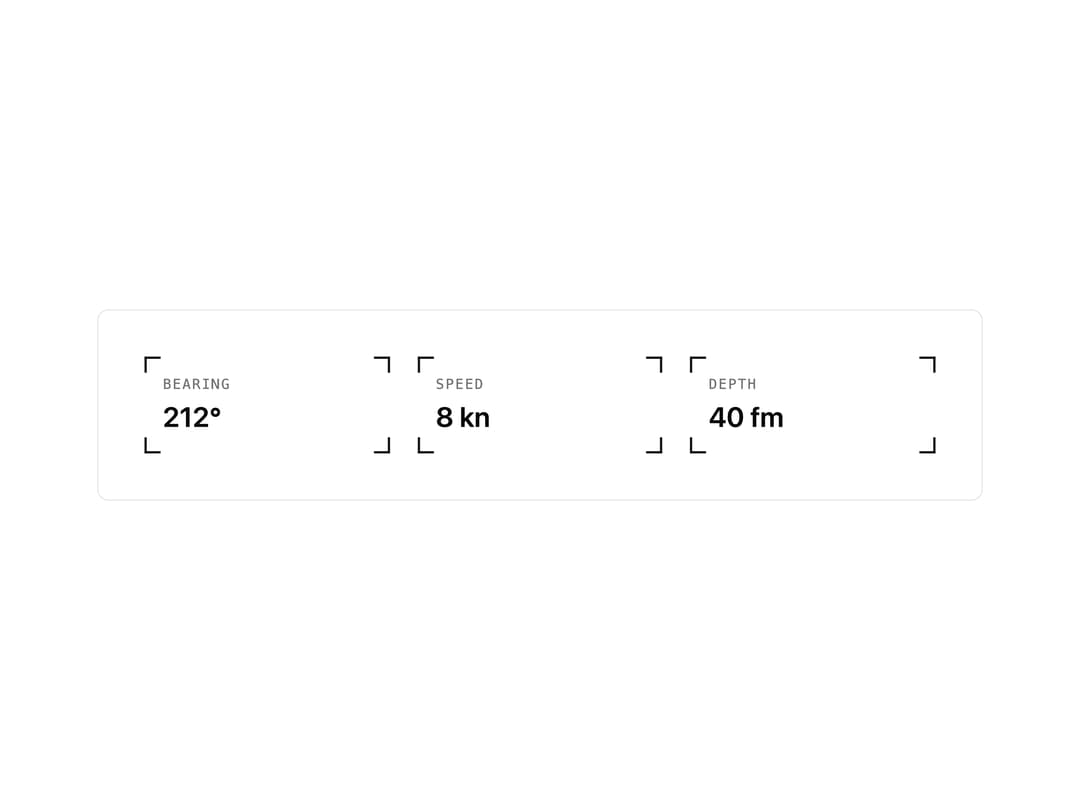
A decorative box that draws small bracket marks on its corners, like a camera viewfinder, used to frame cards, stats or images.
Built with React and Tailwind. Copy the prompt and paste it into Claude Code, Cursor or Lovable: your agent adds Corner Frame to your project and fits it to your theme.
Code
How Corner Frame is used: the demo's code. The component's own source comes with a free account.
Usage.tsx
import { CornerFrame } from "@/components/ui/corner-frame";

export default function CornerFrameDemo() {
  return (
    <div className="flex min-h-screen w-full items-center justify-center bg-background p-6">
      <div className="grid w-full max-w-3xl grid-cols-1 gap-6 rounded-lg border bg-background p-6 sm:grid-cols-3 md:p-10">
        <CornerFrame size="14px" className="flex flex-col gap-1 p-4">
          <span className="font-mono text-xs tracking-widest text-muted-foreground uppercase">
            Bearing
          </span>
          <span className="text-2xl font-semibold text-foreground">212°</span>
        </CornerFrame>
        <CornerFrame size="14px" className="flex flex-col gap-1 p-4">
          <span className="font-mono text-xs tracking-widest text-muted-foreground uppercase">
            Speed
          </span>
          <span className="text-2xl font-semibold text-foreground">8 kn</span>
        </CornerFrame>
        <CornerFrame size="14px" className="flex flex-col gap-1 p-4">
          <span className="font-mono text-xs tracking-widest text-muted-foreground uppercase">
            Depth
          </span>
          <span className="text-2xl font-semibold text-foreground">40 fm</span>
        </CornerFrame>
      </div>
    </div>
  );
}
Dependencies
More by kevingirelli
View all
Aurora
54
QR Code
49
Warp Gradient
48
FAQ Section
46
Wave Text
37
Animated Border
32
Spotlight
23
Flip Text
22