
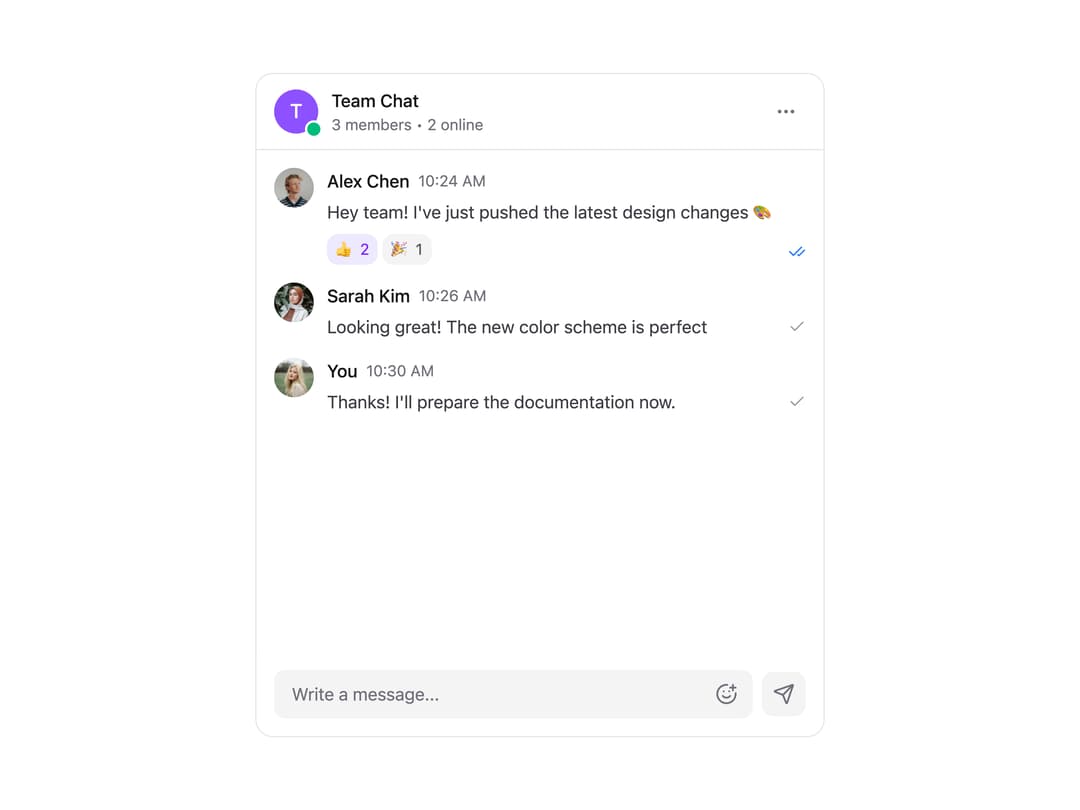
A modern chat interface component that provides a complete messaging experience with reactions, status indicators, and theme support. Features - Message Display - Message history with timestamps - Read/delivered status indicators - User avatars and names - Message reactions with emoji - Message grouping by user - Interactive Elements - Message input with emoji picker - Send button with status feedback - Reaction system with counters - More options menu - Online status indicators - Visual Design - Light and dark theme support - Smooth transitions and animations - Clean and modern interface - Responsive layout - Accessible design
Built with React and Tailwind. Copy the prompt and paste it into Claude Code, Cursor or Lovable: your agent adds Chat Card to your project and fits it to your theme.
Code
How Chat Card is used: the demo's code. The component's own source comes with a free account.
Usage.tsx
// components/examples/chat-card-demo.tsx
import { ChatCard, Message } from "@/components/ui/chat-card";
import { useState } from "react";
import { useTheme } from "next-themes";

const CURRENT_USER = {
  name: "You",
  avatar:
    "https://cdn.21st.dev/assets/localized/cf1ef62e97fea5fca916b9b0448c74638e8924e3da987f3ab80cea3e43aa5e0c.jpg",
};

const INITIAL_MESSAGES: Message[] = [
  {
    id: "1",
    content: "Hey team! I've just pushed the latest design changes 🎨",
    sender: {
      name: "Alex Chen",
      avatar:
        "https://cdn.21st.dev/assets/localized/41783fe0b40b61a600e5e26892a5315c48361589dacb4cb18db4d2b7c999ee0d.jpg",
      isOnline: true,
    },
    timestamp: "10:24 AM",
    status: "read",
    reactions: [
      { emoji: "👍", count: 2, reacted: true },
      { emoji: "🎉", count: 1, reacted: false },
    ],
  },
  {
    id: "2",
    content: "Looking great! The new color scheme is perfect",
    sender: {
      name: "Sarah Kim",
      avatar:
        "https://cdn.21st.dev/assets/localized/37d6b36c79f072fe84d9baaead2ec02cd5ac9b99050c966f8bd06fbc96e35371.jpg",
      isOnline: true,
    },
    timestamp: "10:26 AM",
    status: "delivered",
  },
  {
    id: "3",
    content: "Thanks! I'll prepare the documentation now.",
    sender: {
      name: CURRENT_USER.name,
      avatar: CURRENT_USER.avatar,
      isOnline: true,
      isCurrentUser: true,
    },
    timestamp: "10:30 AM",
    status: "delivered",
  },
];

export function ChatCardDemo() {
  const { resolvedTheme } = useTheme();
  const [chats] = useState([
    {
      id: 1,
      name: "Team Chat",
      membersCount: 3,
      onlineCount: 2,
      messages: INITIAL_MESSAGES,
    },
  ]);

  return (
    <div className="p-8 space-y-8">
      <div className="max-w-4xl mx-auto">
        <ChatCard
          chatName={chats[0].name}
          membersCount={chats[0].membersCount}
          onlineCount={chats[0].onlineCount}
          initialMessages={chats[0].messages}
          currentUser={CURRENT_USER}
          theme={resolvedTheme as "light" | "dark"}
          className={resolvedTheme === "light" ? "border border-zinc-200" : ""}
          onSendMessage={(message) => console.log("Sent:", message)}
          onReaction={(messageId, emoji) =>
            console.log("Reaction:", messageId, emoji)
          }
          onMoreClick={() => console.log("More clicked")}
        />
      </div>
    </div>
  );
}

export default ChatCardDemo;
Dependencies
More by Kokonut UI
View all

Background Paths
5.7K
Shape Landing Hero
3.5K
Beams Background
2.8K
Bento Grid
2.2K
v0 AI Chat
2.1K
AI Voice Input
1.7K
Hand Writing Text
1.3K
Action Search Bar
1.3K