
About
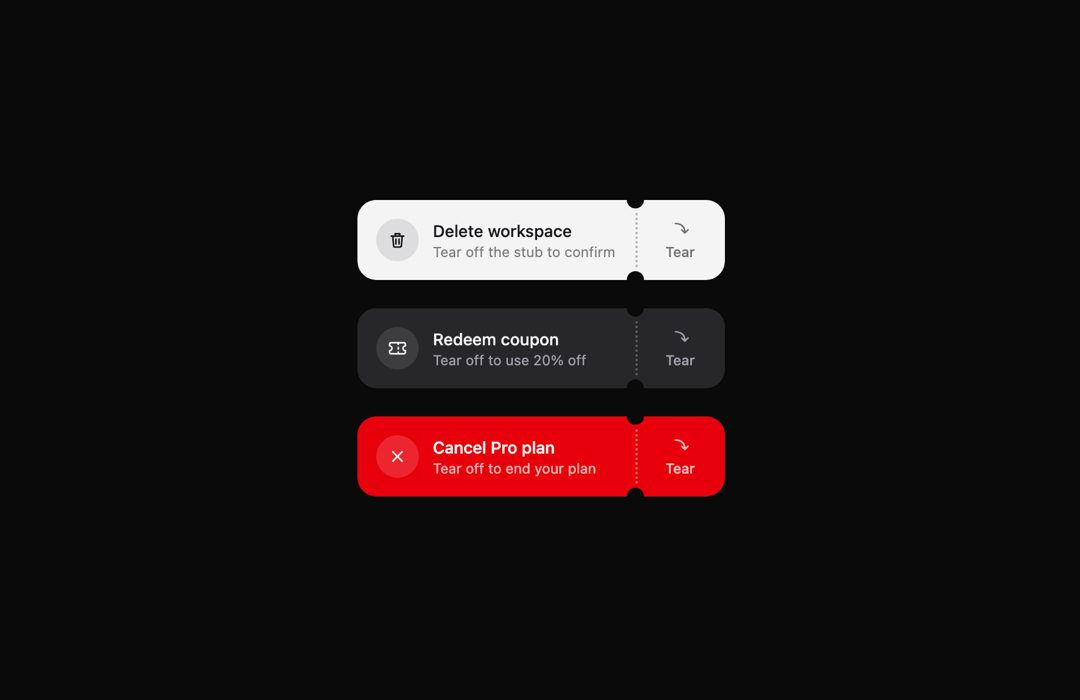
A confirm button you tear off like a ticket stub, hole by hole.
Built with React and Tailwind. Copy the prompt and paste it into Claude Code, Cursor or Lovable: your agent adds Kokonut UI Tear Button to your project and fits it to your theme.
Code
How Kokonut UI Tear Button is used: the demo's code. The component's own source comes with a free account.
Usage.tsx
"use client";
import {ThemeProvider as LibraryDemoThemeProvider} from "next-themes";
import TearButton from "@/components/ui/kokonut-tear-button";
import { Ticket, X } from "lucide-react";
function SourceSpecimen(){return <>

    <div className="flex flex-col items-center gap-6">
        <TearButton />
        <TearButton
            confirmedDescription="20% off applied at checkout"
            confirmedLabel="Coupon redeemed"
            description="Tear off to use 20% off"
            icon={<Ticket className="size-4" />}
            label="Redeem coupon"
            tone="muted"
        />
        <TearButton
            confirmedDescription="Access until 14 November"
            confirmedLabel="Plan cancelled"
            description="Tear off to end your plan"
            icon={<X className="size-4" />}
            label="Cancel Pro plan"
            tone="danger"
        />
    </div>

</>}
export default function LibraryRegistryPreview(){return <LibraryDemoThemeProvider defaultTheme="dark" enableSystem={false}><div data-component-demo data-demo-theme="dark" data-theme="dark" className="dark" style={{background:"var(--background)",color:"var(--foreground)"}}><div className="relative w-full min-w-0 max-w-5xl min-h-[400px] flex items-center justify-center"><SourceSpecimen/></div></div></LibraryDemoThemeProvider>}
Dependencies
More by Kokonut UI
View all

Background Paths
5.7K
Shape Landing Hero
3.5K
Beams Background
2.8K
Bento Grid
2.2K
v0 AI Chat
2.1K
AI Voice Input
1.7K
Hand Writing Text
1.3K
Action Search Bar
1.3K