
About
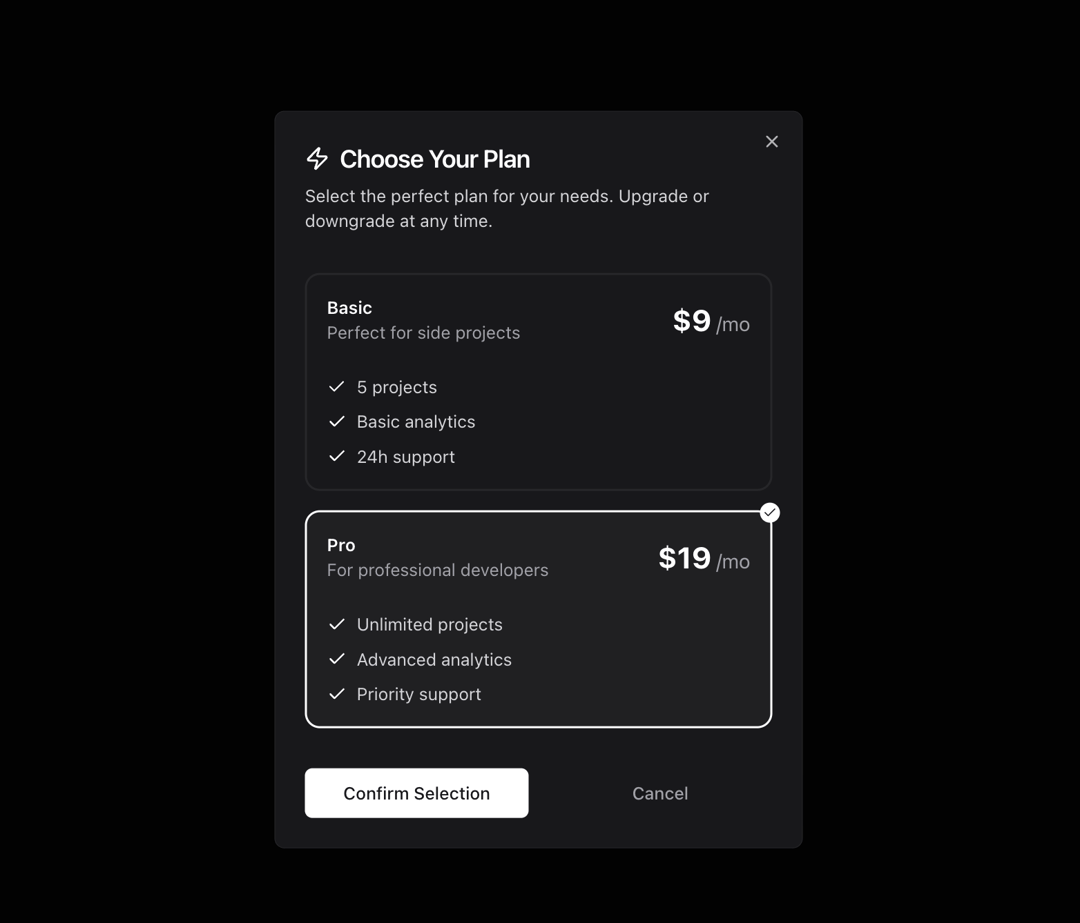
A modal to choose between two pricing.
Built with React and Tailwind. Copy the prompt and paste it into Claude Code, Cursor or Lovable: your agent adds Modal Pricing to your project and fits it to your theme.
Code
How Modal Pricing is used: the demo's code. The component's own source comes with a free account.
Usage.tsx
import { ModalPricing } from "@/components/ui/modal-pricing"

interface PlanOption {
    id: string;
    name: string;
    price: string;
    description: string;
    features: string[];
}

const plansSample: PlanOption[] = [
    {
        id: "basic",
        name: "Basic",
        price: "$9",
        description: "Perfect for side projects",
        features: ["5 projects", "Basic analytics", "24h support"],
    },
    {
        id: "pro",
        name: "Pro",
        price: "$19",
        description: "For professional developers",
        features: [
            "Unlimited projects",
            "Advanced analytics",
            "Priority support",
        ],
    },
];


function DemoModal() {
    return <ModalPricing plans={plansSample} />
}

export { DemoModal }
Dependencies
More by Kokonut UI
View all

Background Paths
5.7K
Shape Landing Hero
3.5K
Beams Background
2.8K
Bento Grid
2.2K
v0 AI Chat
2.1K
AI Voice Input
1.7K
Hand Writing Text
1.3K
Action Search Bar
1.3K
More in Pricing
View all
Pricing Section
582

Pricing Cards
31

Pricing Card
535

Pricing Section
173
pricing section
158
Single Pricing Card
795

Pricing
125
Glowing Pricing Tiers
45


