
About
A React hook for handling file input operations with validation and error handling. It supports file type restrictions, size limits, and provides a clean interface for file management. Features: • File type validation • File size limits • Error handling • File information tracking • Easy file clearing
Built with React and Tailwind. Copy the prompt and paste it into Claude Code, Cursor or Lovable: your agent adds useFileInput to your project and fits it to your theme.
Code
How useFileInput is used: the demo's code. The component's own source comes with a free account.
Usage.tsx
import { useFileInput } from "@/components/hooks/use-file-input"
import { Button } from "@/components/ui/button"
import { cn } from "@/lib/utils"

export function BasicExample() {
  const {
    fileName,
    error,
    fileInputRef,
    handleFileSelect,
    clearFile
  } = useFileInput({
    maxSize: 2
  });

  return (
    <div className="space-y-4">
      <h3 className="text-lg font-medium">Basic File Upload</h3>
      <div className="flex gap-4 items-center">
        <Button
          onClick={() => fileInputRef.current?.click()}
          variant="outline"
        >
          Select File
        </Button>
        {fileName && (
          <Button
            onClick={clearFile}
            variant="ghost"
            size="sm"
          >
            Clear
          </Button>
        )}
      </div>

      <input
        type="file"
        className="hidden"
        ref={fileInputRef}
        onChange={handleFileSelect}
      />

      {fileName && (
        <p className="text-sm text-muted-foreground">
          Selected: {fileName}
        </p>
      )}
      {error && (
        <p className="text-sm text-red-500">
          Error: {error}
        </p>
      )}
    </div>
  )
}

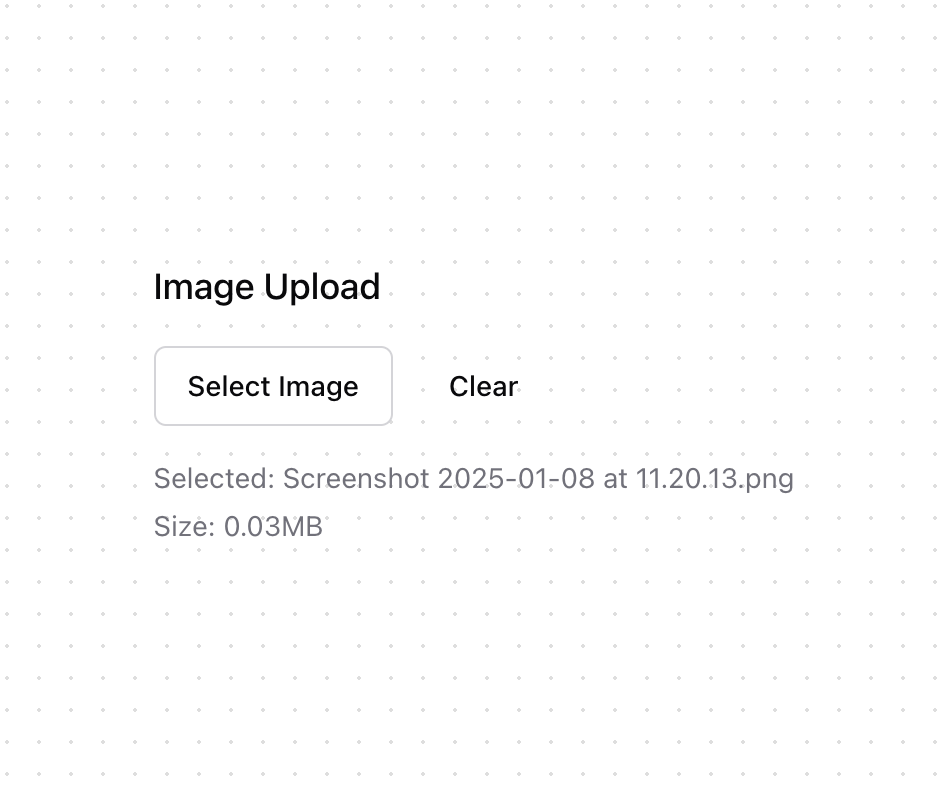
export function ImageUploader() {
  const {
    fileName,
    error,
    fileInputRef,
    handleFileSelect,
    fileSize,
    clearFile
  } = useFileInput({
    accept: "image/*",
    maxSize: 5
  });

  return (
    <div className="space-y-4">
      <h3 className="text-lg font-medium">Image Upload</h3>
      <div className="flex gap-4 items-center">
        <Button
          onClick={() => fileInputRef.current?.click()}
          variant="outline"
        >
          Select Image
        </Button>
        {fileName && (
          <Button
            onClick={clearFile}
            variant="ghost"
            size="sm"
          >
            Clear
          </Button>
        )}
      </div>

      <input
        type="file"
        accept="image/*"
        className="hidden"
        ref={fileInputRef}
        onChange={handleFileSelect}
      />

      {fileName && (
        <div className="space-y-1">
          <p className="text-sm text-muted-foreground">
            Selected: {fileName}
          </p>
          <p className="text-sm text-muted-foreground">
            Size: {(fileSize / (1024 * 1024)).toFixed(2)}MB
          </p>
        </div>
      )}
      {error && (
        <p className="text-sm text-red-500">
          Error: {error}
        </p>
      )}
    </div>
  )
}

export function DocumentUploader() {
  const {
    fileName,
    error,
    fileInputRef,
    handleFileSelect,
    clearFile
  } = useFileInput({
    accept: ".pdf,.doc,.docx",
    maxSize: 10
  });

  return (
    <div className="space-y-4">
      <h3 className="text-lg font-medium">Document Upload</h3>
      <div
        className={cn(
          "border-2 border-dashed rounded-lg p-8 text-center",
          "hover:border-brand/50 transition-colors cursor-pointer",
          error && "border-red-500"
        )}
        onClick={() => fileInputRef.current?.click()}
      >
        {fileName ? (
          <div className="space-y-2">
            <p className="text-sm font-medium">{fileName}</p>
            <Button
              onClick={(e) => {
                e.stopPropagation();
                clearFile();
              }}
              variant="ghost"
              size="sm"
            >
              Remove
            </Button>
          </div>
        ) : (
          <p className="text-sm text-muted-foreground">
            Click to upload or drag and drop<br />
            PDF, DOC up to 10MB
          </p>
        )}
      </div>

      <input
        type="file"
        accept=".pdf,.doc,.docx"
        className="hidden"
        ref={fileInputRef}
        onChange={handleFileSelect}
      />

      {error && (
        <p className="text-sm text-red-500">
          Error: {error}
        </p>
      )}
    </div>
  )
}More by Kokonut UI
View all

Background Paths
5.7K
Shape Landing Hero
3.5K
Beams Background
2.8K
Bento Grid
2.2K
v0 AI Chat
2.1K
AI Voice Input
1.7K
Hand Writing Text
1.3K
Action Search Bar
1.3K