
About
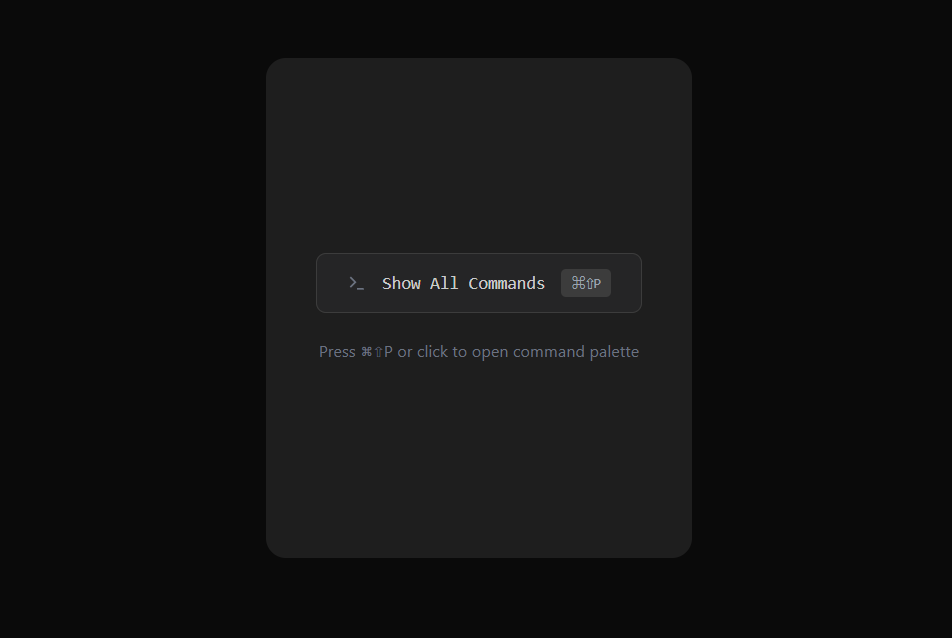
VS Code Command Palette UI component with vscode theme based styling and icons
Built with React and Tailwind. Copy the prompt and paste it into Claude Code, Cursor or Lovable: your agent adds VS Code Command Palette to your project and fits it to your theme.
Code
How VS Code Command Palette is used: the demo's code. The component's own source comes with a free account.
Usage.tsx
import { Component } from "@/components/ui/vs-code-command-palette";

const commands = [
  { id: "1", label: "Search Files", category: "General", icon: "search" },
  { id: "2", label: "New Document", category: "General", icon: "file", shortcut: "⌘N" },
  { id: "3", label: "Settings", category: "General", icon: "settings" },
  { id: "4", label: "Profile", category: "Account", icon: "user" },
  { id: "5", label: "Open Terminal", category: "Developer", icon: "terminal" },
];

export default function Demo() {
  return (
    <div className="flex min-h-[400px] items-center justify-center bg-muted p-10 rounded-2xl">
      <Component
        commands={commands}
        onSelect={(cmd) => console.log("Selected:", cmd.label)}
      />
    </div>
  );
}More by Kousthubha Yadiyala
View all

Morphing Card Stack
1.8K
Animated Menu
603
Circular Command Menu
466
Fluid Dropdown
421
Trello Kanban Board
317
Real time Analytics
287
Shatter Button
276
Action Searchbar
221