About
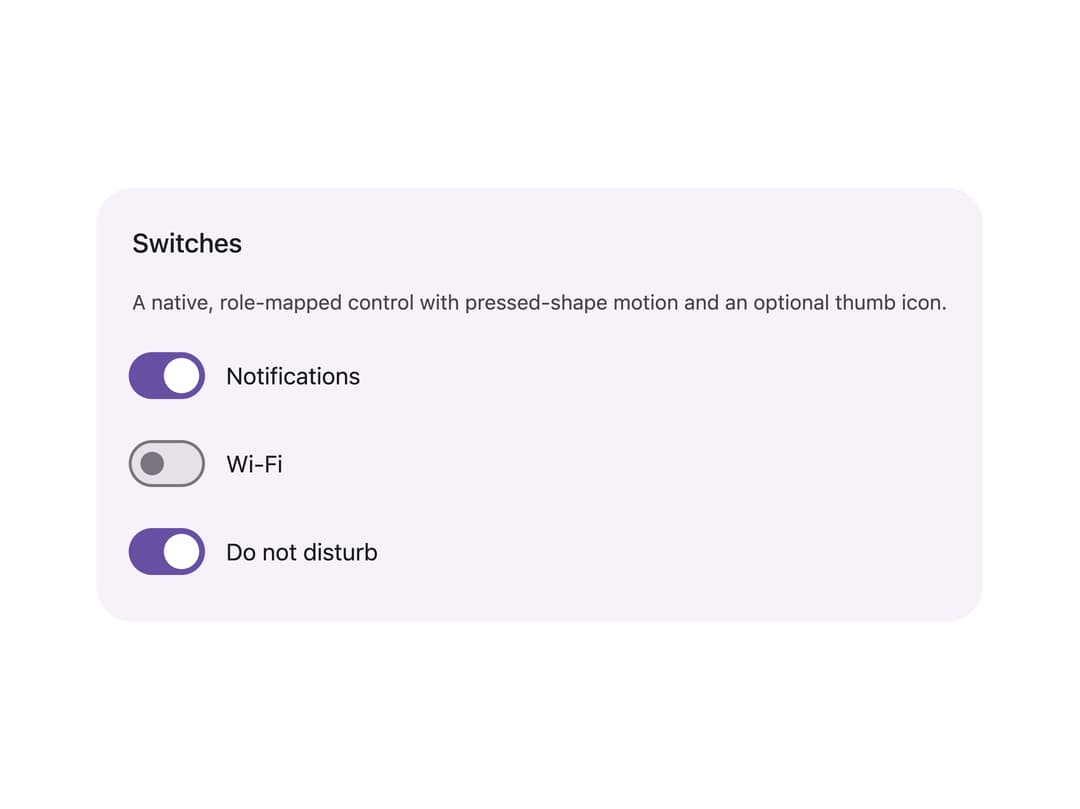
A toggle control rendered as a native checkbox with role="switch" that follows the Material 3 Expressive spec, including pressed-shape motion and an optional icon inside the thumb.
Built with React and Tailwind. Copy the prompt and paste it into Claude Code, Cursor or Lovable: your agent adds Material 3 Switch to your project and fits it to your theme.
Code
How Material 3 Switch is used: the demo's code. The component's own source comes with a free account.
Usage.tsx
import Switch from "@/components/ui/switch";
import { useState } from "react";

export default function SwitchDemo() {
  const [notifications, setNotifications] = useState(true);
  const [wifi, setWifi] = useState(false);

  return (
    <div className="flex w-full items-center justify-center p-10">
      <div className="flex flex-col gap-4 rounded-3xl bg-[#f7f2fa] p-6">
        <h2 className="text-lg font-medium text-[#1d1b20]">Switches</h2>
        <p className="text-sm text-[#49454f]">
          A native, role-mapped control with pressed-shape motion and an
          optional thumb icon.
        </p>
        <div className="flex flex-col gap-3">
          <label className="flex items-center gap-4">
            <Switch
              checked={notifications}
              onCheckedChange={setNotifications}
            />
            <span className="text-base text-[#1d1b20]">Notifications</span>
          </label>
          <label className="flex items-center gap-4">
            <Switch checked={wifi} onCheckedChange={setWifi} />
            <span className="text-base text-[#1d1b20]">Wi-Fi</span>
          </label>
          <label className="flex items-center gap-4">
            <Switch defaultChecked />
            <span className="text-base text-[#1d1b20]">Do not disturb</span>
          </label>
        </div>
      </div>
    </div>
  );
}
More by language-lit
View all

Material Text Field
Material 3 Checkbox

Circular Progress
More in Forms
View all

Premium Auth
500

Login 1
52

Book A Demo 3
83
Authentication Card
47
Book A Demo 1
69

Contact Card
1K

Login Card
32

Login 2
7
