About
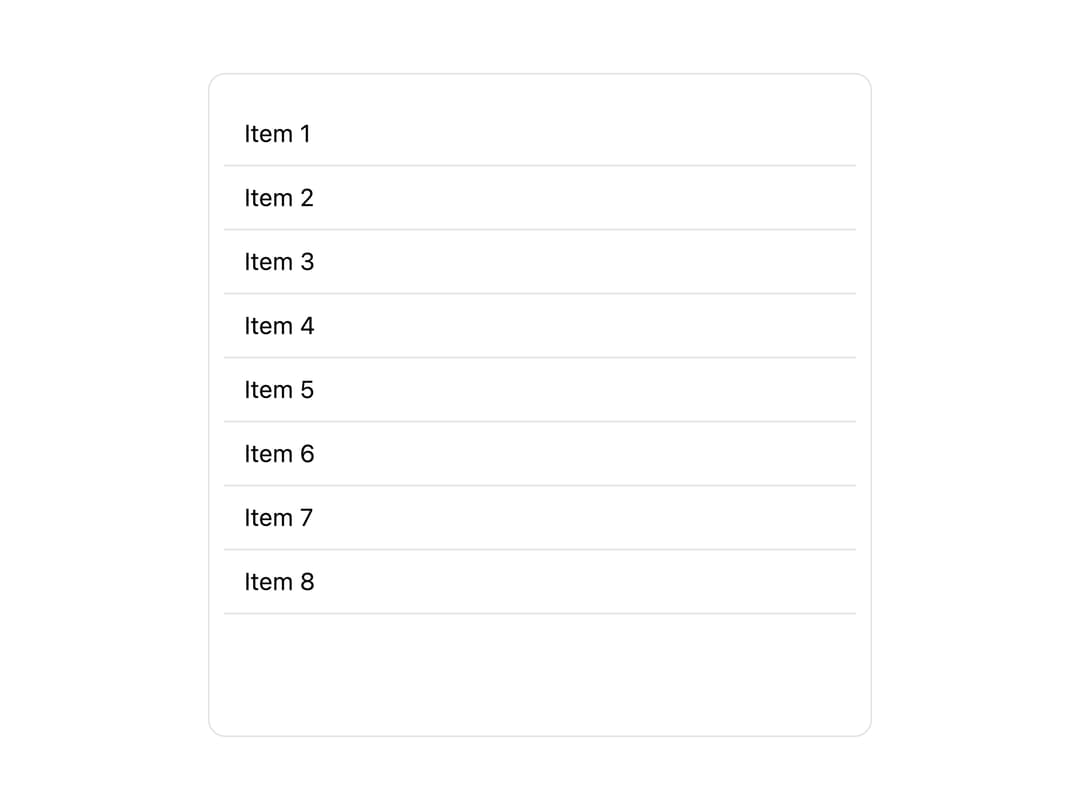
A virtualized list component that fetches and renders paged data with loading, empty, and error states, and loads the next page automatically as the user scrolls to the end.
Built with React and Tailwind. Copy the prompt and paste it into Claude Code, Cursor or Lovable: your agent adds Paginated List to your project and fits it to your theme.
Code
How Paginated List is used: the demo's code. The component's own source comes with a free account.
Usage.tsx
"use client";

import PaginatedList from "@/components/ui/paginated-list";
import React from "react";

type Item = { id: string; name: string };

const mockItems: Item[] = Array.from({ length: 8 }).map((_, i) => ({
  id: String(i),
  name: "Item " + (i + 1),
}));

export default function PaginatedListDemo() {
  const [cursor, setCursor] = React.useState<any>(null);

  return (
    <div className="w-full max-w-sm h-96 border rounded-lg p-2 bg-background text-foreground">
      <PaginatedList
        data={{ items: mockItems, pageInfo: { next: null } } as any}
        loading={false}
        cursor={cursor}
        setCursor={setCursor}
        renderItem={(item: Item) => (
          <div className="px-3 py-2 border-b text-sm">{item.name}</div>
        )}
        emptyMessage="No items found"
      />
    </div>
  );
}
Dependencies
More by lensblocks
View all
Account List Item
1