
About
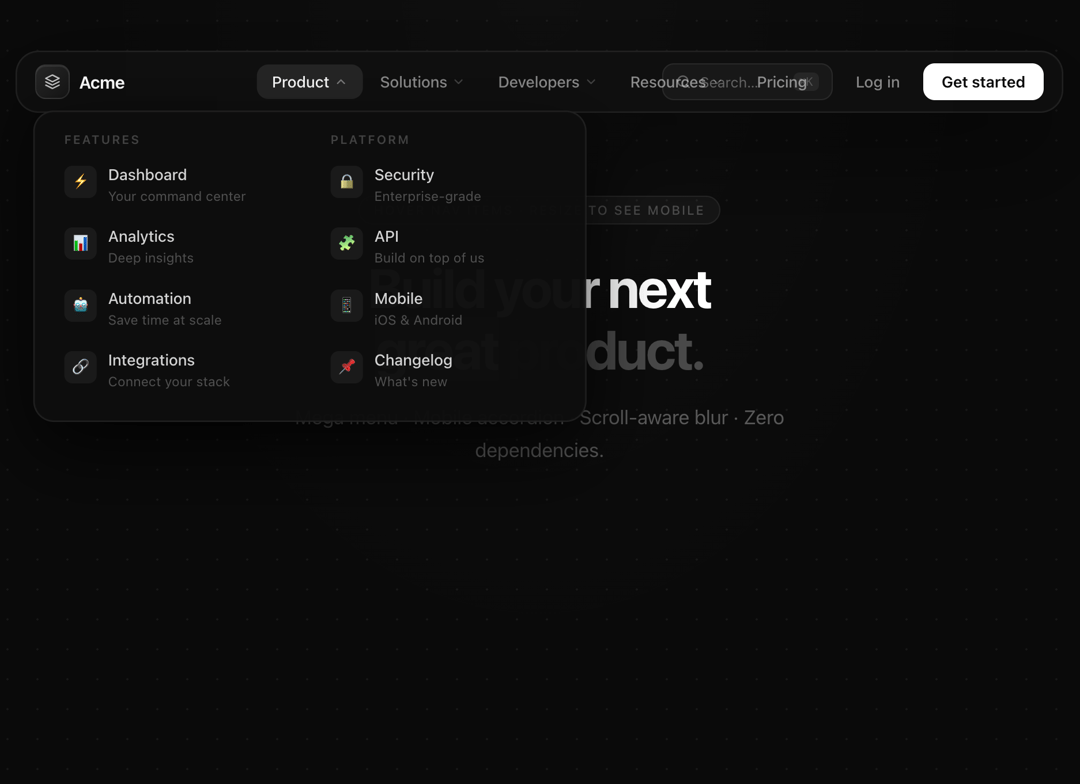
Multiple items navarbar (handle lots of sections)
Built with React and Tailwind. Copy the prompt and paste it into Claude Code, Cursor or Lovable: your agent adds Navbar : multiple items to your project and fits it to your theme.
Code
How Navbar : multiple items is used: the demo's code. The component's own source comes with a free account.
Usage.tsx
import Navbar from "@/components/ui/navbar-multiple-items";

export default function Demo() {
  return (
    <div style={{
      minHeight: "100vh",
      background: "#0a0a0a",
      fontFamily: "-apple-system, BlinkMacSystemFont, 'Segoe UI', Roboto, sans-serif",
      WebkitFontSmoothing: "antialiased",
      padding: "24px 20px",
      boxSizing: "border-box",
    }}>
      {/* Dot grid */}
      <div style={{
        position: "fixed", inset: 0, pointerEvents: "none", zIndex: 0,
        backgroundImage: "radial-gradient(rgba(255,255,255,0.055) 1px, transparent 1px)",
        backgroundSize: "26px 26px",
      }} />

      {/* Soft vignette */}
      <div style={{
        position: "fixed", inset: 0, pointerEvents: "none", zIndex: 0,
        background: "radial-gradient(ellipse at 50% 0%, rgba(255,255,255,0.02) 0%, transparent 60%)",
      }} />

      {/* Navbar card — at the top */}
      <div style={{ position: "relative", zIndex: 10, maxWidth: 920, margin: "0 auto" }}>
        <Navbar mode="floating" />
      </div>

      {/* Placeholder page content */}
      <div style={{
        position: "relative", zIndex: 1,
        maxWidth: 640, margin: "72px auto 0",
        textAlign: "center",
      }}>
        <p style={{
          display: "inline-block",
          fontSize: 11, fontWeight: 500, letterSpacing: "0.12em",
          textTransform: "uppercase",
          color: "rgba(255,255,255,0.25)",
          background: "rgba(255,255,255,0.04)",
          border: "1px solid rgba(255,255,255,0.07)",
          borderRadius: 99, padding: "5px 12px", marginBottom: 28,
        }}>
          Hover nav items · Resize to see mobile
        </p>

        <h1 style={{
          fontSize: "clamp(32px, 5vw, 52px)",
          fontWeight: 700, color: "#fff",
          letterSpacing: "-0.04em", lineHeight: 1.12,
          margin: "0 0 18px",
        }}>
          Build your next<br/>
          <span style={{ color: "rgba(255,255,255,0.25)" }}>great product.</span>
        </h1>

        <p style={{
          color: "rgba(255,255,255,0.32)",
          fontSize: "clamp(14px, 2vw, 17px)",
          lineHeight: 1.7, maxWidth: 480, margin: "0 auto",
        }}>
          Mega menu · Mobile accordion · Scroll-aware blur · Zero dependencies.
        </p>
      </div>
    </div>
  );
}More by maxx.abrt aubert
View all
Dev hero
16
More in Navigation
View all

Sidebar
235
Navbar with Theme Toggle
43

Tabs
60

Sidebar
340
Numberless Pagination with Text
11
Oversized 404 Numeral
50
Footer
446
Pagination
43


