
About
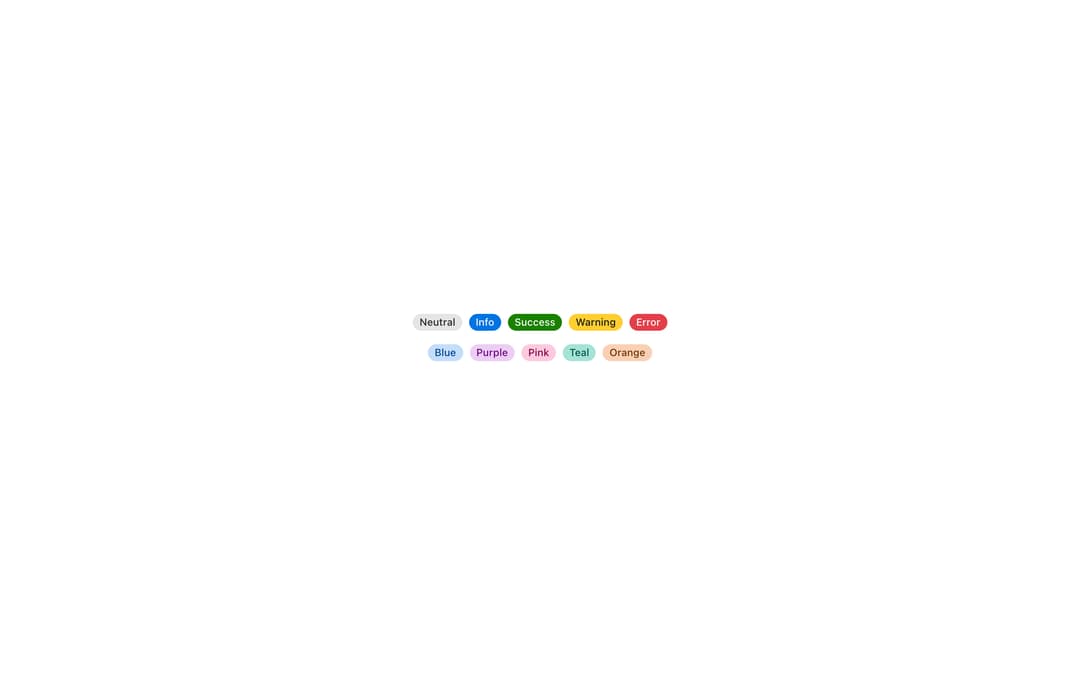
Badge highlights a short status, count, or category label, from Meta's Astryx design system. Ships semantic variants (neutral, info, success, warning, error) plus a full color palette (blue, purple, pink, teal, orange, cyan, green, red, yellow) for tags and counts.
Built with React and Tailwind. Copy the prompt and paste it into Claude Code, Cursor or Lovable: your agent adds Astryx Badge to your project and fits it to your theme.
Code
How Astryx Badge is used: the demo's code. The component's own source comes with a free account.
Usage.tsx
'use client';

import Badge from '@/components/ui/astryx-badge';
import {Theme} from '@astryxdesign/core/theme';
import {neutralTheme} from '@astryxdesign/theme-neutral/built';
import {Stack} from '@astryxdesign/core/Layout';

export default function BadgeShowcase() {
  return (
    <Theme theme={neutralTheme}>
      <div
        style={{
          minHeight: '100dvh',
          display: 'grid',
          placeItems: 'center',
          padding: 24,
        }}>
        <Stack direction="vertical" gap={4} hAlign="center">
          <Stack direction="horizontal" gap={2}>
            <Badge label="Neutral" variant="neutral" />
            <Badge label="Info" variant="info" />
            <Badge label="Success" variant="success" />
            <Badge label="Warning" variant="warning" />
            <Badge label="Error" variant="error" />
          </Stack>
          <Stack direction="horizontal" gap={2}>
            <Badge label="Blue" variant="blue" />
            <Badge label="Purple" variant="purple" />
            <Badge label="Pink" variant="pink" />
            <Badge label="Teal" variant="teal" />
            <Badge label="Orange" variant="orange" />
          </Stack>
        </Stack>
      </div>
    </Theme>
  );
}
Dependencies
More by Meta
View all

Astryx Banner
54
Astryx Avatar
26
Astryx Aspect Ratio
26
Astryx Button Group
22
Astryx Toggle Button
15
Astryx Avatar Group
7
Astryx Button
4
Astryx Blockquote
3