
About
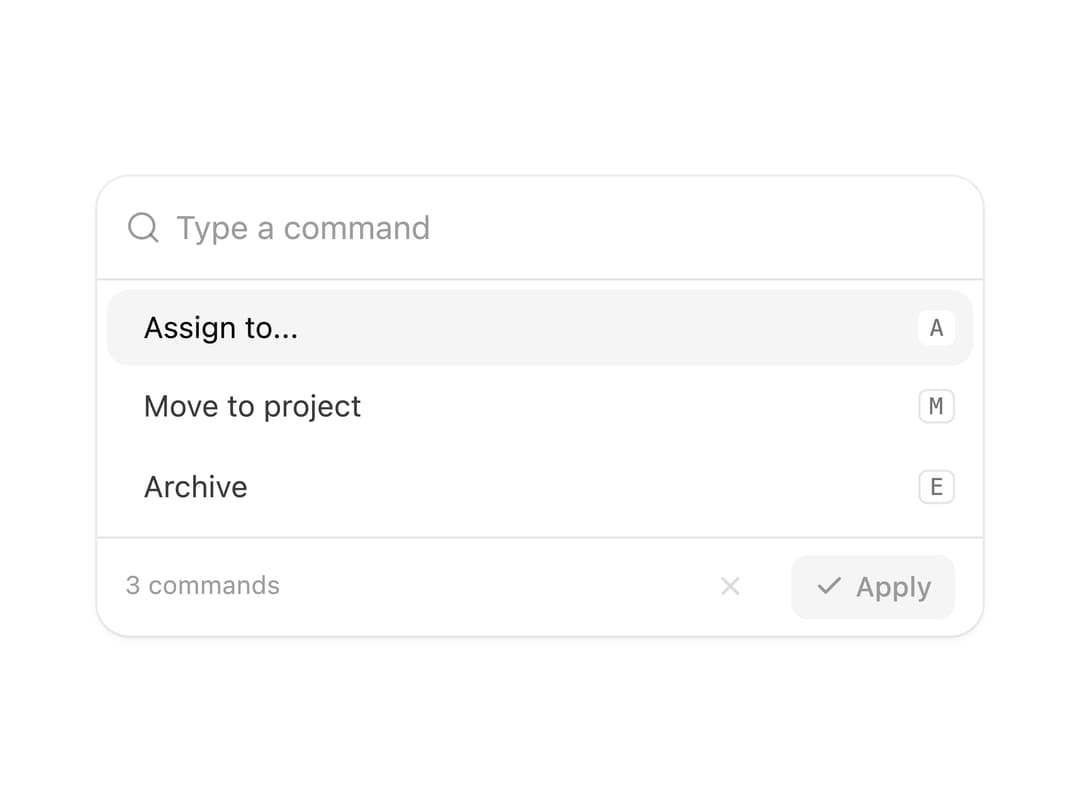
A single-input command palette where multi-step commands (like "Assign to [person] with priority [level]") collapse into inline argument chips, with fuzzy search ranking and an animated height morph between views.
Built with React and Tailwind. Copy the prompt and paste it into Claude Code, Cursor or Lovable: your agent adds Command Palette with Argument Chips to your project and fits it to your theme.
Code
How Command Palette with Argument Chips is used: the demo's code. The component's own source comes with a free account.
Usage.tsx
import CommandPalette, { type Command } from "@/components/ui/command-palette";

const people = [
  { value: "Ava Chen" },
  { value: "Marco Diaz" },
  { value: "Priya Nair" },
  { value: "Sam Okafor" },
];

const priorities = [
  { value: "Urgent", dot: "#ef4444" },
  { value: "High", dot: "#f97316" },
  { value: "Normal", dot: "#3b82f6" },
  { value: "Low", dot: "#94a3b8" },
];

const commands: Command[] = [
  {
    id: "assign",
    label: "Assign to...",
    shortcut: "A",
    slots: [
      {
        name: "person",
        prompt: "Assign to who?",
        kind: "person",
        options: people,
      },
      {
        name: "priority",
        prompt: "Set priority",
        kind: "dot",
        options: priorities,
      },
    ],
    message: (values) =>
      `Assigned to ${values[0]?.value} · ${values[1]?.value} priority`,
  },
  {
    id: "move",
    label: "Move to project",
    shortcut: "M",
    slots: [
      {
        name: "project",
        prompt: "Move to which project?",
        kind: "plain",
        options: [
          { value: "Roadmap" },
          { value: "Backlog" },
          { value: "Launch" },
        ],
      },
    ],
    message: (values) => `Moved to ${values[0]?.value}`,
  },
  {
    id: "archive",
    label: "Archive",
    shortcut: "E",
    danger: true,
    slots: [],
    message: () => "Archived",
  },
];

export default function CommandPaletteDemo() {
  return (
    <div className="flex w-full items-center justify-center p-10">
      <CommandPalette
        commands={commands}
        onApply={(clauses) => console.log(clauses)}
      />
    </div>
  );
}
Dependencies
More by Moumen Soliman
View all
Interactive Logs Table
1.4K
Glass Blog Card
1.1K
Glowy Waves Hero
921
Gallery Grid with Lightbox
789
Expanding Search Dock
762
Glassmorphism Portfolio
653
Hero Section
605
Glass Checkout Card
483