
About
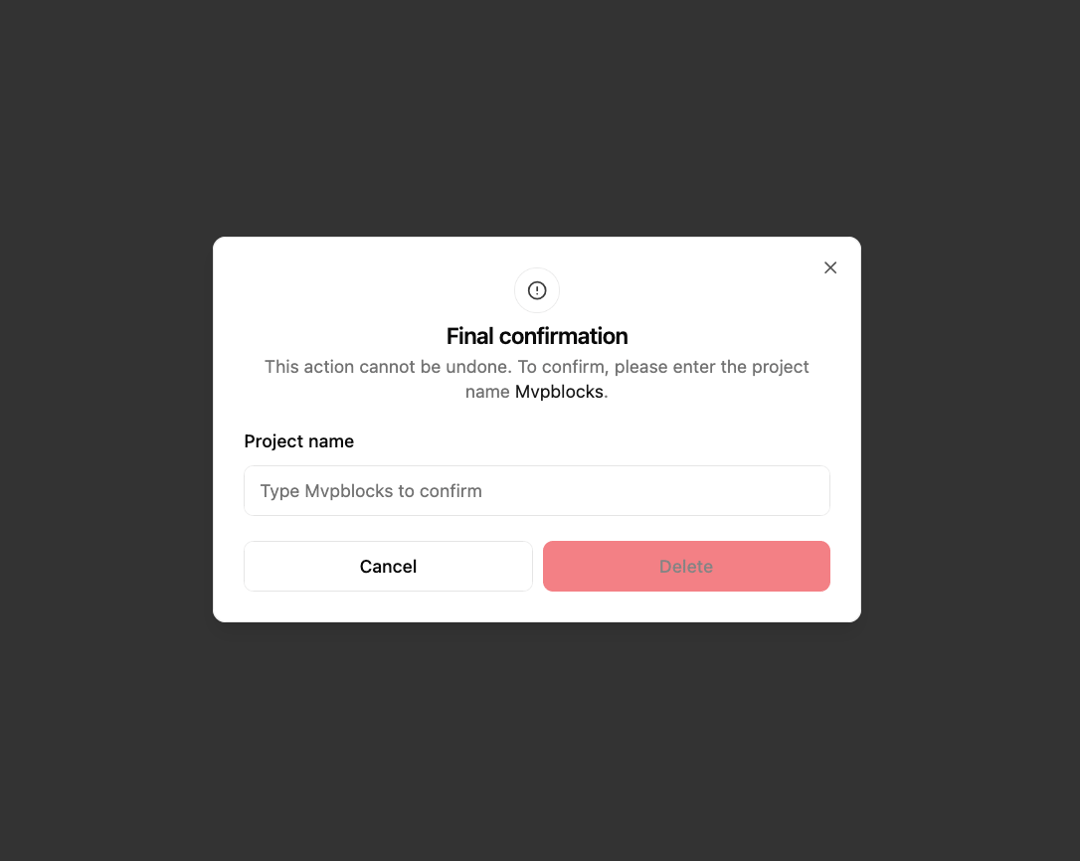
Here is Terms & Conditions dialog
Built with React and Tailwind. Copy the prompt and paste it into Claude Code, Cursor or Lovable: your agent adds Terms & Conditions to your project and fits it to your theme.
Code
How Terms & Conditions is used: the demo's code. The component's own source comes with a free account.
Usage.tsx
'use client';

import { useId, useState } from 'react';
import { CircleAlertIcon } from 'lucide-react';
import { Button } from '@/components/ui/button';
import {
  Dialog,
  DialogClose,
  DialogContent,
  DialogDescription,
  DialogFooter,
  DialogHeader,
  DialogTitle,
  DialogTrigger,
} from '@/components/ui/dialog';
import { Input } from '@/components/ui/input';
import { Label } from '@/components/ui/label';

const PROJECT_NAME = 'Mvpblocks';

export default function DeleteProject() {
  const id = useId();
  const [inputValue, setInputValue] = useState('');

  return (
    <Dialog>
      <DialogTrigger asChild>
        <Button variant="destructive">Delete project</Button>
      </DialogTrigger>
      <DialogContent>
        <div className="flex flex-col items-center gap-2">
          <div
            className="flex size-9 shrink-0 items-center justify-center rounded-full border"
            aria-hidden="true"
          >
            <CircleAlertIcon className="opacity-80" size={16} />
          </div>
          <DialogHeader>
            <DialogTitle className="sm:text-center">
              Final confirmation
            </DialogTitle>
            <DialogDescription className="sm:text-center">
              This action cannot be undone. To confirm, please enter the project
              name <span className="text-primary">{PROJECT_NAME}</span>.
            </DialogDescription>
          </DialogHeader>
        </div>

        <form className="space-y-5">
          <div className="*:not-first:mt-2">
            <Label htmlFor={id}>Project name</Label>
            <Input
              id={id}
              type="text"
              placeholder={`Type ${PROJECT_NAME} to confirm`}
              value={inputValue}
              onChange={(e) => setInputValue(e.target.value)}
            />
          </div>
          <DialogFooter>
            <DialogClose asChild>
              <Button type="button" variant="outline" className="flex-1">
                Cancel
              </Button>
            </DialogClose>
            <Button
              type="button"
              variant="destructive"
              className="flex-1"
              disabled={inputValue !== PROJECT_NAME}
            >
              Delete
            </Button>
          </DialogFooter>
        </form>
      </DialogContent>
    </Dialog>
  );
}
More by mvp_Subha
View all
Footer column
426
Loader
86
Button Github
75
Pulsating Loader
72
Button Hover
37
More in Forms
View all

Premium Auth
500

Login 2
7
Authentication Card
47

Login 1
52

Contact Card
1K
Login Form
6

Form
16

Book A Demo 3
83
