
About
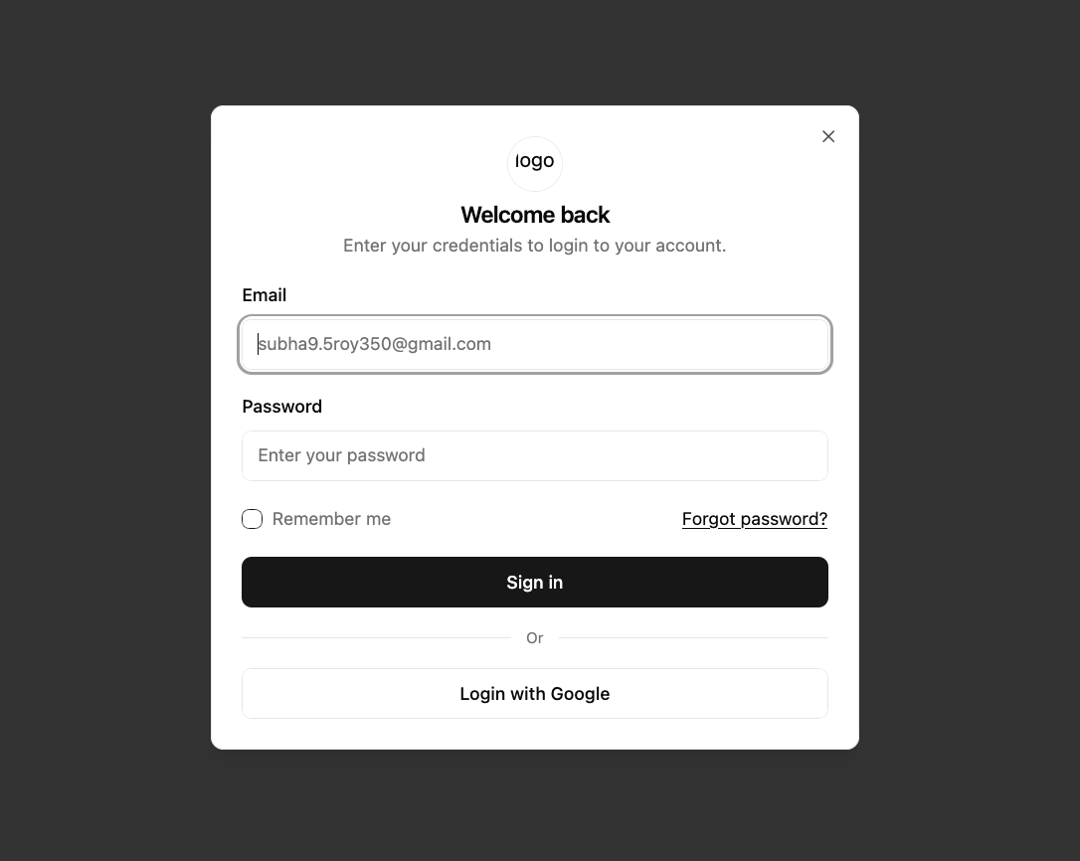
Here is Terms & Conditions dialog
Built with React and Tailwind. Copy the prompt and paste it into Claude Code, Cursor or Lovable: your agent adds Terms & Conditions to your project and fits it to your theme.
Code
How Terms & Conditions is used: the demo's code. The component's own source comes with a free account.
Usage.tsx
import { useId } from 'react';

import { Button } from '@/components/ui/button';
import { Checkbox } from '@/components/ui/checkbox';
import {
  Dialog,
  DialogContent,
  DialogDescription,
  DialogHeader,
  DialogTitle,
  DialogTrigger,
} from '@/components/ui/dialog';
import { Input } from '@/components/ui/input';
import { Label } from '@/components/ui/label';

export default function SigninModal() {
  const id = useId();
  return (
    <Dialog>
      <DialogTrigger asChild>
        <Button variant="secondary">Sign in</Button>
      </DialogTrigger>
      <DialogContent>
        <div className="flex flex-col items-center gap-2">
          <div
            className="flex size-11 shrink-0 items-center justify-center rounded-full border"
            aria-hidden="true"
          >
            <img src="/logo.webp" alt="logo" className="h-8 w-8 rounded-full" />
          </div>
          <DialogHeader>
            <DialogTitle className="sm:text-center">Welcome back</DialogTitle>
            <DialogDescription className="sm:text-center">
              Enter your credentials to login to your account.
            </DialogDescription>
          </DialogHeader>
        </div>

        <form className="space-y-5">
          <div className="space-y-4">
            <div className="*:not-first:mt-2">
              <Label htmlFor={`${id}-email`}>Email</Label>
              <Input
                id={`${id}-email`}
                placeholder="subha9.5roy350@gmail.com"
                type="email"
                required
              />
            </div>
            <div className="*:not-first:mt-2">
              <Label htmlFor={`${id}-password`}>Password</Label>
              <Input
                id={`${id}-password`}
                placeholder="Enter your password"
                type="password"
                required
              />
            </div>
          </div>
          <div className="flex justify-between gap-2">
            <div className="flex items-center gap-2">
              <Checkbox id={`${id}-remember`} />
              <Label
                htmlFor={`${id}-remember`}
                className="text-muted-foreground font-normal"
              >
                Remember me
              </Label>
            </div>
            <a className="text-sm underline hover:no-underline" href="#">
              Forgot password?
            </a>
          </div>
          <Button type="button" className="w-full">
            Sign in
          </Button>
        </form>

        <div className="before:bg-border after:bg-border flex items-center gap-3 before:h-px before:flex-1 after:h-px after:flex-1">
          <span className="text-muted-foreground text-xs">Or</span>
        </div>

        <Button variant="outline">Login with Google</Button>
      </DialogContent>
    </Dialog>
  );
}
More by mvp_Subha
View all
Footer column
426
Loader
86
Button Github
75
Pulsating Loader
72
Button Hover
37
More in Sign-in
View all
SignInPage
631

Modern & Stunning sign in
1.6K

Sign In Form
201
Clean & Minimal sign in
617
Sign In
97

Split Sign In Form
16

Login 2
7
Modern Animated Sign In
1.1K


