
About
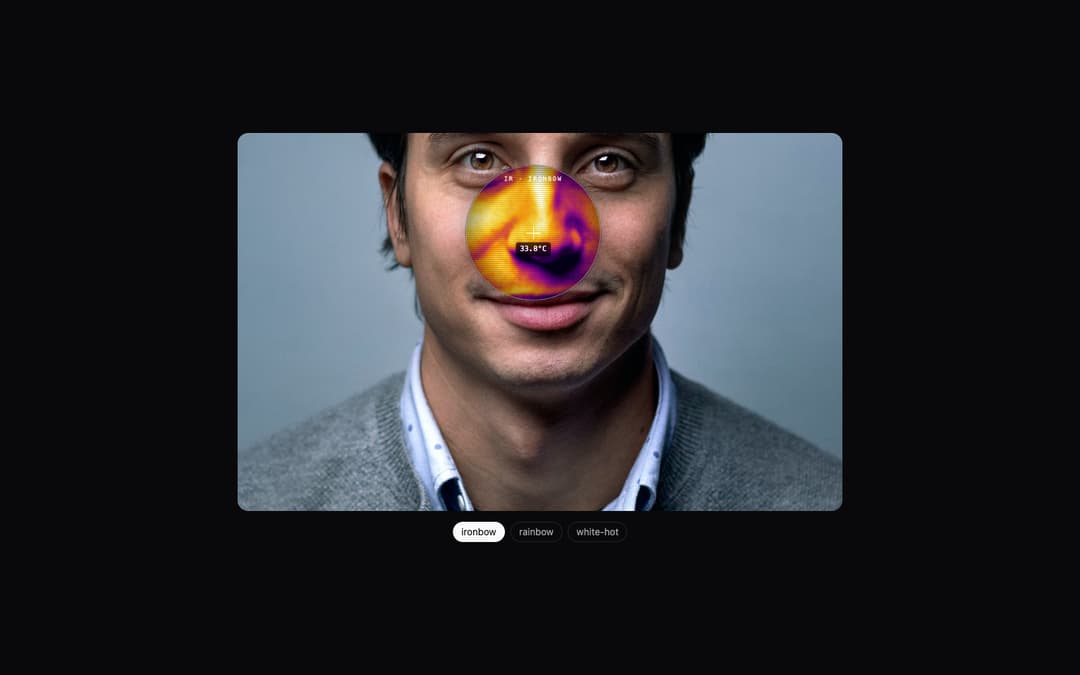
Hover any image to see it through a thermal camera. The lens renders a false-colour heat map (ironbow, rainbow or white-hot) with scanlines, a crosshair and a live temperature readout. The heat map is an SVG filter, so it works with images from any domain; the readout appears when the image host allows CORS.
Built with React and Tailwind. Copy the prompt and paste it into Claude Code, Cursor or Lovable: your agent adds Thermal Lens to your project and fits it to your theme.
Code
How Thermal Lens is used: the demo's code. The component's own source comes with a free account.
Usage.tsx
import { useState } from "react"
import { ThermalLens } from "@/components/ui/thermal-lens"

const photo = "https://cdn.21st.dev/assets/mirror/11/11c6f4060c2d2370710eda84d3169a66efd3de23676e0ae41b5cca286eb184cd.jpg"
const palettes = ["ironbow", "rainbow", "white-hot"] as const

export default function ThermalLensDemo() {
  const [palette, setPalette] = useState<(typeof palettes)[number]>("ironbow")
  return (
    <div className="flex h-full min-h-[560px] w-full items-center justify-center bg-background p-6">
      <div className="w-full max-w-4xl">
        <ThermalLens src={photo} alt="Portrait of a smiling man" palette={palette} className="aspect-[16/10] w-full rounded-2xl" />
        <div className="mt-4 flex items-center justify-center gap-2 text-sm">
          {palettes.map((p) => (
            <button
              key={p}
              onClick={() => setPalette(p)}
              className={`rounded-full border px-3 py-1 transition-colors ${p === palette ? "border-foreground bg-foreground text-background" : "border-border text-muted-foreground"}`}
            >
              {p}
            </button>
          ))}
        </div>
      </div>
    </div>
  )
}
More by Neebarp
View all

Iron Filings
10
Tide Compare
Seismograph Stat