
About
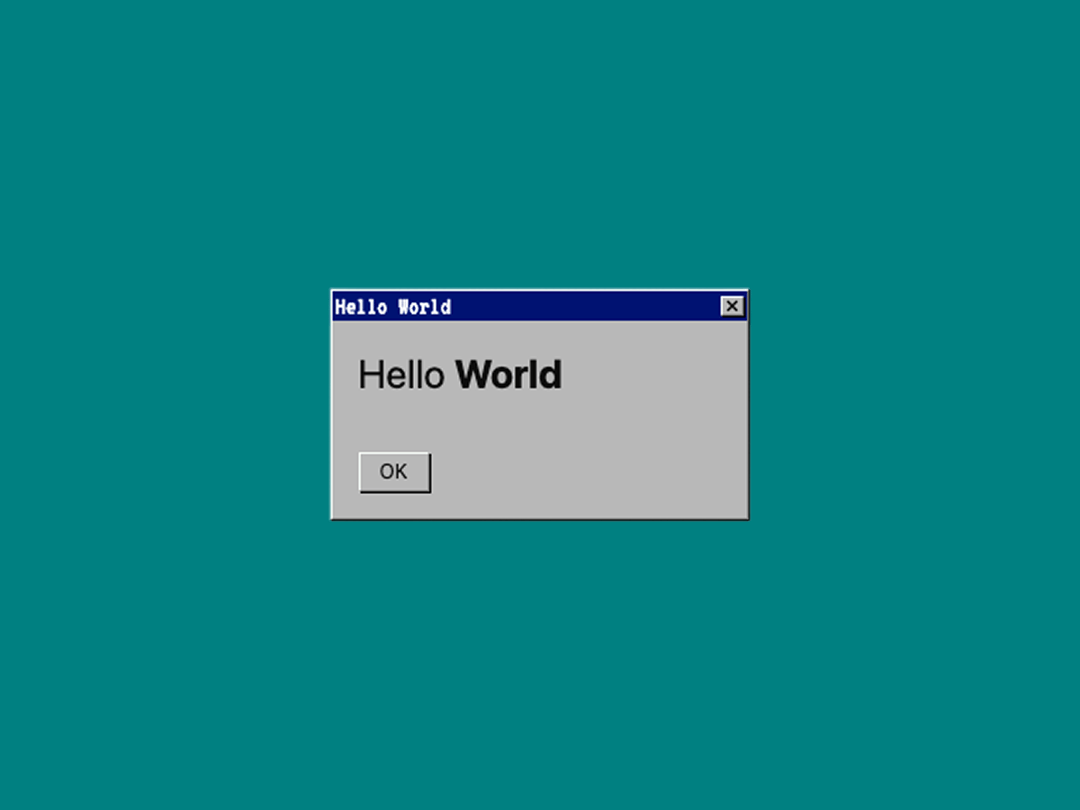
A retro-style container for nostalgic UI
Built with React and Tailwind. Copy the prompt and paste it into Claude Code, Cursor or Lovable: your agent adds Windows Container to your project and fits it to your theme.
Code
How Windows Container is used: the demo's code. The component's own source comes with a free account.
Usage.tsx
import { WindowsContainer } from "@/components/ui/windows-container";

const DemoOne = () => {
  return (
    <div className="flex w-full h-screen justify-center items-center bg-[#008081]">
      <WindowsContainer
        title="Hello World"
        className="max-w-64"
        footer={<button className="flex items-center text-xs px-3 h-6 windows-border cursor-pointer">OK</button>}
      >
        <p className="text-2xl">Hello <strong>World</strong></p>
      </WindowsContainer>
    </div>
  );
};

export { DemoOne };
Dependencies
More by SEONG HUN
View all
Cartoon Button
159
Glass Time Card
113
Light Pull Theme Switcher
102
Lucide Icon Drawer
73
Timestamp
9
Particle Wrapper
More in Buttons
View all
Button Save
46

Button
20

Eclipse Button
5

Button
6

Button
14

Button Group
37

Button
32
Split Button
32

