
About
Hook for image uploading
Built with React and Tailwind. Copy the prompt and paste it into Claude Code, Cursor or Lovable: your agent adds useImageUpload to your project and fits it to your theme.
Code
How useImageUpload is used: the demo's code. The component's own source comes with a free account.
Usage.tsx
import { Button } from "@/components/ui/button"
import { Input } from "@/components/ui/input"
import { useImageUpload } from "@/components/hooks/use-image-upload"
import { ImagePlus, X, Upload, Trash2 } from "lucide-react"
import Image from "next/image"
import { useCallback, useState } from "react"
import { cn } from "@/lib/utils"

export function ImageUploadDemo() {
  const {
    previewUrl,
    fileName,
    fileInputRef,
    handleThumbnailClick,
    handleFileChange,
    handleRemove,
  } = useImageUpload({
    onUpload: (url) => console.log("Uploaded image URL:", url),
  })

  const [isDragging, setIsDragging] = useState(false)

  const handleDragOver = (e: React.DragEvent<HTMLDivElement>) => {
    e.preventDefault()
    e.stopPropagation()
  }

  const handleDragEnter = (e: React.DragEvent<HTMLDivElement>) => {
    e.preventDefault()
    e.stopPropagation()
    setIsDragging(true)
  }

  const handleDragLeave = (e: React.DragEvent<HTMLDivElement>) => {
    e.preventDefault()
    e.stopPropagation()
    setIsDragging(false)
  }

  const handleDrop = useCallback(
    (e: React.DragEvent<HTMLDivElement>) => {
      e.preventDefault()
      e.stopPropagation()
      setIsDragging(false)

      const file = e.dataTransfer.files?.[0]
      if (file && file.type.startsWith("image/")) {
        const fakeEvent = {
          target: {
            files: [file],
          },
        } as React.ChangeEvent<HTMLInputElement>
        handleFileChange(fakeEvent)
      }
    },
    [handleFileChange],
  )

  return (
    <div className="w-full max-w-md space-y-6 rounded-xl border border-border bg-card p-6 shadow-sm">
      <div className="space-y-2">
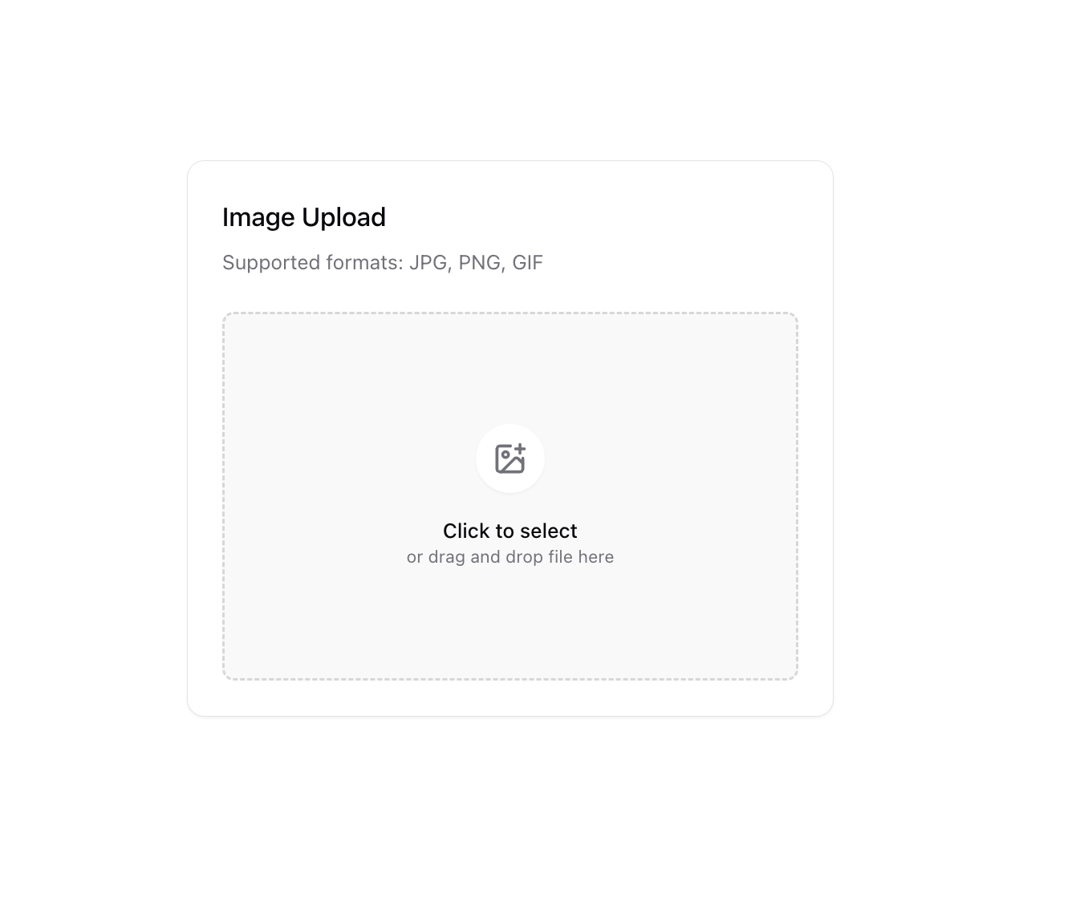
        <h3 className="text-lg font-medium">Image Upload</h3>
        <p className="text-sm text-muted-foreground">
          Supported formats: JPG, PNG, GIF
        </p>
      </div>

      <Input
        type="file"
        accept="image/*"
        className="hidden"
        ref={fileInputRef}
        onChange={handleFileChange}
      />

      {!previewUrl ? (
        <div
          onClick={handleThumbnailClick}
          onDragOver={handleDragOver}
          onDragEnter={handleDragEnter}
          onDragLeave={handleDragLeave}
          onDrop={handleDrop}
          className={cn(
            "flex h-64 cursor-pointer flex-col items-center justify-center gap-4 rounded-lg border-2 border-dashed border-muted-foreground/25 bg-muted/50 transition-colors hover:bg-muted",
            isDragging && "border-primary/50 bg-primary/5",
          )}
        >
          <div className="rounded-full bg-background p-3 shadow-sm">
            <ImagePlus className="h-6 w-6 text-muted-foreground" />
          </div>
          <div className="text-center">
            <p className="text-sm font-medium">Click to select</p>
            <p className="text-xs text-muted-foreground">
              or drag and drop file here
            </p>
          </div>
        </div>
      ) : (
        <div className="relative">
          <div className="group relative h-64 overflow-hidden rounded-lg border">
            <Image
              src={previewUrl}
              alt="Preview"
              fill
              className="object-cover transition-transform duration-300 group-hover:scale-105"
              sizes="(max-width: 768px) 100vw, (max-width: 1200px) 50vw, 33vw"
            />
            <div className="absolute inset-0 bg-black/40 opacity-0 transition-opacity group-hover:opacity-100" />
            <div className="absolute inset-0 flex items-center justify-center gap-2 opacity-0 transition-opacity group-hover:opacity-100">
              <Button
                size="sm"
                variant="secondary"
                onClick={handleThumbnailClick}
                className="h-9 w-9 p-0"
              >
                <Upload className="h-4 w-4" />
              </Button>
              <Button
                size="sm"
                variant="destructive"
                onClick={handleRemove}
                className="h-9 w-9 p-0"
              >
                <Trash2 className="h-4 w-4" />
              </Button>
            </div>
          </div>
          {fileName && (
            <div className="mt-2 flex items-center gap-2 text-sm text-muted-foreground">
              <span className="truncate">{fileName}</span>
              <button
                onClick={handleRemove}
                className="ml-auto rounded-full p-1 hover:bg-muted"
              >
                <X className="h-4 w-4" />
              </button>
            </div>
          )}
        </div>
      )}
    </div>
  )
}
Dependencies
More by Origin UI
View all
Dialog
1.2K
Avatar
951
usePagination
622
Popover
384
Button
362
Command
321
Accordion
257![Calendar [React Day Picker]](https://cdn.21st.dev/cdn-cgi/image/fit=scale-down,width=640,quality=75,format=webp/https://cdn.21st.dev/user_originui/calendar/default/preview.1737991983843.png)
Calendar [React Day Picker]
255