
About
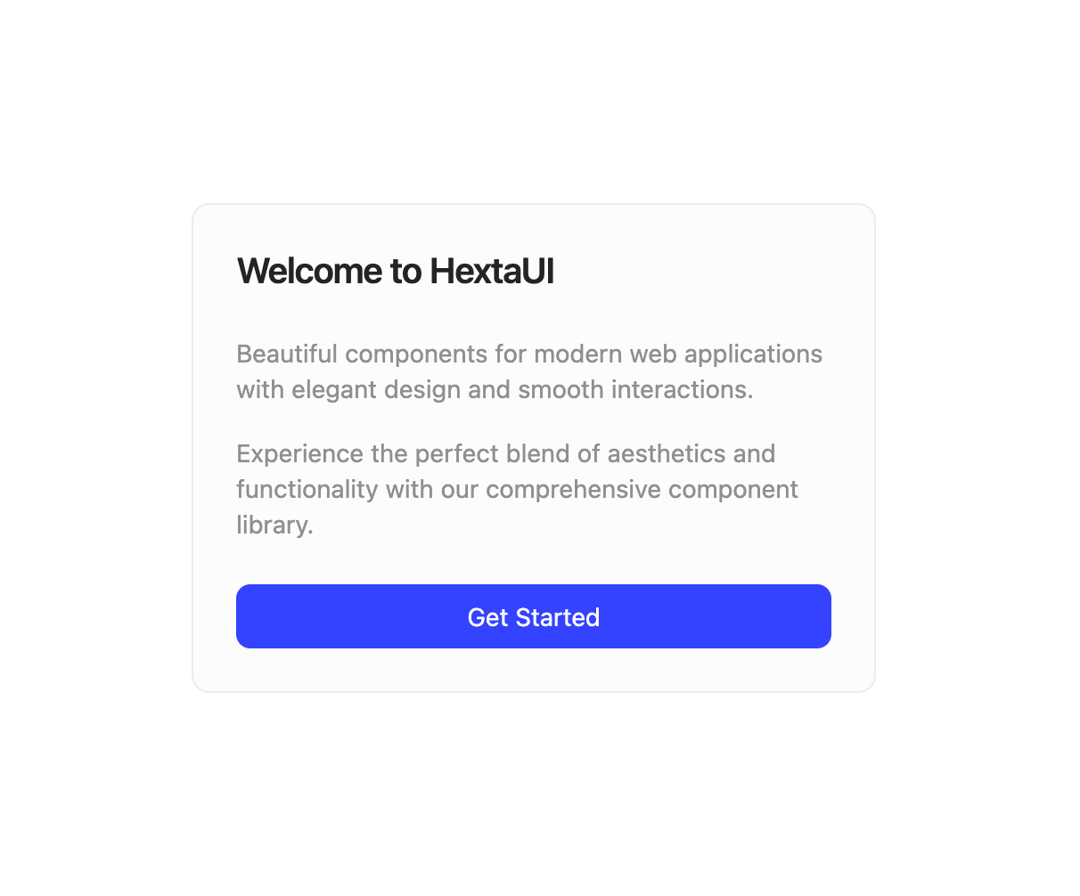
A flexible container component for displaying content in a card layout with header, content, and footer sections.
Built with React and Tailwind. Copy the prompt and paste it into Claude Code, Cursor or Lovable: your agent adds Card to your project and fits it to your theme.
Code
How Card is used: the demo's code. The component's own source comes with a free account.
Usage.tsx
import {
  Card,
  CardContent,
  CardDescription,
  CardFooter,
  CardHeader,
  CardTitle,
} from "@/components/ui/card-1";
import {Button} from "@/components/ui/button";

export default function DemoOne() {
  return (
    <>
      <Card className="w-full max-w-sm space-y-6">
        <CardHeader>
          <CardTitle>Welcome to HextaUI</CardTitle>
        </CardHeader>
        <CardContent>
          <p className="text-sm text-muted-foreground">
            Beautiful components for modern web applications with elegant design
            and smooth interactions.
          </p>
          <p className="text-sm text-muted-foreground">
            Experience the perfect blend of aesthetics and functionality with our
            comprehensive component library.
          </p>
        </CardContent>
        <CardFooter>
          <Button className="w-full">Get Started</Button>
        </CardFooter>
      </Card>
    </>
  );
}
Dependencies
More by Preet Suthar
View all

Modern & Stunning sign in
1.6K
Shining Text
1.5K
Magic Text
845
Toolbar
822
Hero 2
818
Typewriter Text
769
AI Chat Input
734
Full Screen Signup
731
More in Buttons
View all
Button Save
46

Button
20

Eclipse Button
5

Button
6

Button
14

Button Group
37
Button
32
Split Button
32

