
About
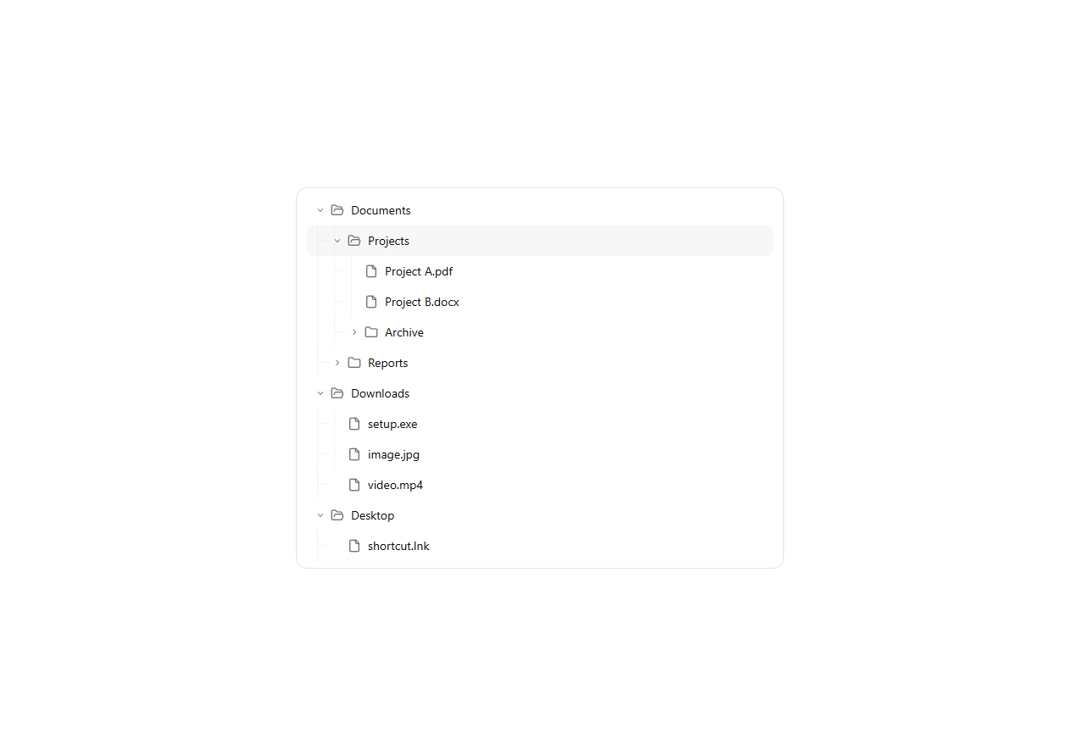
A hierarchical data display component with expand/collapse functionality, perfect for file explorers, organizational charts, or any nested data structure.
Built with React and Tailwind. Copy the prompt and paste it into Claude Code, Cursor or Lovable: your agent adds Tree View to your project and fits it to your theme.
Code
How Tree View is used: the demo's code. The component's own source comes with a free account.
Usage.tsx
import { TreeView } from "@/components/ui/tree-view";

const DemoOne = () => {

const treeData = [
  {
    id: "1",
    label: "Documents",
    children: [
      {
        id: "1-1",
        label: "Projects",
        children: [
          { id: "1-1-1", label: "Project A.pdf" },
          { id: "1-1-2", label: "Project B.docx" },
          {
            id: "1-1-3",
            label: "Archive",
            children: [
              { id: "1-1-3-1", label: "Old Project.zip" },
              { id: "1-1-3-2", label: "Backup.tar" },
            ],
          },
        ],
      },
      {
        id: "1-2",
        label: "Reports",
        children: [
          { id: "1-2-1", label: "Monthly Report.xlsx" },
          { id: "1-2-2", label: "Annual Report.pdf" },
        ],
      },
    ],
  },
  {
    id: "2",
    label: "Downloads",
    children: [
      { id: "2-1", label: "setup.exe" },
      { id: "2-2", label: "image.jpg" },
      { id: "2-3", label: "video.mp4" },
    ],
  },
  {
    id: "3",
    label: "Desktop",
    children: [{ id: "3-1", label: "shortcut.lnk" }],
  },
];

  return (
    <>
    <div className="max-w-xl mx-auto w-full">
      <TreeView
        data={treeData}
        onNodeClick={(node) => console.log("Clicked:", node.label)}
        defaultExpandedIds={["1"]}
      />
    </div>
    </>
  );
};

export { DemoOne };
Dependencies
More by Preet Suthar
View all

Modern & Stunning sign in
1.6K
Shining Text
1.5K
Magic Text
845
Toolbar
822
Hero 2
818
Typewriter Text
769
AI Chat Input
734
Full Screen Signup
731