
About
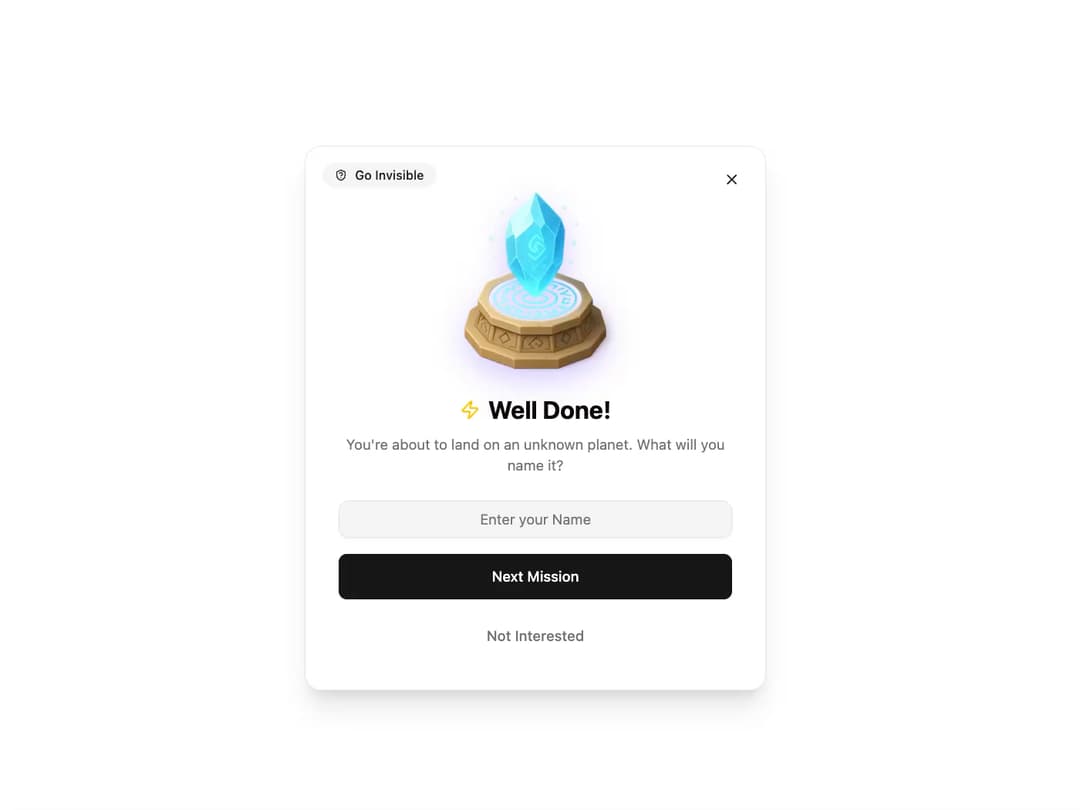
Mission Success Dialog Description: A responsive and animated dialog component to celebrate a user's achievement or prompt for a next step. It's designed with reusability and shadcn/ui principles in mind, featuring smooth entrance and exit animations.
Built with React and Tailwind. Copy the prompt and paste it into Claude Code, Cursor or Lovable: your agent adds Mission Success Dialog to your project and fits it to your theme.
Code
How Mission Success Dialog is used: the demo's code. The component's own source comes with a free account.
Usage.tsx
import React, { useState } from 'react';
import { MissionSuccessDialog } from '@/components/ui/mission-success-dialog'; // Adjust path as needed
import { Button } from '@/components/ui/button';
import { ShieldQuestion } from 'lucide-react'; // Example icon

export default function MissionSuccessDialogDemo() {
  const [isDialogOpen, setDialogOpen] = useState(false);

  // Example handler for the primary button
  const handlePrimaryAction = (inputValue: string) => {
    console.log("Planet Name:", inputValue);
    alert(`Mission to planet "${inputValue}" has been set!`);
  };

  // Example handler for the secondary button
  const handleSecondaryAction = () => {
    console.log("User is not interested.");
    alert("Mission aborted.");
  };

  return (
    <div className="flex h-[500px] w-full items-center justify-center rounded-lg bg-background">
      <Button onClick={() => setDialogOpen(true)}>
        Complete Mission
      </Button>

      <MissionSuccessDialog
        isOpen={isDialogOpen}
        onClose={() => setDialogOpen(false)}
        imageUrl="https://www.thiings.co/_next/image?url=https%3A%2F%2Flftz25oez4aqbxpq.public.blob.vercel-storage.com%2Fimage-HmiK2xmQ3e7Xtx7v2gRFAWYob8haFe.png&w=320&q=75"
        title="Well Done!"
        description="You're about to land on an unknown planet. What will you name it?"
        inputPlaceholder="Enter your Name"
        primaryButtonText="Next Mission"
        onPrimaryClick={handlePrimaryAction}
        secondaryButtonText="Not Interested"
        onSecondaryClick={handleSecondaryAction}
        badgeText="Go Invisible"
        badgeIcon={<ShieldQuestion className="h-3 w-3" />}
      />
    </div>
  );
}
Dependencies
More by Ravi Katiyar
View all

Animated Shader Hero
3.7K
Hero
3.1K
Circular Gallery
2.7K
Minimalist Hero
2.5K
Floating Icons Hero Section
1.9K
Glass Calendar
1.8K
Feature Carousel
1.7K
AI Image Generator Hero
1.4K
More in Buttons
View all
Button Save
46

Button
20

Eclipse Button
5

Button
6

Button
14

Button Group
37

Button
32
Split Button
32

